



How Store Auto-update Works
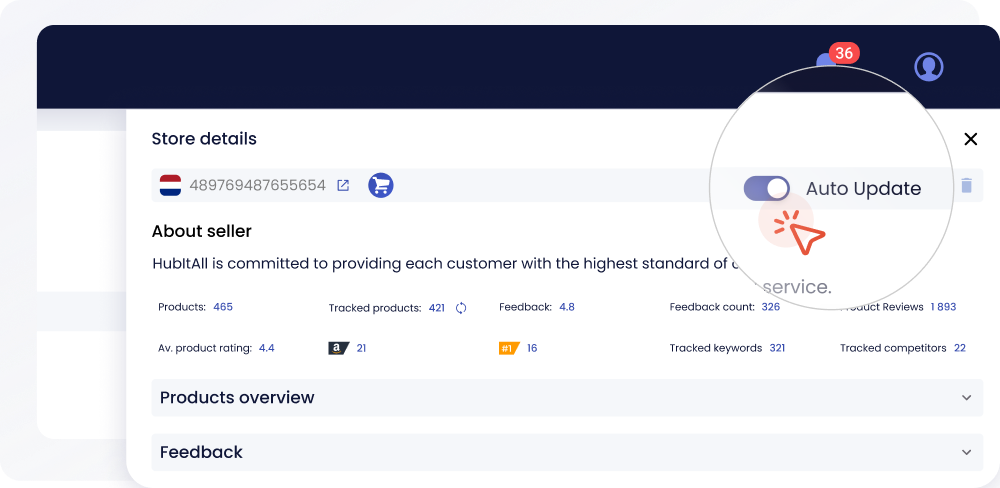
Store Auto Update feature
- The user connects a Brand Store to SellerSonar.
- SellerSonar periodically scans the store for new ASINs.
- New products are added to monitoring automatically, as long as the account is within its plan’s product limit.
What Happens at the Limit
Store Auto-update automatically finds new ASINs in a monitored Amazon Brand Store and adds them to SellerSonar when they appear, as long as the account stays within the product limit included in the user’s plan. This helps brands keep store monitoring up to date without checking the store manually.
If the user has already reached the product limit, new products found in the store are not added automatically. Instead, they appear in the Import Review tab on the Products page with the Limit Reached status. The user can then upgrade the plan or add an extra pack, and add these products later if they want to track them in SellerSonar.
Users can review product limits and extra packs in the SellerSonar Plans Comparison.
Why Sellers Use It
- Complete coverage: Every new store ASIN is monitored without manual work.
- Faster reaction: New products start collecting alerts from day one.
How SellerSonar Helps
Auto-update relies on the Brand Store ID and feeds directly into Product Monitoring. Product limits and add-ons are listed in the SellerSonar Plans Comparison.
Start your free SellerSonar trial today.
Related Terms
- Brand Store ID, the store it watches
- Amazon Storefront, the page new ASINs are found on
- Catalog Management, the wider structure tracking it feeds