





Quick Answer
Amazon Virtual Product Bundles combine multiple distinct but complementary products into one offer. Amazon product variations group different options of the same core product under a parent-child relationship. They are not interchangeable. Choose the wrong structure and you create broken catalog logic, suppressed child listings, weaker merchandising, reporting confusion, and slower investigations.
Amazon Virtual Product Bundles vs Product Variations is a catalog-structure decision, not a wording debate.
Sellers mix these up because both can connect multiple ASINs around one buying path. But they do different jobs. A variation is about choice within one product family. A bundle is about selling complementary products together. Get that distinction wrong and the downstream problems usually show up in listing health, merchandising, reporting, and investigation speed.
Why sellers confuse bundles, variations, and multipacks
From a distance, these structures can look similar. Multiple related ASINs appear connected, and teams assume the same rules apply across all of them.
They do not.
According to Amazon documentation, product variations rely on parent-child relationships and valid variation themes. Virtual Product Bundles are a separate FBA tool used to combine complementary ASINs into one offer. Virtual multipacks are separate again and should not be folded into either category.
Where multipacks fit
Keep this simple: multipacks are a third concept, not a variation and not a bundle. If you need that breakdown, see our article on Amazon Virtual Multipacks instead of turning this page into a second multipacks explainer.
What Amazon Virtual Product Bundles are
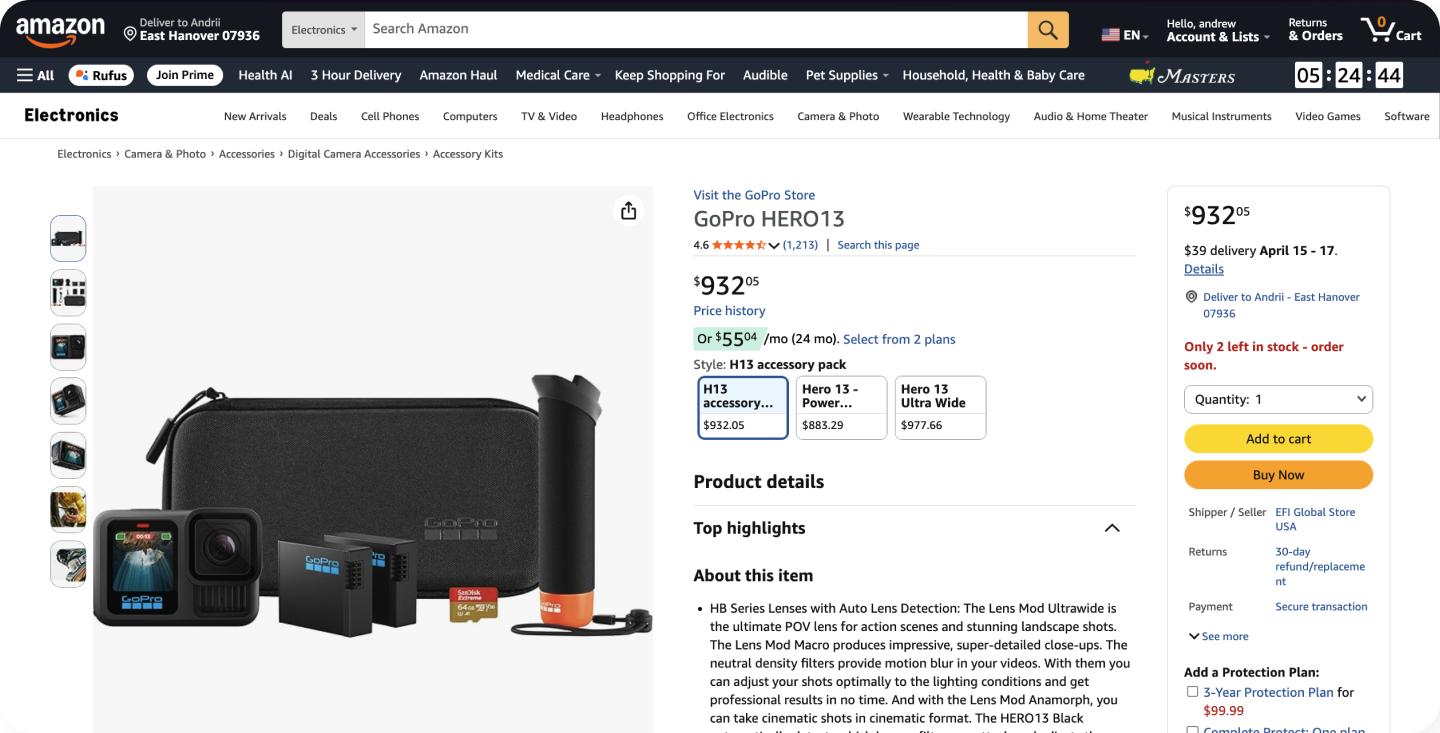
Example of how an Amazon bundle-style listing appears on a product page
According to Amazon, the virtual product bundles tool for FBA allows Brand Representatives to create virtual bundles made up of two to five complementary ASINs purchased together from a single detail page. Amazon also states that sellers do not need to physically package those products together before inbound when using this tool.
For operators, the key point is straightforward: a virtual bundle is built from distinct products that belong together commercially, not from alternate versions of the same product.
Use a bundle when the value is in the combination itself. Think routine-based combinations, accessories paired with a main product, or connected-use products. The bundle is the offer.
What Amazon product variations are
Amazon product variations organize related options of the same core product under a parent-child structure. Amazon’s documentation explains that parent and child products in a variation family should share the same product type, brand, and title pattern, with similar images, while differing by a valid characteristic such as size, color, or another supported variation theme.
That is the core distinction. A variation is not about selling complementary products together. It is about organizing choice within one product family.
So the shopper is answering a different question: not “which products go together?” but “which version of this product do I want?”
Amazon Virtual Product Bundles vs Product Variations: key differences
| Area | Amazon Virtual Product Bundles | Amazon Product Variations |
|---|---|---|
| Structure | Multiple complementary ASINs combined into one offer | Child ASINs grouped under a parent-child relationship |
| Merchandising logic | Products are bought together because they are complementary | Shoppers choose between versions of the same core product |
| Shopper experience | One combined offer made up of multiple distinct products | One product family with selectors like size or color |
| Seller workflow | Bundle eligibility, ASIN selection, offer logic | Parent-child setup, variation themes, child integrity, troubleshooting |
| Typical failure mode | Bundle setup or offer logic issues | Broken relationships, invalid themes, inconsistent child structure |
That structural difference drives everything else. Bundles are for products that work better together. Variations are for alternate options of the same product. Do not use variation logic to fake a bundle. Do not use bundle logic when the real job is to present valid shopper choices such as size or color.
When a seller should use a bundle instead of a variation
Use a bundle when the products are distinct but naturally belong together in one purchase decision.
- The products are complementary rather than alternate versions
- The shopper benefit comes from the combination
- The offer makes more sense as a set than as a single selectable option
- The products are not valid children in a true parent-child variation family
A practical test is simple: if the shopper should buy all of it together, and those items are not just size or color choices of one core product, bundle logic is usually the right fit.
When a seller should use a variation instead of a bundle
Use a variation when the ASINs are different versions of the same core item and the shopper needs to choose one option, not buy a set.
- The main difference is a valid variation theme such as size or color
- The products belong to the same product family
- The shopper should compare options within one product detail experience
- The child listings should roll up under parent-child logic
A useful operator rule is this: if the customer should pick one, think variation. If the customer should get several complementary products together, think bundle.
Why sellers misclassify bundles and variations
The most common mistake is reading the surface shape of the listing instead of the job the structure is supposed to do.
If the relationship is built for shopper choice inside one product family, that is variation logic. If the relationship is built to sell distinct but complementary items together, that is bundle logic.
Signals that point toward bundle logic:
- distinct products
- complementary use case
- one combined offer
- the customer is expected to buy the full set
Signals that point toward variation logic:
- one parent concept
- multiple child options
- valid variation theme
- the customer is expected to choose one version
The common structural mistakes are predictable: sellers force complementary products into parent-child logic, split true variations into bundle-style sets, or ignore parent-child integrity after catalog updates. Once that happens, listing behavior gets harder to explain, teams work from the wrong diagnosis, and fixes take longer than they should.
Operational risks for catalog structure, suppression, and reporting
Broken variation relationships
Amazon provides troubleshooting for moved children, invalid relationships, duplicate variation values, and theme-related errors. That is a strong signal that variation families are sensitive to setup quality.
Suppressed child listings
SellerSonar’s Retail Issues pages explicitly mention alerts for suppressed listings and issues with linked variations. That matters because broken relationships and listing-quality problems often surface first as child-level health issues.
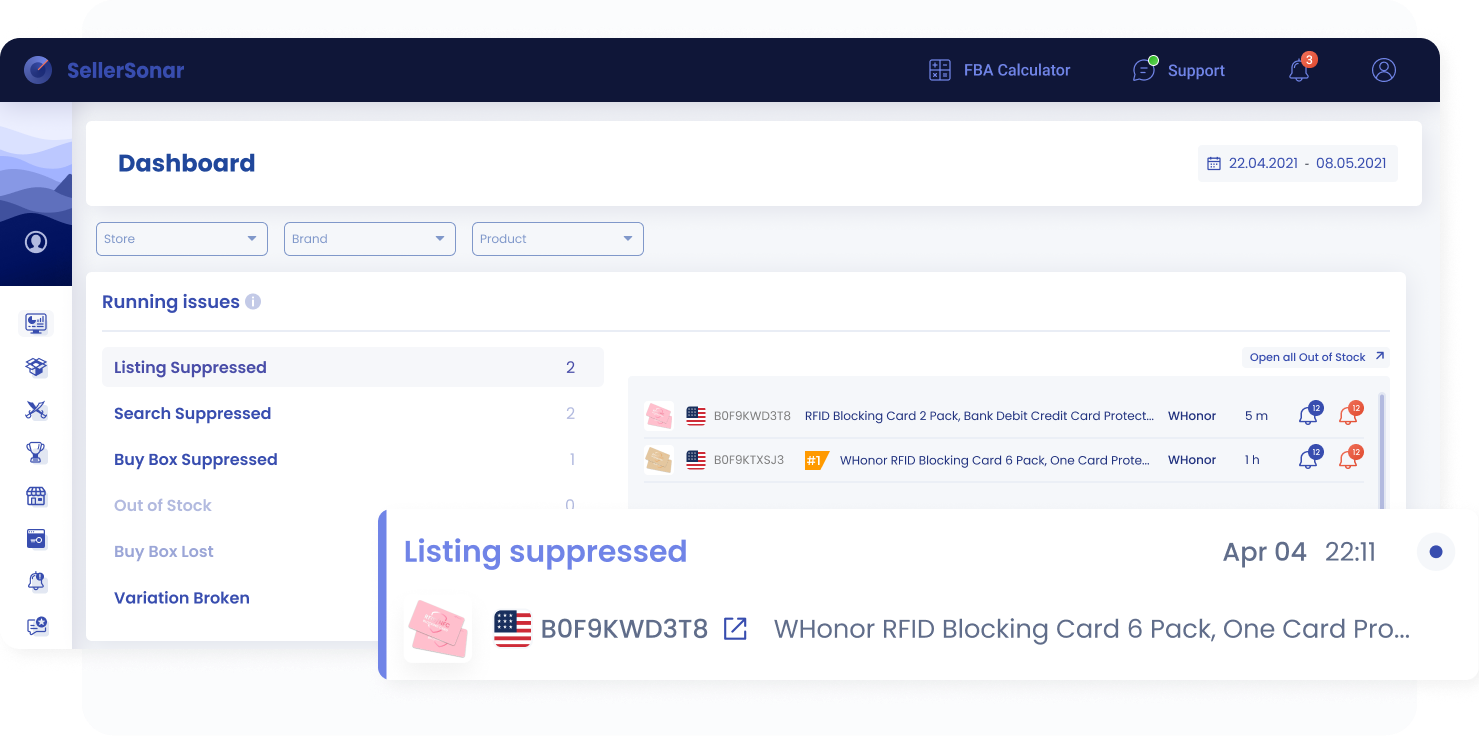
A quick look at how SellerSonar highlights suppressed listings and related retail issues
Catalog confusion
A catalog can look acceptable at a glance and still be structurally wrong. That creates bad handoffs between account managers, catalog teams, paid media teams, and support staff.
Reporting and offer confusion
Amazon has separate guidance for virtual bundle reporting. Sellers should not assume bundle performance behaves like a standard variation context.
Support friction
Once the wrong structure is live, reviews and support cases take longer because the first half of the work becomes classification.
Operator example
A common pattern looks like this: a team pushes a catalog update, then a child ASIN drops out of the expected relationship or goes suppressed. The first assumption is often content, indexing, or a random listing glitch. After a deeper review, the real issue turns out to be structural: the listing was treated like a variation when it should have been bundled, or the parent-child relationship was broken by the update. That is why structure classification has to come before escalation.
What to check if a variation or bundle listing looks wrong
- Identify the structure first. Is this supposed to be a variation family or a virtual bundle?
- Check the parent-child relationship. If it is a variation, verify that the children really are versions of the same core product.
- Check variation theme logic. Make sure the assigned variation theme is appropriate for the category and product.
- Compare related ASIN content. Look for inconsistent titles, images, brand fields, or product type patterns.
- Review suppression status. A suppression signal does not tell you the full story, but it tells you where to dig first.
- Review recent listing changes. If titles, bullets, images, descriptions, or brand fields changed recently, include that in the investigation timeline.
- Check whether the structure should actually be a bundle. If the connected items are complementary rather than alternate versions, stop trying to fix them as a variation family.
- Review feed or flat-file changes if relevant. If the issue followed a catalog upload, compare the recent feed logic with the current structure.
- Check category rules and Amazon documentation. Some edge cases are category-specific.
- Escalate only after the diagnosis is clear. Support works much better when you can name the actual structure problem.
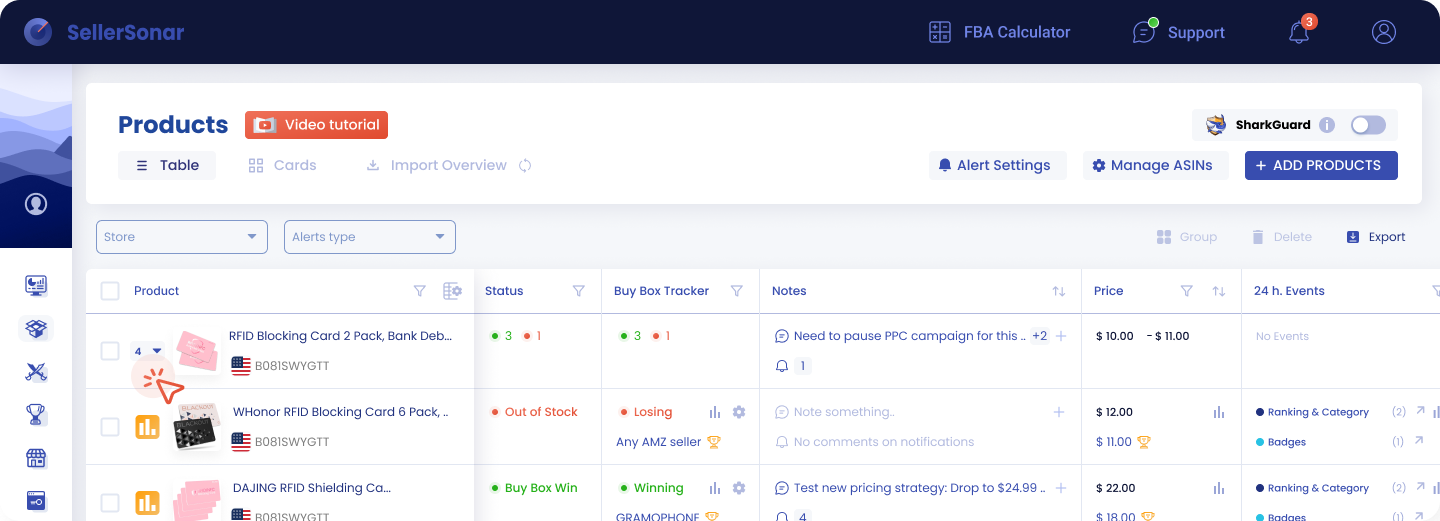
A quick look at how SellerSonar helps sellers track products, listing status, pricing, and recent events
How SellerSonar helps detect this earlier
SellerSonar is most useful here as the monitoring layer.
In live catalog work, the first problem is usually not theory. It is visibility. Teams do not always know what changed first, which ASIN moved out of pattern, or whether they are looking at a content issue, a suppression issue, or a structure issue.
That is where SellerSonar fits. Its public pages describe Alerts & Events for listing changes and retail issues, Content Change Alerts for changes to titles, bullet points, descriptions, brand, and images, and Retail Issues monitoring for suppressed listings and linked variation problems.
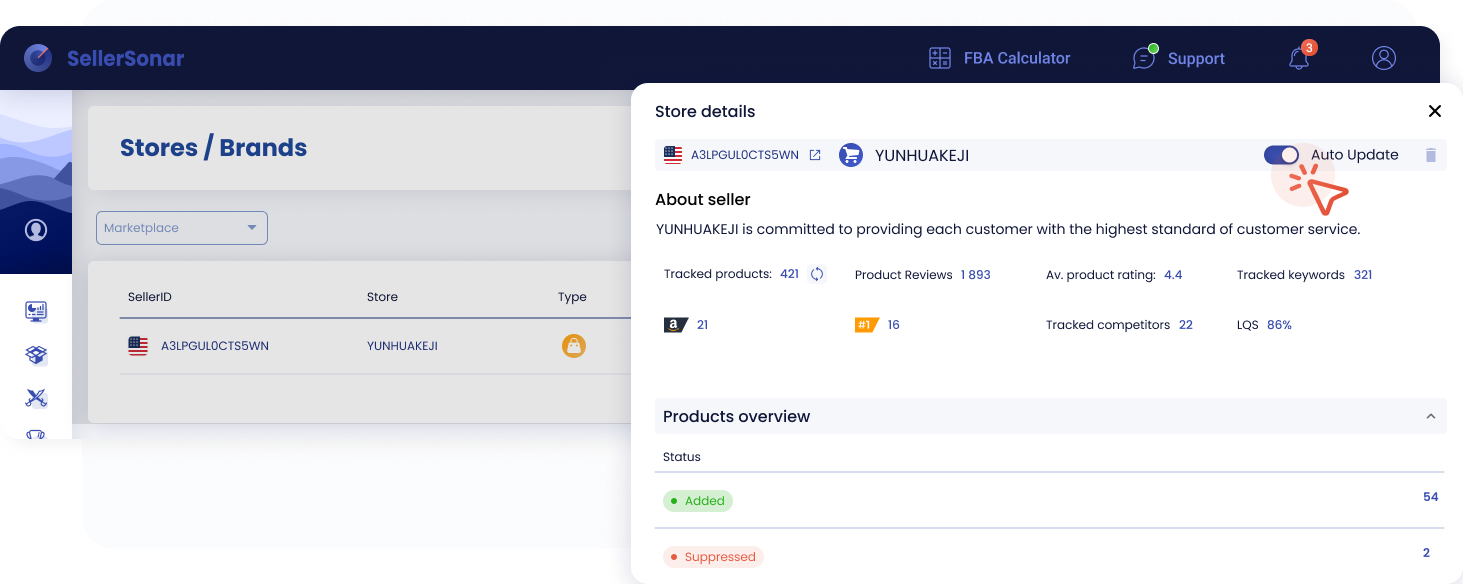
A quick view of seller details, tracked products, and suppressed listings in SellerSonar
That helps when:
- a variation family suddenly behaves inconsistently
- a child listing goes suppressed
- related ASIN content no longer matches
- a team is unsure whether it is looking at variation logic or bundle logic
The value is simple: fewer manual checks, faster classification, and a shorter path from symptom to root cause.
SellerSonar helps sellers monitor listing structure changes, spot suppressed listings, catch content edits earlier, and investigate bundle- or variation-related anomalies faster without relying only on manual catalog checks.
Conclusion: Choose the right structure before you fix the wrong problem
Amazon Virtual Product Bundles vs Product Variations is a structural decision.
Bundles combine complementary products into one offer. Variations group alternate versions of the same core product under parent-child logic. They serve different shopper decisions, require different seller workflows, and fail in different ways.
That is the real takeaway: if you misclassify the structure, you will usually misdiagnose the problem. The practical move is simple. Define the structure correctly, monitor listing health closely, and investigate changes with the right model from the start. SellerSonar helps sellers catch listing changes, suppression issues, and structure-related friction early, before a small catalog mistake turns into a slow and expensive investigation. To see how this works in practice, take a look at SellerSonar Trackers.

