





Table of Contents
This December, SellerSonar gets a serious upgrade. We’re rolling out new ways to visualize keyword performance, organize large keyword lists faster, and turn critical alerts into immediate action — so you spend less time digging and more time optimizing.
Brand-New Heatmap View
Your keyword tracking just got a lot easier to read — and a lot harder to ignore.
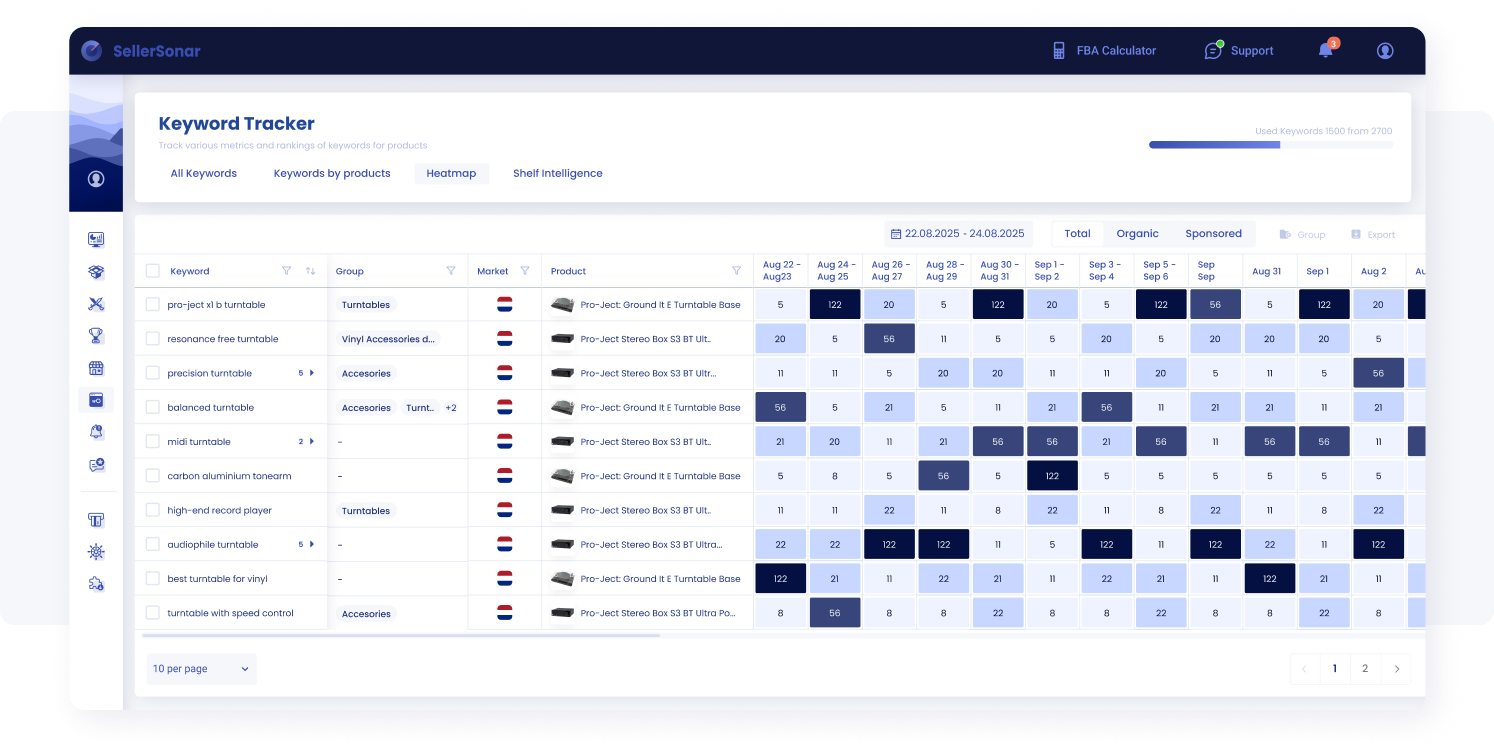
Use the Keyword Tracker heatmap to spot ranking changes across days and compare total, organic, and sponsored performance at a glance.
With the Heatmap, you can:
- Visualize ranking changes over time with color-coded daily snapshots
- Switch between overall, organic, and sponsored rankings
- Spot ranking spikes, drops, and optimization gaps in seconds
- See which ASIN each keyword belongs to (perfect for multi-ASIN tracking)
Why it matters?
Instead of scanning numbers row by row, you instantly understand what’s moving, what’s stuck, and where visibility is being won (or lost). The new Heatmap makes trends obvious — so your next optimization step is clearer.
New Keyword Grouping Feature
Managing hundreds (or thousands) of keywords? Grouping is your new best friend.
Introducing Groups — a smarter way to structure keywords around how you actually manage your catalog and campaigns.
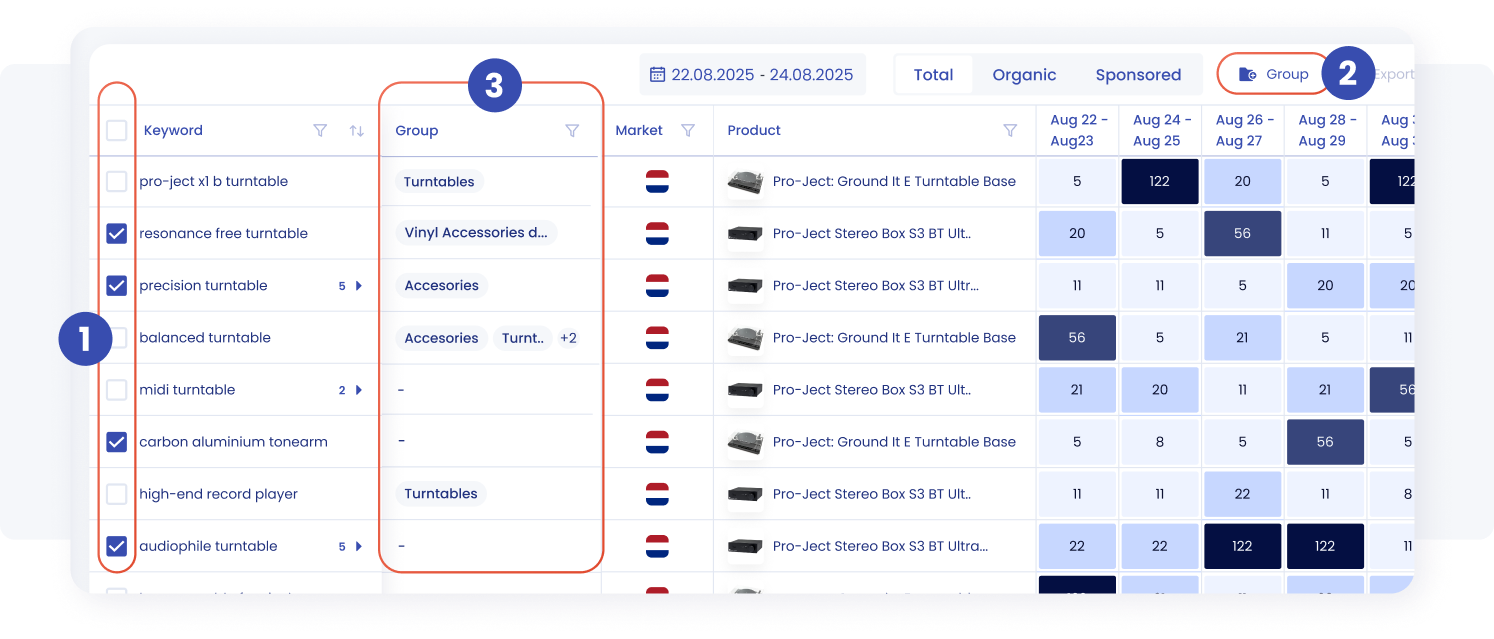
Select keywords, assign them to groups, and use the Group filter to analyze rankings by keyword group in the SellerSonar heatmap.
With Keyword Grouping, you can:
- Create custom keyword categories (e.g., Turntables, Accessories, Vinyl)
- Keep large keyword lists clean, structured, and easy to navigate
- Analyze performance at the group level (not only keyword-by-keyword)
- Filter the Heatmap by groups to instantly narrow focus
This is ideal for sellers with multiple product lines, teams running complex SEO/PPC structures, and anyone who wants faster decisions without losing detail. The result is less chaos in your keyword lists and faster insight into what’s working by product category, intent, or campaign structure.
Shelf Intelligence Updates
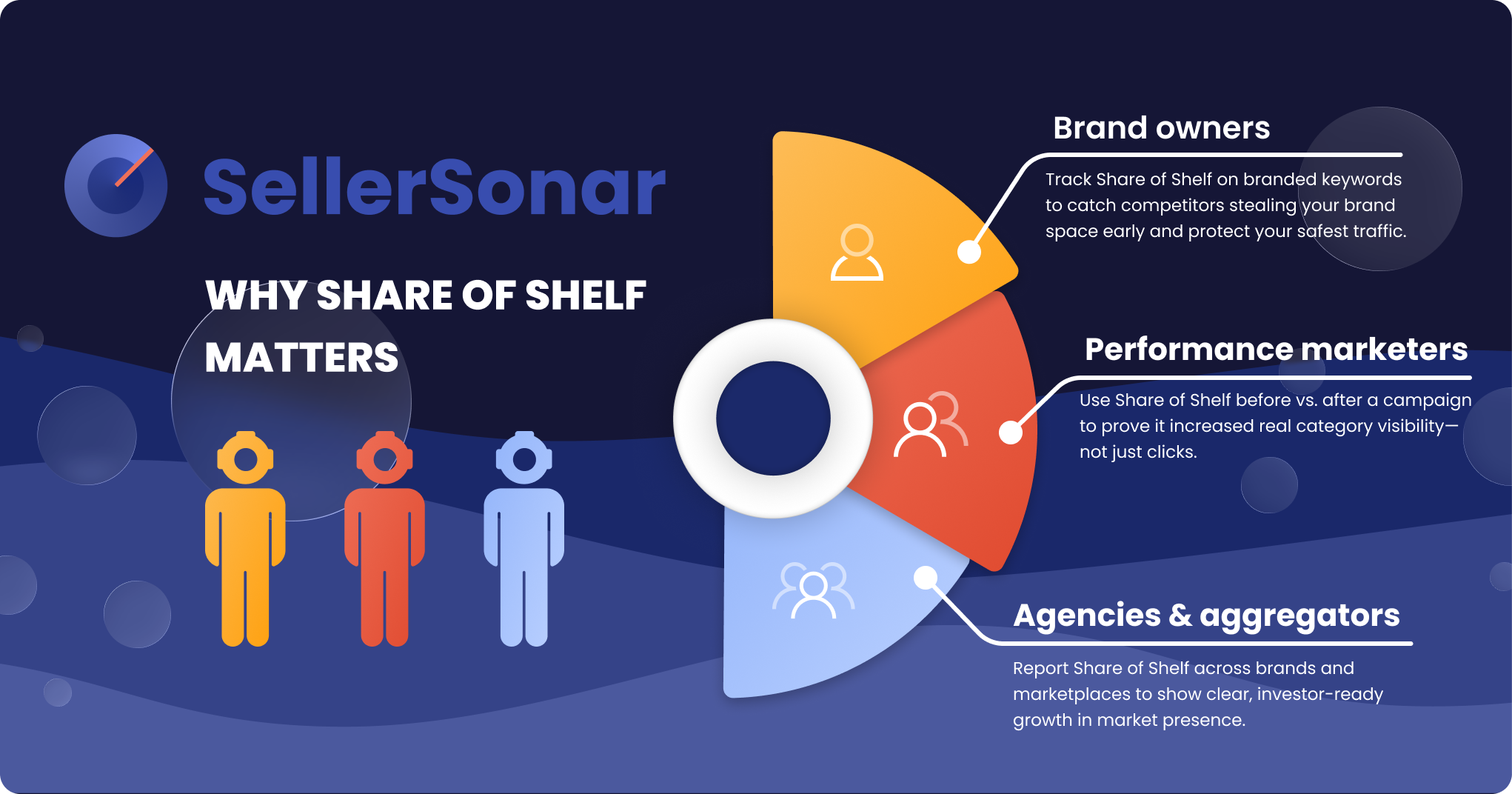
SellerSonar’s “Why Share of Shelf Matters” infographic illustrates how brand owners, performance marketers and agencies use Share of Shelf insights to protect branded keywords, demonstrate campaign value and report market share growth
We’ve expanded Shelf Intelligence with two improvements that make keyword monitoring more transparent — and more actionable.
Used Keywords Tracker

Switch between Heatmap and Shelf Intelligence, then filter results by date range and Total, Organic, or Sponsored visibility.
Instantly view all keywords currently used in your listings.
- See what’s actively contributing to visibility
- Identify keywords that may need optimization or rewriting
- Keep your listing keyword strategy intentional (not accidental)
List of Added Shelf Intelligence Keywords
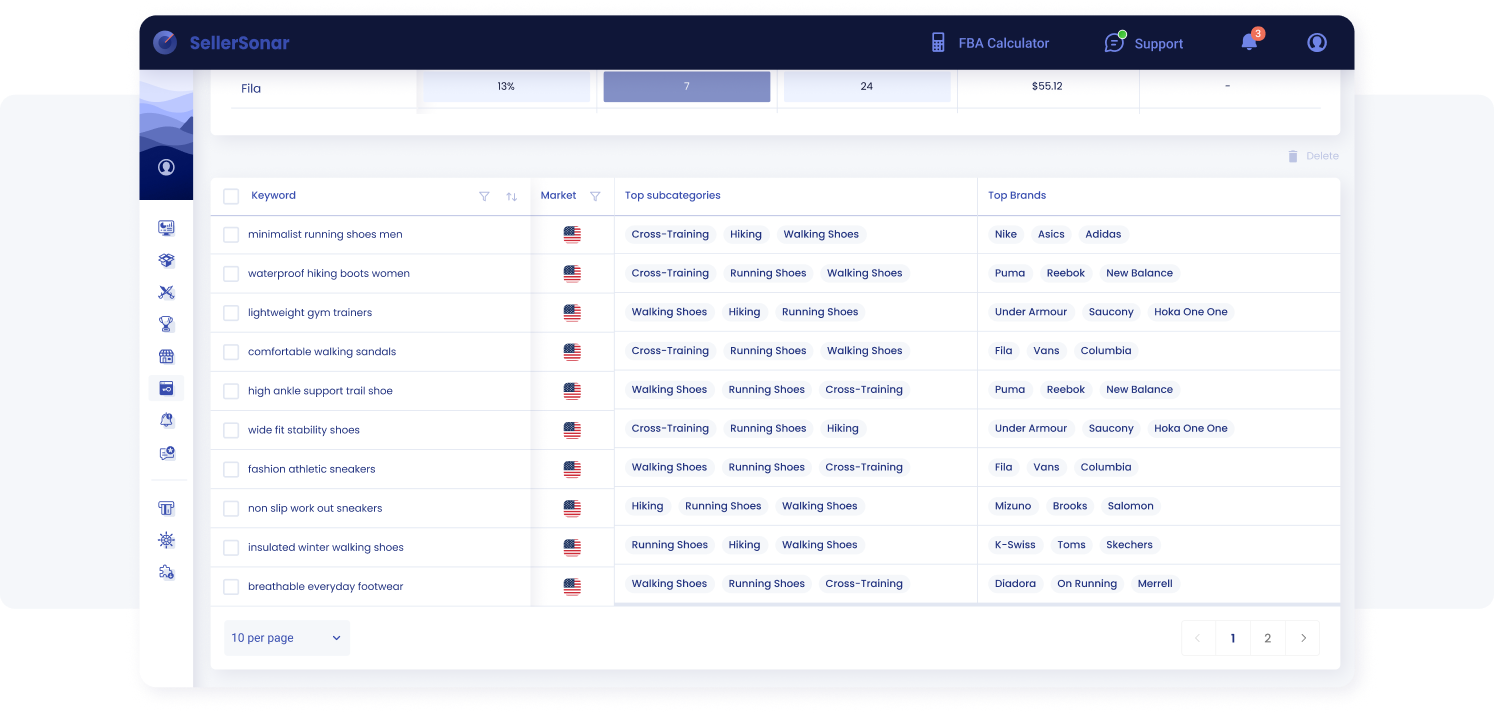
See which subcategories and brands dominate each keyword so you can spot true competitors and category patterns faster.
Stay on top of newly added keywords across monitored listings.
- Review them quickly
- Keep the valuable ones
- Delete irrelevant entries with a single click
How to find it:
Open Shelf Intelligence, scroll down, and explore your updated keywords section.
Trello Integration for Critical Alerts
Critical alerts are only useful if they turn into action — fast. Now you can convert urgent alerts into Trello tasks in one click.
Create Trello tasks from alerts
When a critical alert comes in (for example, Buy Box Lost or Seller Removed), you can now create a Trello task directly from the alert details.
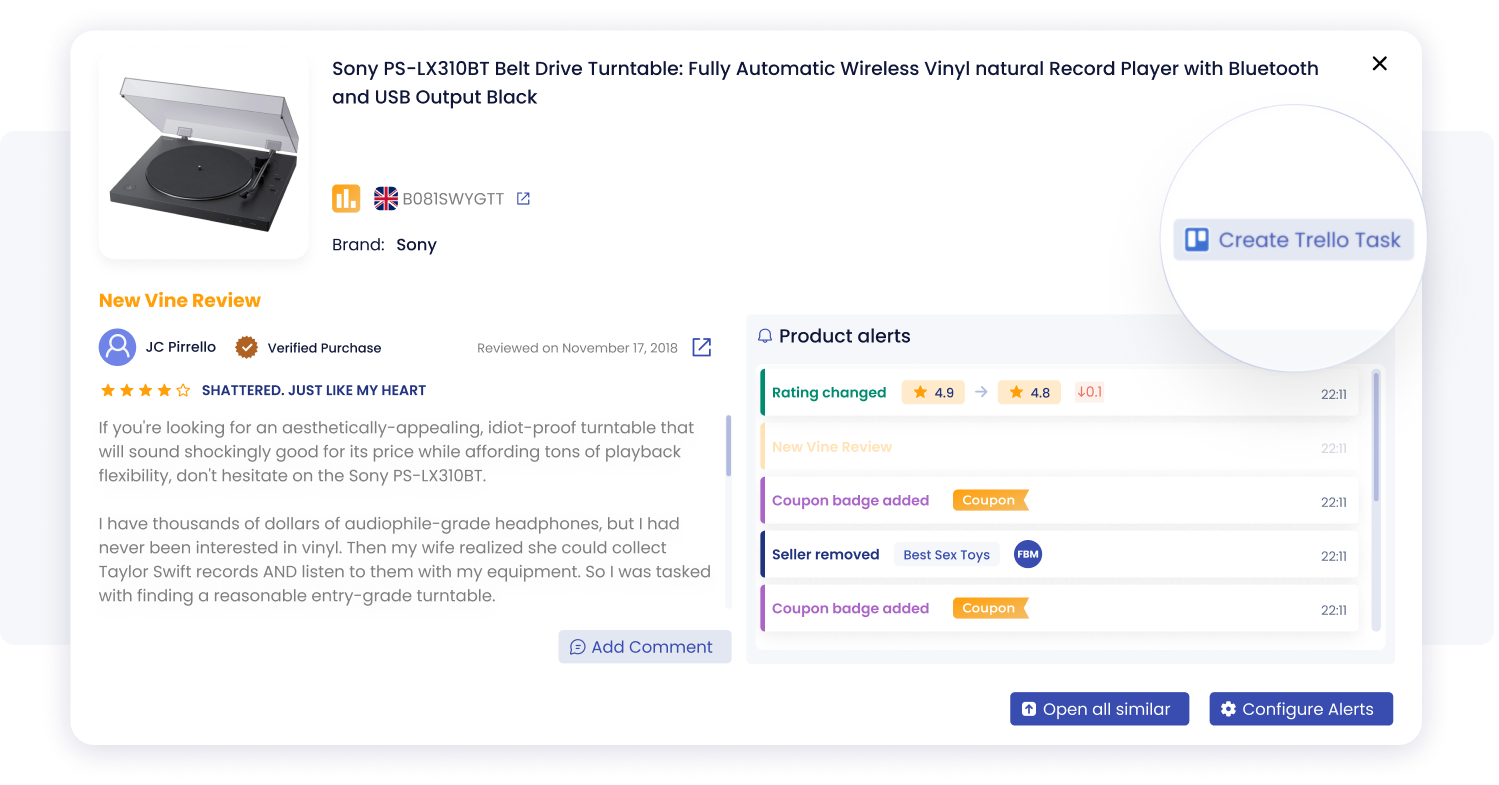
Track key listing events in one place with SellerSonar alerts, including rating changes, new reviews, coupon badges, and seller activity.
How it works
- Open any critical alert (the alert drawer)
- In the top-right corner, click the new “Create Trello task” button (with the Trello icon)
- SellerSonar instantly sends the key alert data to your Trello board — no copy-paste needed
Why teams love it? Your team can pick it up immediately, prioritize the issue, and fix it without losing time jumping between tools or rewriting details.
Explore the new updates today!
Log in to your SellerSonar dashboard to experience:
- the improved Heatmap,
- streamlined keyword grouping,
- smarter Shelf Intelligence insights,
- and Trello-powered alert workflows.
As always, we’re here to support you — tell us what you’d love to see next!

