





Quick Answer
Amazon review management software is a tool that requests reviews from buyers, monitors the reviews you already have, or both. Most tools only do the first. All 4 below do the second, which is what separates them from the rest of the category, and 3 others came off this list in 2026 because they stopped operating.
- SellerSonar: review alerts, sentiment and rating trends. 14-day trial, no card.
- FeedbackExpress: review requests across Amazon, eBay and Trustpilot. 14-day trial, no card.
- FeedbackFive: feedback scores plus competitor ASINs. Free trial, but a card is required.
- BQool BigCentral: review requests bundled with repricing.
- Dropped in October 2026: Feedbackz and Kibly no longer resolve, and AMZFinder is now a tools directory.
Competition among sellers on the AMZ platform is growing rapidly, making it increasingly difficult to stand out as the preferred choice for buyers. Reviews play a critical role in this process, but the reality is that only a fraction of customers leave positive feedback and reviews, while negative reviews tend to multiply.
So monitoring matters, and Seller Central on its own does not give you much to work with. That’s where third-party Amazon feedback software comes in.
A decent Amazon feedback tool can help sellers manage all aspects of customer feedback, including reviews, via a buyer-seller messaging suite. This article includes a list of the best Amazon feedback software solutions available for sellers to try today.
About the Author: Gloria Anderson writes for the SellerSonar editorial team on reviews, ratings, and listing health. She checks whether the tools in roundups like this one still exist before recommending them, which turns out to be a lower bar than most lists clear.
Best Tools for Managing Reviews and Feedback on Amazon
Two jobs hide behind the phrase Amazon seller feedback software, and mixing them up is how sellers pay for the wrong thing.
The first is requesting reviews: automated emails to buyers who already received their order. The second is watching the reviews you have, so you know when reviews are removed or a critical one is upvoted to the top of your product page. Most tools lead with the first. Fewer do the second well.
Work out which you need before comparing feature lists.
Launching with almost no reviews? You need requests. Sitting on a few hundred with a rating that moves without warning? You need monitoring.
SellerSonar Amazon Review Analysis Tool
SellerSonar is a listing monitoring tool, and reviews are one of the things it watches.
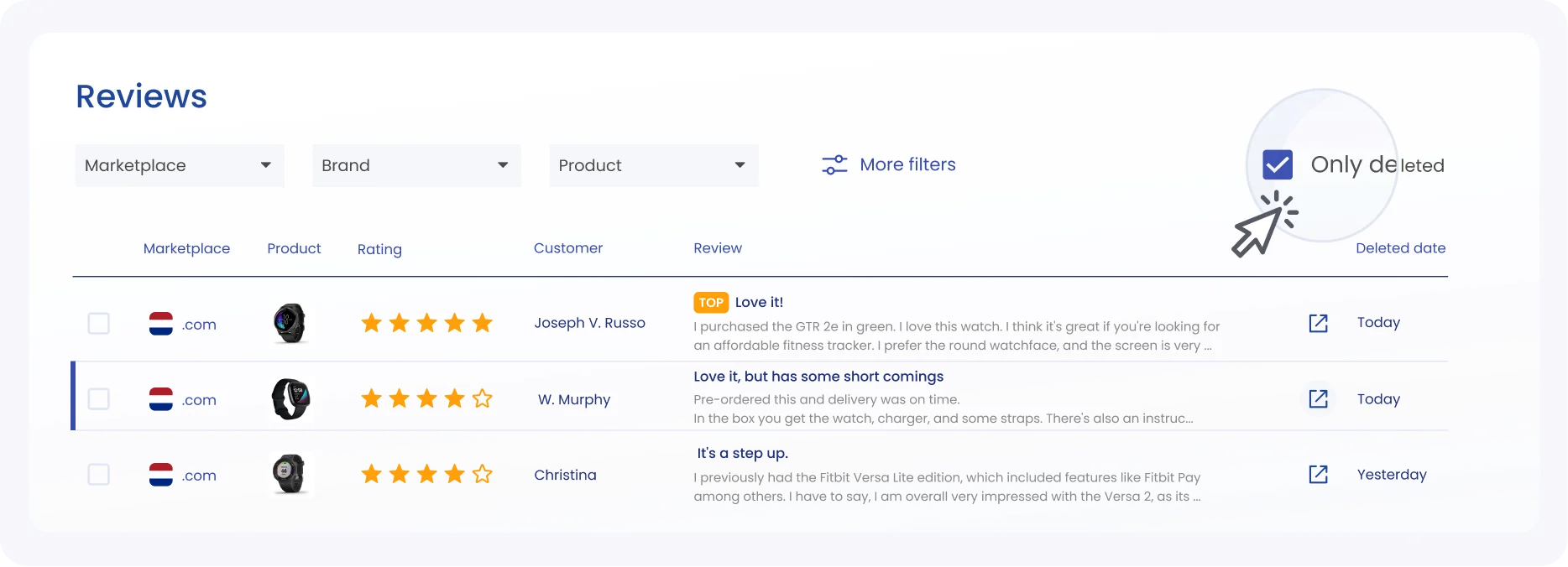
Reviews
Upon uploading your products onto the platform, this review monitoring tracking tool detects new positive and negative reviews, upvotes on critical reviews, new Top reviews, and reviews removed from your listing on Amazon. Each alert arrives with tips on how to address the issue, and you can customize your notification settings to fit your preferences.
Worth knowing before you set it up. SellerSonar collects review data through the SellerSonar Chrome Extension, reading reviews through your own browser instead of fetching them server-side.
In practice that means three things at once: the extension installed and signed in, an Amazon buyer or business account logged in, and the marketplace tab left open while collection runs, one tab per marketplace. Alerts then fire each time a collection runs rather than the moment a review posts, so collect every 1-3 days.
Review alerts and review tracking are available on every SellerSonar plan, Pro included.
The tracker also filters reviews by rating, Top reviews, and reviewer gender, which is how you spot what buyers keep praising or complaining about. For a one-off check on whether a product’s reviews look genuine, see our roundup of Amazon review checkers.

Top Phrases Division
Ready to try? Register for a free 14-day trial and dive into the enhanced product listing monitoring experience today!
SellerSonar also helps you stay ahead of your competitors with its advanced listing monitoring as well as keyword rank and competitor tracking features. Here’s how it works:
With SellerSonar, you have access to real-time updates on every little alteration within your Amazon business ecosystem. The tracker watches for the changes that cost you sales: a rewritten title, a new seller on your listing. Each alert arrives with a suggested next step.
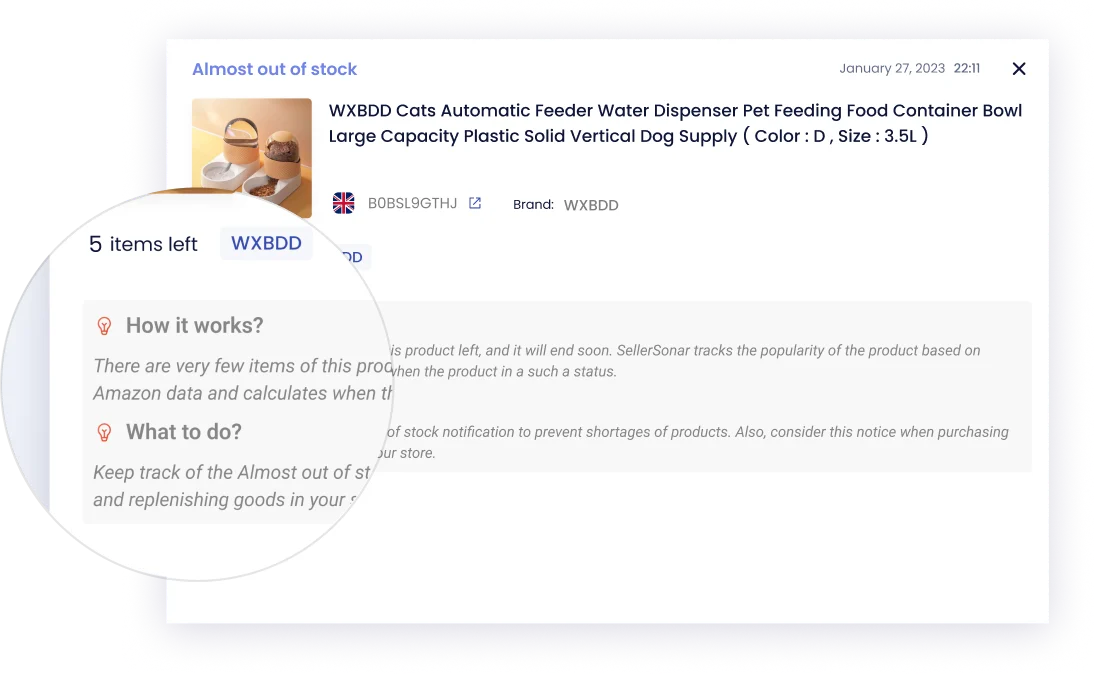
Product listing alerts
Check how many of your keywords sit in the Organic top 10 or top 50, the Ad top 10, or carry an Organic Amazon Choice badge. Filter by brand or product when the full list gets unwieldy.
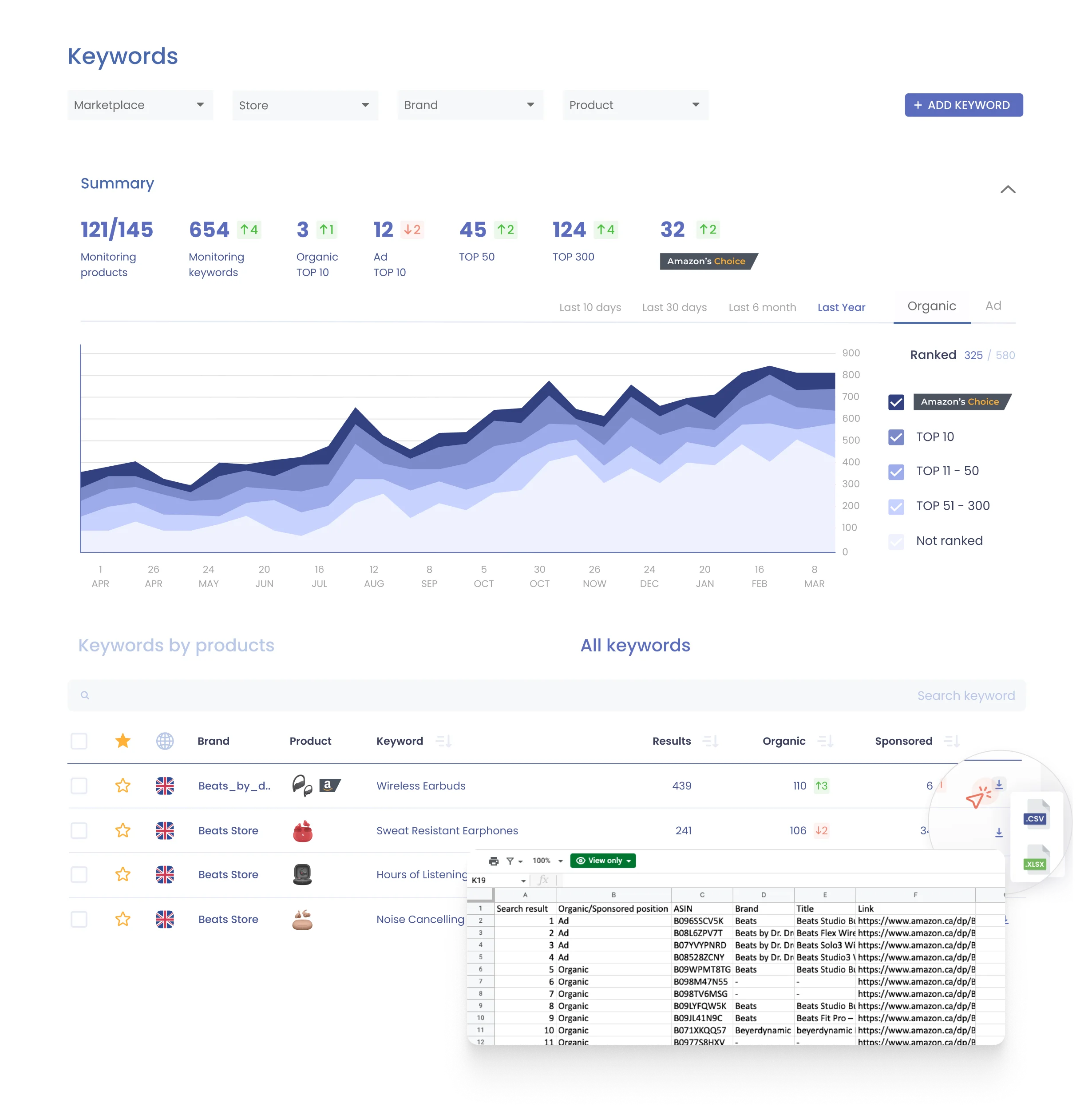
Keyword rank tracker
Set your product pages against your competitors and compare the things that move a buyer: price, rating, review count, plus the description, bullets, and images. That is how you find the gaps worth closing, and the ones worth ignoring.

Competitor research
Top Amazon Review Management Tools
To help you choose the best review management software, here are the tools still actively serving Amazon sellers as of October 2026. Three names that used to sit on lists like this one, Feedbackz, Kibly and AMZFinder, have been dropped: the first two no longer resolve at all, and AMZFinder now runs as a tools directory rather than a review manager. The tools below overlap on the surface, so the differences are in the detail:
| Tool | Best for | Free trial | Monitors reviews |
| SellerSonar | Review alerts, sentiment analysis and rating trends | 14 days, no card | Yes |
| FeedbackExpress | Review requests across Amazon, eBay, Trustpilot and Google | 14 days, no card | Yes |
| FeedbackFive | Feedback scores plus your own and competitor ASINs | Yes, card required | Yes |
| BQool BigCentral | Automated review requests bundled with repricing | Yes, length not published | Yes |
Prices are left out on purpose. None of these vendors published a verifiable public price when this page was checked in October 2026, and FeedbackExpress has stopped listing prices altogether, so any figure here would be a guess. Check with each vendor before you commit.
FeedbackExpress Amazon Review Tool
FeedbackExpress, now part of eDesk, is cloud-based software that messages buyers at set points after an order, so a problem surfaces before it turns into a one-star review.
It connects to the Amazon API and alerts you as buyers move through an order or when a review arrives, which is usually enough warning to fix something before the buyer writes about it.
The useful part is the automation. You configure three kinds of message: customer service emails, requests for seller feedback on Amazon, and requests for product reviews, then personalize each one.
If negative feedback does land, FeedbackExpress alerts you by email and SMS so you can act while it is still recent.
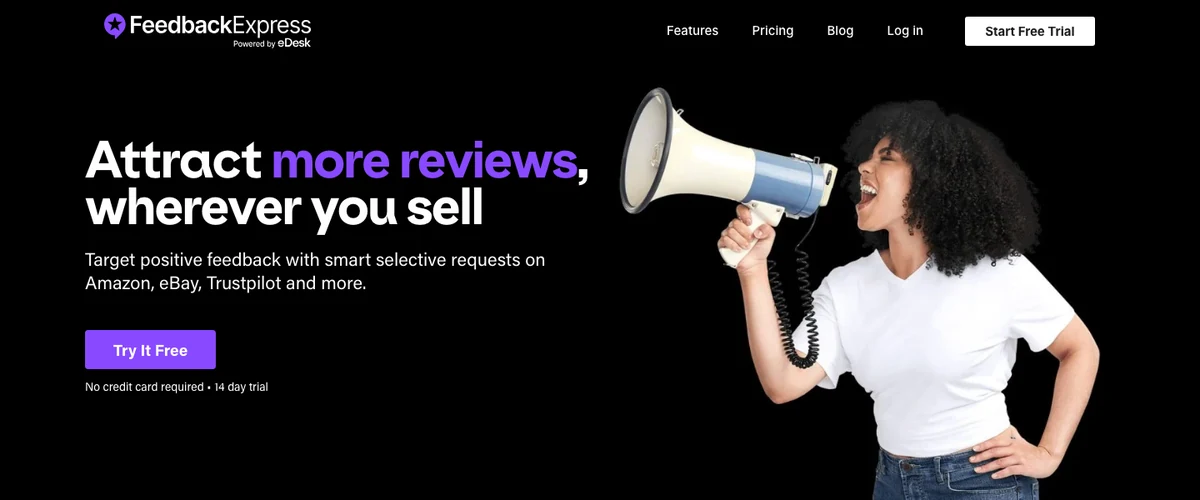
FeedbackExpress, now part of eDesk, checked October 2026.
Checked October 2026 on the FeedbackExpress site: three tiers split by connected channels and monthly review requests, from 5 channels and 5,000 requests up to 25 channels and 25,000, with a 14-day trial and no card required. Prices are no longer published, so you have to ask.
Feedback Five Amazon Feedback Manager
FeedbackFive is a powerful feedback and review management software that helps Amazon sellers proactively manage their feedback scores and monitor reviews on their ASINs and competitor ASINs. This tool offers automated email campaigns to request feedback and product reviews from customers, real-time alerts for negative reviews, and performance insights into email campaigns.
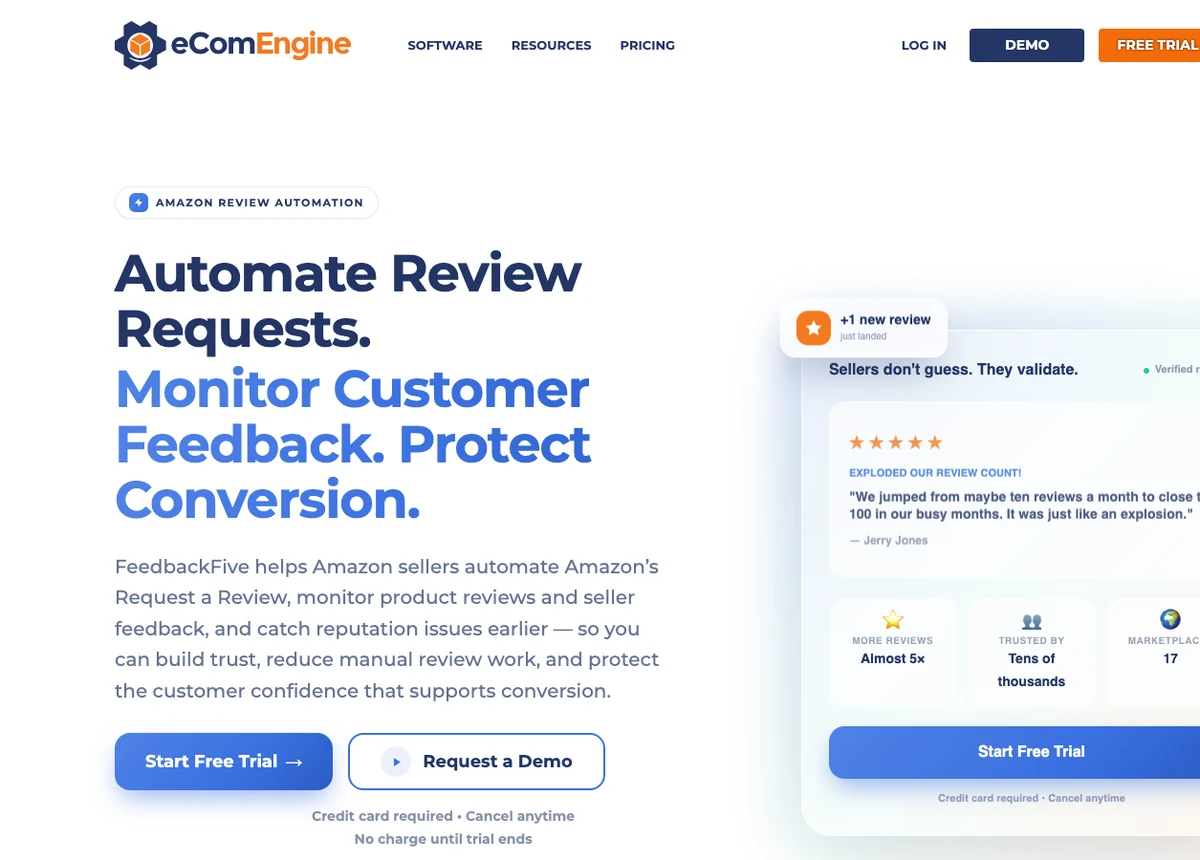
FeedbackFive by eComEngine, checked October 2026.
FeedbackFive offers two ways to send email campaigns: through Buyer-Seller Messaging, or by automating the message behind the Request a Review button in Seller Central. With a library of customizable templates or the option to create your own, you can add a personal touch to your emails to increase customer engagement. It also provides actionable insights into the performance of your email campaigns, allowing you to track negative testimonials on multiple ASINs across different marketplaces.
BQool BigCentral Amazon Feedback Request Tool
BQool bundles several things together: repricing, product tracking, and seller service. The piece that matters here is BigCentral, its Amazon product review software.
Its autoresponder answers common customer queries from a template library, which takes the repetitive replies off your desk.
BQool also sends automated review requests using its templates or your own copy, and generates VAT invoices automatically if you sell in the EU.
BQool BigCentral, checked October 2026.
Choosing the Right Feedback Manager on Amazon
Picking between these four comes down to what you need watched, and how much of the watching you want to do yourself.
What to consider?
Five things actually separate these tools. Everything else is marketing.
- Requests or monitoring. Automated review requests and review alerts are different products. Check which one you are buying.
- What counts as an alert. A new review is easy. Removed reviews, or a critical review gaining upvotes, are the ones that move conversion quietly.
- Competitor ASINs. Without them you cannot tell whether a rating drop is you or the whole category.
- What the trial really costs. “Free trial” and “free trial, no card” are not the same offer. One of the four below needs a card.
- Whether the vendor is still there. Three tools came off this page in 2026 because they stopped operating. Open the site before you shortlist it.
Support, integrations, and a usable interface matter too, but you will only find out about those during the trial.
How to test?
Trials are short, so go in with a plan rather than clicking around.
- Start the trial on a bad week, not a quiet one. Point it at the ASINs that actually get complaints. A tool looks great on a product nobody reviews.
- Change something and see if it notices. Edit one of your own reviews as a buyer, or watch a listing where reviews move. If nothing fires, you have learned the most important thing early.
- Book the demo for the awkward questions. Ask how review data is collected, how often it refreshes, and which plan the review features actually sit on. Those three answers decide the purchase.
- Schedule the cancellation. If the trial took a card, put the end date in your calendar the day you sign up.
Two weeks is enough to tell whether a tool fits the way you work. It is rarely enough to tell whether it is worth the money, so run the trial on real problems.
Amazon Review Tools: Conclusion
So: four tools that still exist, all of which monitor reviews rather than only asking for them. Which one fits depends on whether you are chasing reviews you do not have yet, or protecting the ones you do.
We built SellerSonar because we were Amazon sellers first and wanted the alerts nobody else was sending. It is the one on this list we know best, and it is worth saying that out loud.
Review alerts, listing monitoring, and competitor tracking in one place. Start a 14-day trial, no card required.

