




Quick Answer
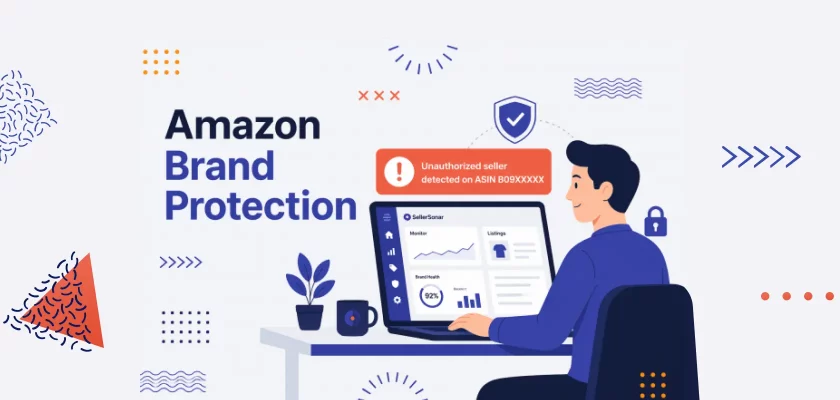
Amazon brand protection means protecting your listings from counterfeiters, hijackers, unauthorized sellers, content changes, and suppression issues that can damage sales, reviews, and customer trust.
The strongest setup combines Amazon’s official tools, such as Brand Registry, Project Zero, and Transparency, with proactive listing monitoring that alerts you when something changes.
In 2025, Amazon seized more than 15 million counterfeit products worldwide, the same scale as the year before. In 2023 the figure was 7 million, so the volume has more than doubled in two years.
Those numbers show how aggressively Amazon is fighting counterfeit activity, but they also reveal the scale of the problem for brand owners. A counterfeit seller, hijacker, unauthorized listing edit, or suppression issue can affect your product before you notice it in Seller Central. For many sellers, the first signal is not an Amazon notification. It is a Buy Box loss, a sales drop, a review complaint, or a listing that suddenly stops converting.
If you’ve built a brand on Amazon, this is your problem too. It may already be happening quietly across one or more listings.
This guide covers the complete picture of Amazon brand protection: what threats actually look like in practice, which tools Amazon gives you and where they fall short, and how to build a system that catches problems faster instead of discovering them days later.
About the Author: This guide was written by the SellerSonar editorial team. We’ve worked with thousands of Amazon sellers across private label, agency, and enterprise accounts, and we built SellerSonar because we were Amazon sellers who needed this tool before it existed.
What Is Amazon Brand Protection?
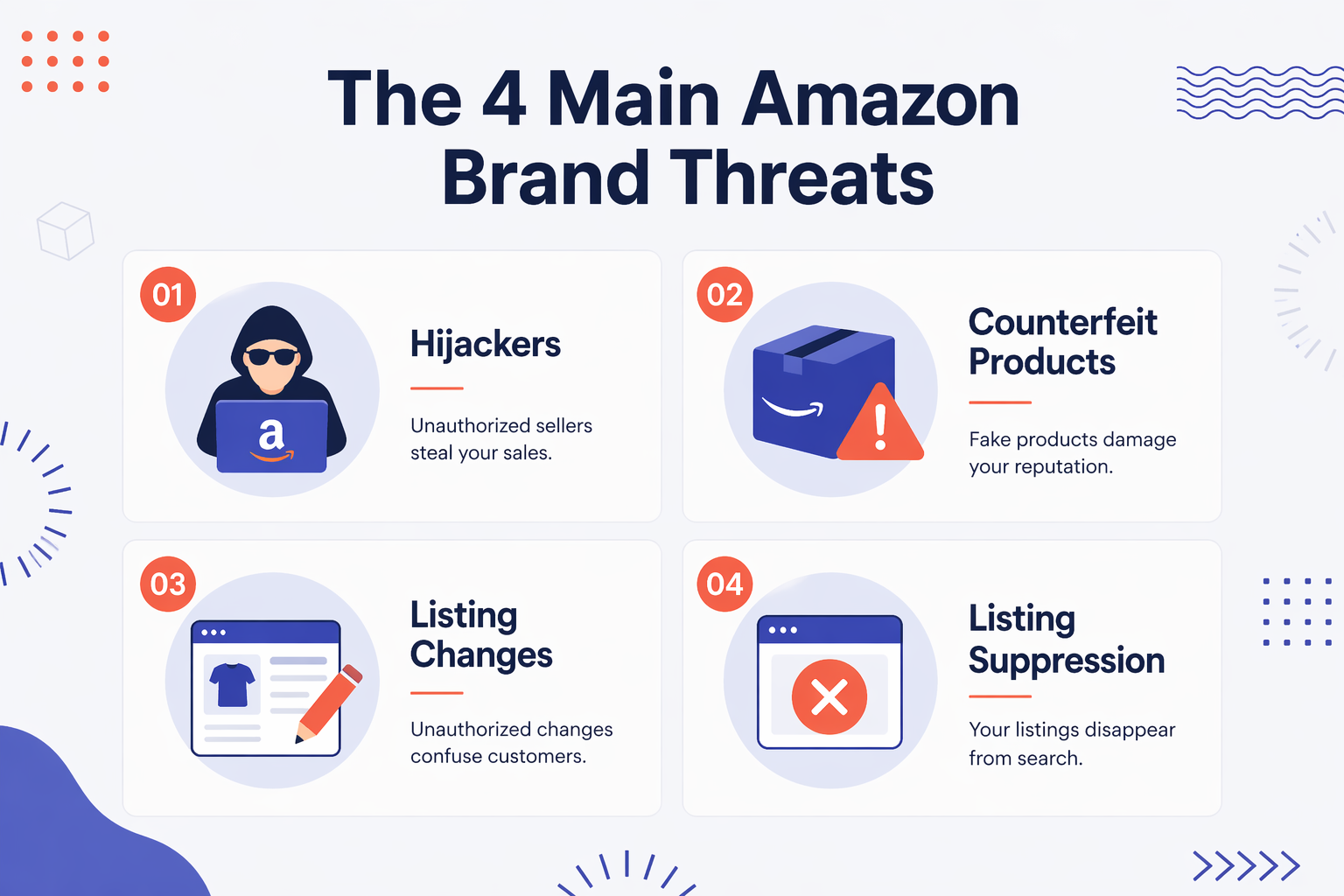
Your Amazon brand faces four distinct threats — and none of them announces themselves.
Listing hijackers jump onto your ASIN and undercut your price. They win the Buy Box; your customers get something you didn’t ship. The negative reviews land on your listing. Not theirs.
Counterfeit sellers go further: they source knockoffs of your product and sell them as the real thing. Sometimes from factories that have seen your actual specs. Every order that ships damages your brand a little more.
Unauthorized listing changes are the threat most sellers miss entirely. Your title, main image, or bullet points can be edited — by another seller, by Amazon’s own algorithm, or by a flat file error — with no notification sent to you. The first sign is usually a conversion rate drop weeks later.
Listing suppression pulls your product from search results completely. No Buy Box, no visibility, zero sales. Amazon sometimes buries a notification in Seller Central. Often it doesn’t send one at all.
Most brand protection guides stop at “enroll in Brand Registry.” That’s like buying a smoke alarm and sleeping with earplugs.
Amazon’s Official Brand Protection Tools
Amazon has built several programs to help brand owners protect themselves. They’re useful. They’re also incomplete in ways that matter a lot in practice. Here’s what each one actually does.
Amazon Brand Registry
Brand Registry is the foundation. It’s free, and if you have a registered trademark (or a pending application in several countries), you should be enrolled. Our Amazon Brand Registry guide covers the full enrollment process in detail.
What it gives you: more control over your listing content, a faster reporting pathway when you spot a violation, access to A+ content and Brand Analytics, and eligibility for the programs below.
What it doesn’t give you: proactive monitoring. Brand Registry is a reporting tool. You still have to find the problem first, and then you can report it.
To enroll, you need an active registered trademark in the country where you’re applying. In the US, that means a USPTO registration or a pending application through Amazon’s IP Accelerator program.
The enrollment process takes a few days. Once approved, your account gets elevated permissions for IP-related actions across Seller Central.
Amazon Project Zero
Amazon Project Zero is a step up from Brand Registry. Two components are worth understanding.
The first: automated protections. Amazon’s systems scan listings for known counterfeits of enrolled brands. When they find a match, they remove it automatically. No manual reporting required.
The second: self-service removal. If you spot a counterfeit, you can remove it yourself without waiting for Amazon’s team to review and act. This is a real time advantage over standard reporting.
To qualify, you need Brand Registry enrollment, a track record of accurate violation reports, and a brand-managed catalog with consistent product data.
💡 Expert Tip: Brand Registry is the foundation for most brand-owned Amazon protection workflows. Project Zero adds self-service counterfeit removal, which can reduce response time when you have a confirmed counterfeit issue. If your brand is eligible, applying is worth the effort.
Amazon Transparency
Transparency is a product serialization program. Every unit gets a unique scannable code. Amazon scans these codes before fulfillment. If a code doesn’t check out, the product doesn’t ship.
This effectively makes it impossible for counterfeiters to fulfill orders through FBA under your ASIN. That’s genuinely powerful for high-volume products that get targeted often.
The tradeoff: it’s not free. There’s a per-unit cost for the codes, plus some operational overhead to implement. For products that get hijacked regularly, the math usually works out. For lower-volume products, it probably doesn’t.
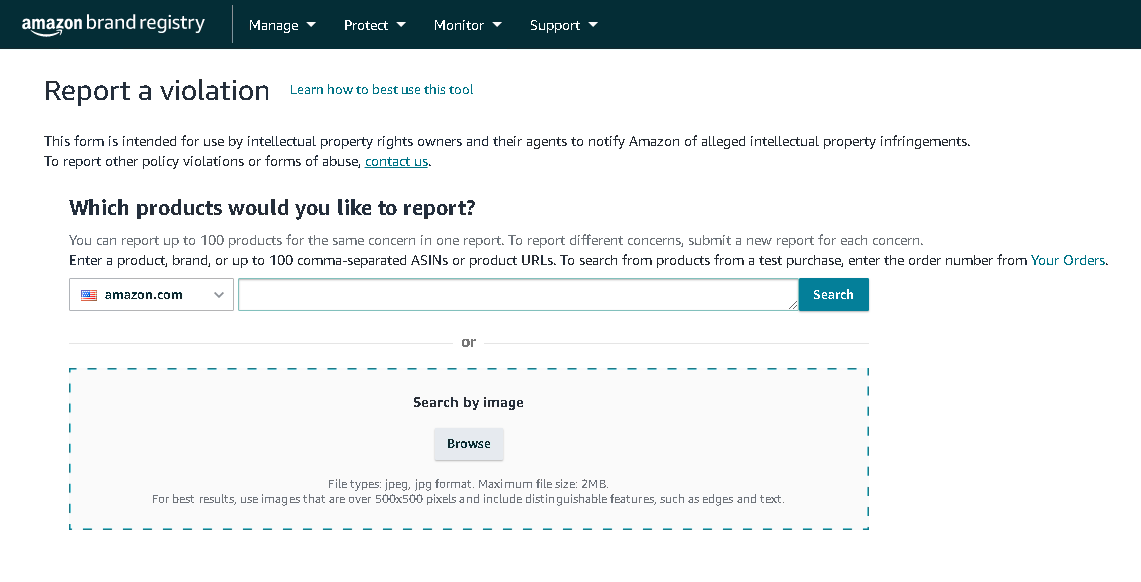
The Report a Violation Tool
The RoV tool is how you file IP infringement complaints with Amazon. Accessible through Brand Registry, it lets you report counterfeit products, trademark infringement, copyright violations, and other IP issues.
Practically: it works. Amazon takes IP complaints seriously, especially from Brand Registry members. Response times vary, but most legitimate complaints get resolved within a few days.
The catch is still detection. You have to find the violation before you can report it.
The Detection Gap: Why Most Brand Protection Falls Short
Here’s where most brand protection advice stops making sense.
Every guide covers the official tools. Enroll in Brand Registry. Use Project Zero if you qualify. Apply Transparency to your top sellers. Report violations when you find them. All correct. All necessary. And all completely reactive.
The real problem isn’t that sellers don’t know how to report a hijacker. It’s that they find out about the hijacker three days after it appeared.
Consider what happened to a seller I’ll call Sarah. She ran a private label skincare line on Amazon, about 80 ASINs. A counterfeit seller appeared on her best-selling moisturizer on a Friday evening. She didn’t notice until Monday morning when she reviewed her weekend numbers and saw the sales drop.
That was 60 hours. At her average daily revenue for that ASIN, the direct loss was around $2,700.
Then came the review cleanup: five negative reviews about product quality, packaging that “looked different,” an experience that “felt off.” She spent the next two weeks contacting customers and working with Amazon support. Her conversion rate sat 15% below where it had been for most of that time.
The counterfeit seller was gone by Monday afternoon. The damage lasted months.
The sellers who avoid this aren’t checking their listings more diligently. They automated the watching.
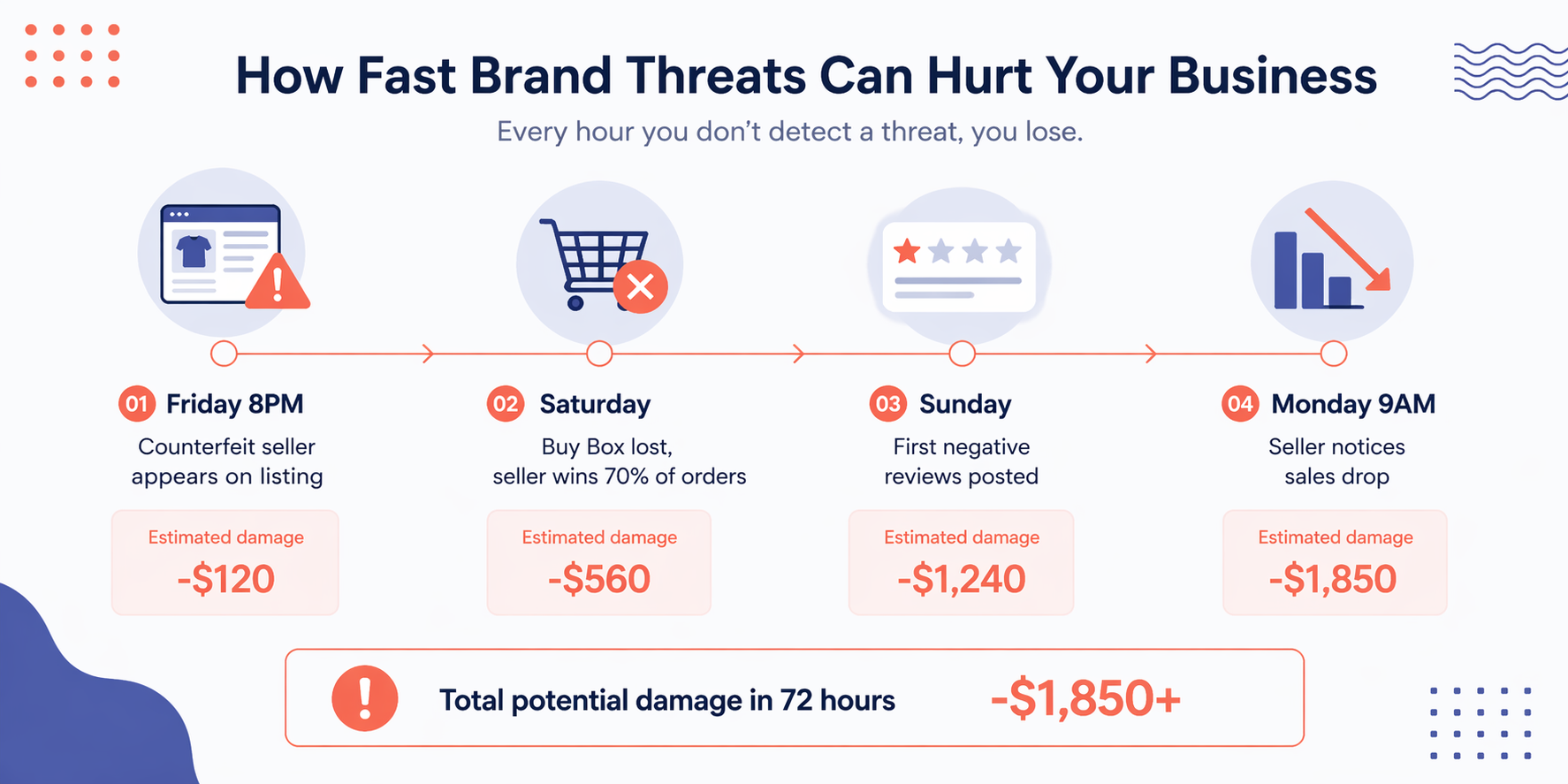
“Brand protection tools are only effective when they’re detecting problems in near real-time. A 24-hour monitoring cycle is not brand protection; it’s a delayed damage report.”
SellerSonar Product Team
What Manual Monitoring Looks Like at Scale
Manual listing checks can work when you manage a very small catalog. If you have five ASINs, reviewing them once a day is inconvenient, but still realistic.
At 50 ASINs, it becomes a recurring operational task. At 200+ ASINs, it becomes difficult to do consistently, especially across evenings, weekends, marketplaces, and product groups.
That is the scale problem. Brand protection depends on catching changes early, but manual checks become less reliable as your catalog grows.
SellerSonar checks listings hourly and sends alerts when relevant changes are detected, such as a new seller on your ASIN, Buy Box loss, title change, or listing suppression. Your team can investigate the issue closer to when it happens instead of discovering it after the weekend.
No Seller Central connection is required for this listing-level monitoring. SellerSonar tracks publicly available listing data, so you can monitor important catalog changes without sharing your Seller Central credentials with a third-party tool.
See what’s currently happening on your listings. Start a free 14-day trial with Business features and get your first alerts today.
How to Protect Your Amazon Listings: Step by Step
The framework that actually works: Amazon’s official tools combined with automated monitoring. Neither one alone is enough.
Step 1: Enroll in Brand Registry
If you haven’t done this, it’s the first thing to fix. Go to brandregistry.amazon.com and follow the enrollment steps. You’ll need:
- An active or pending trademark in the relevant country
- Your brand name exactly as it appears on your trademark
- A list of product categories and ASINs
The process typically takes three to five business days. Once approved, your account gets elevated IP permissions across Seller Central.
Step 2: Set Up Automated ASIN Monitoring
This is what makes everything else work. Add your ASINs to a monitoring tool that checks for:
- New sellers appearing on your listing
- Buy Box changes and losses
- Title, bullet point, and image modifications
- Listing suppression events
- Price changes from unauthorized sellers
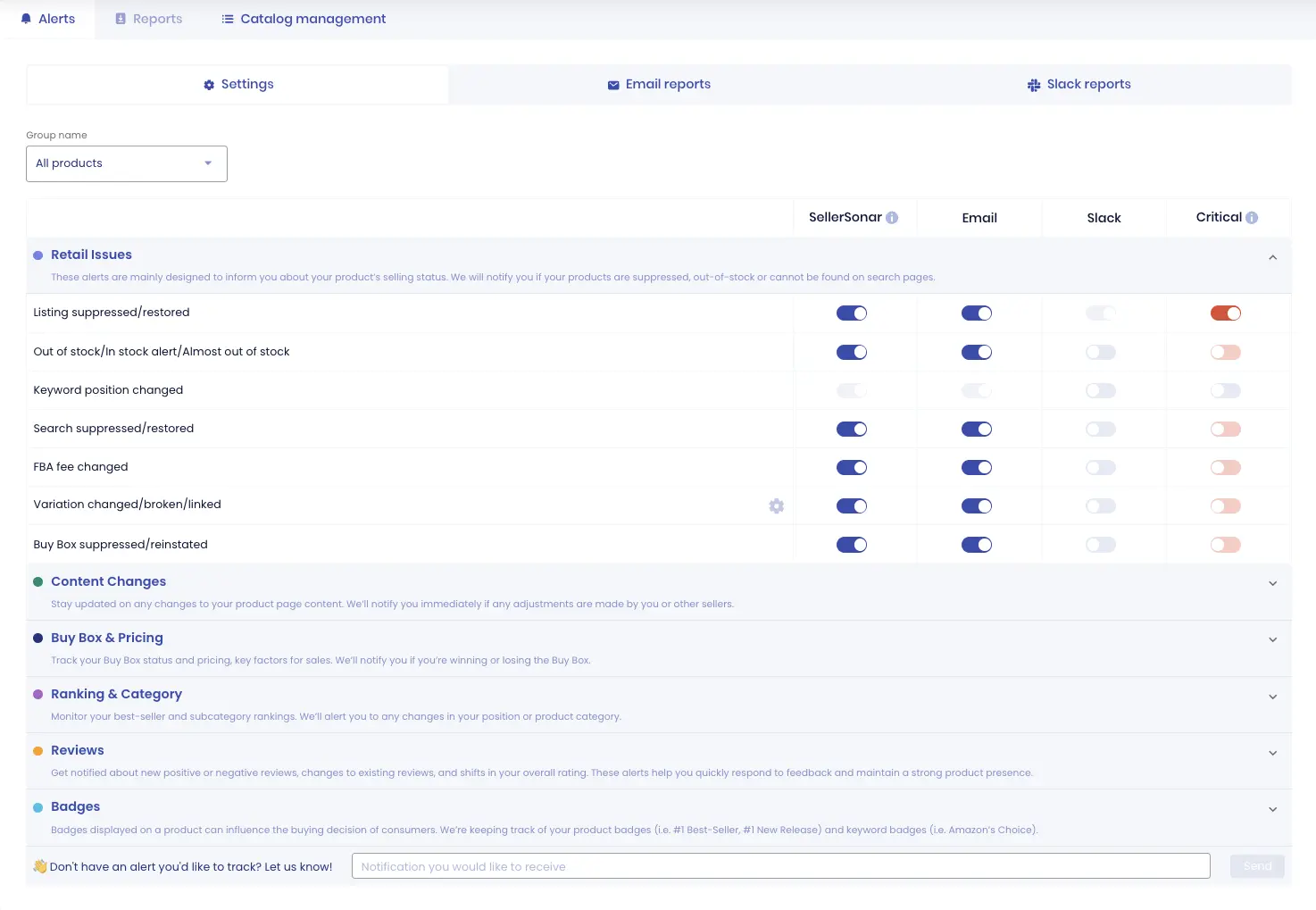
SellerSonar’s alert suite covers these listing-level changes, with configurable settings so your team can focus on the events that matter most.
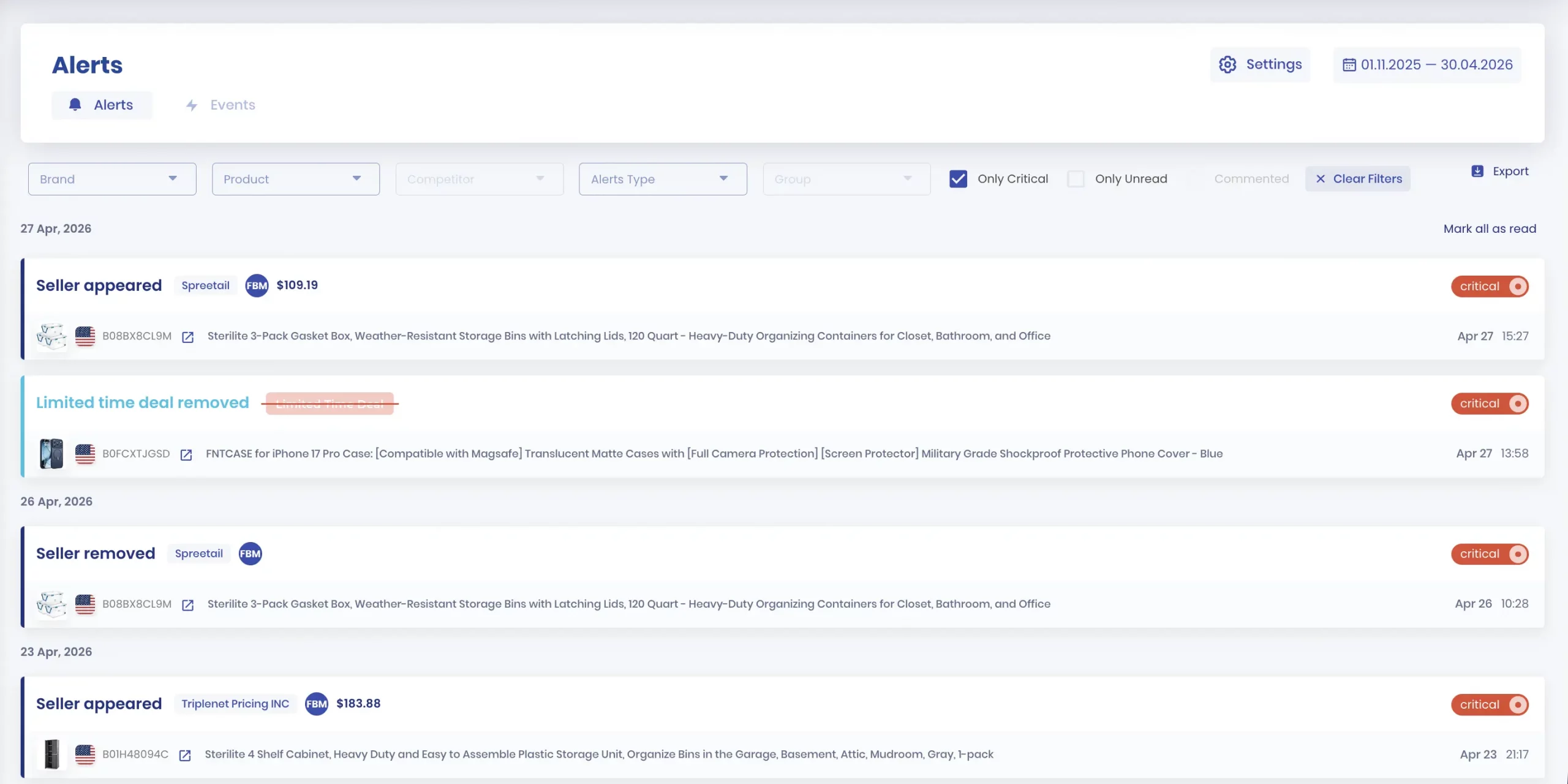
SellerSonar ASIN alerts list page
Step 3: Build a Response Playbook
Knowing about a problem fast only helps if you know what to do. Before you need it, write down:
- Who handles hijacker reports (you, a VA, your agency)?
- What’s the first action when an unauthorized seller appears: cease and desist first, or straight to Brand Registry?
- What’s your test buy threshold? Do you always order a sample before reporting, or only above certain price points?
Sellers who recover fastest from incidents are the ones who already decided what to do. Decision fatigue at 6 AM on a Saturday is real, and it slows you down.
Step 4: Know Your Escalation Paths
For routine violations: Brand Registry’s Report a Violation tool.
For persistent counterfeiters who keep returning: Amazon’s IP Accelerator connects you with legal partners who can help with formal cease and desist enforcement and trademark actions.
For Project Zero enrollees: self-service removal is the fastest option for confirmed counterfeits.
📌 From Our Experience: Test buys are worth doing for high-value disputes. Physical evidence of a counterfeit product (different materials, missing logos, wrong packaging) is far more persuasive to Amazon’s review team than a screenshot alone. It also gives you solid documentation if the situation escalates legally.
Protecting Against Specific Threats
Hijackers and Unauthorized Sellers
When you spot an unauthorized seller, the playbook goes like this.
First, document everything. Screenshot the listing showing their seller name, price, and storefront. Note the timestamp.
Second, send a cease and desist message through Seller Central messaging. Keep it factual: your product carries a registered trademark, they are not authorized to sell it, they have 24 hours to remove their listing before you file a Brand Registry complaint.
Many hijackers, especially opportunistic ones running thin-margin arbitrage, leave at this point. The ones who don’t respond get reported immediately.
Third, if they don’t remove the listing within 24 hours, file through the Brand Registry Report a Violation tool with your documentation attached.
🎯 Pro Insight: From what we see with sellers who monitor proactively, catching a hijacker early usually means a cleaner response: document the seller, send the right internal or external escalation, and file a Brand Registry report before reviews or ranking impact start to build. When the issue sits unnoticed for days, sellers are more likely to deal with review cleanup, ranking recovery, and longer support cycles.
SellerSonar’s Buy Box and pricing alerts help you spot new sellers, pricing changes, and Buy Box losses early, so your team can investigate before the issue turns into a longer revenue drop.
Counterfeit Products
Counterfeit cases are more serious than hijacker cases and sit at the core of Amazon counterfeit protection. They usually require a test buy before Amazon takes meaningful action.
1. Order a unit from the suspected counterfeit seller
2. Document the differences between their product and yours: photos, packaging comparison, quality comparison
3. File through Brand Registry with this evidence attached
4. If you’re enrolled in Project Zero, you may be able to remove the listing directly without waiting for an Amazon review
“In 2025, we identified, seized, and appropriately disposed of more than 15 million counterfeit products worldwide.”
Source: Amazon Trustworthy Shopping Experience Report, April 2026
Unauthorized Listing Changes
This one catches sellers off guard because it isn’t always a bad actor causing it. Sometimes it’s Amazon’s own algorithm making a catalog “correction.” Sometimes it’s a competing seller submitting an edit. Sometimes it’s a flat file error.
Whatever the cause, your title changed or your main image shifted, and you probably don’t know. The first sign is usually a conversion rate drop a few weeks later.
The fix: monitor for listing content changes and revert unauthorized modifications through Seller Central as soon as you catch them. If Amazon keeps overriding your corrections, open a support case with documentation of what your listing should contain.
SellerSonar tracks listing content changes and alerts you immediately when something is modified, so you’re not discovering a title change three weeks later through your analytics.
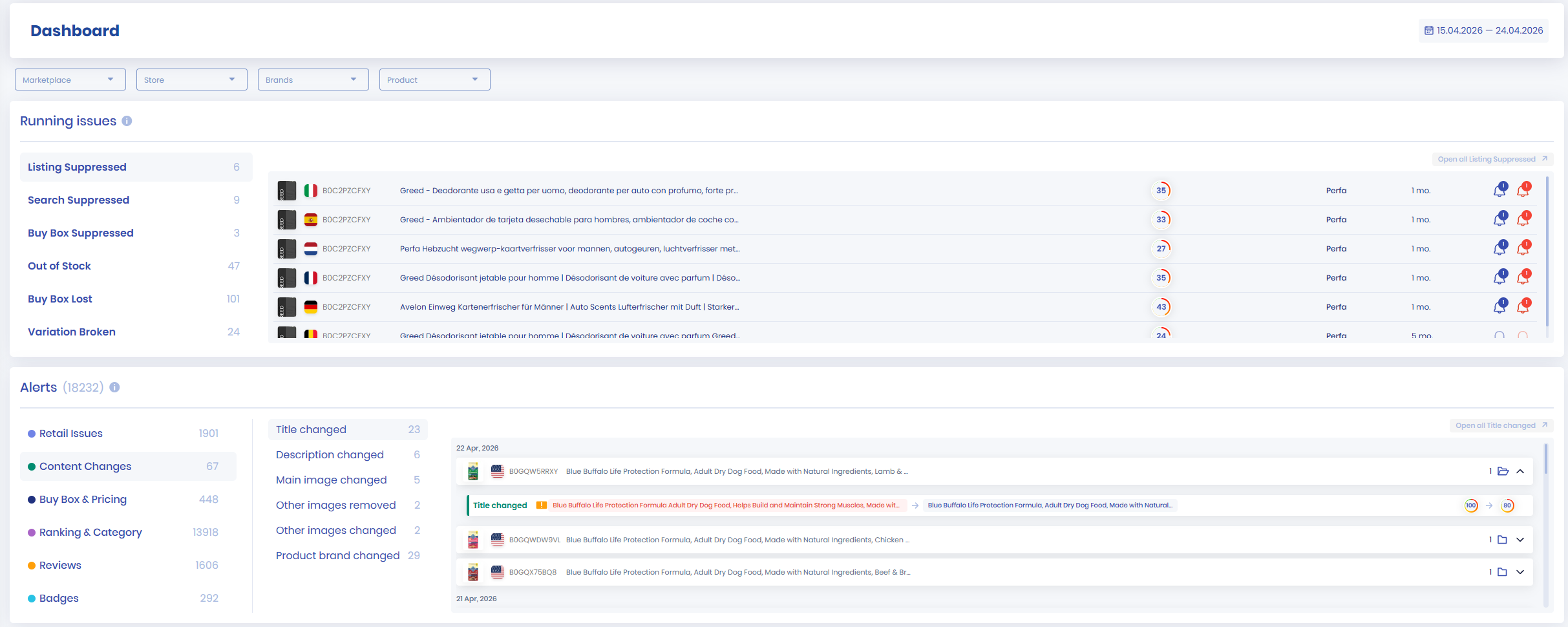
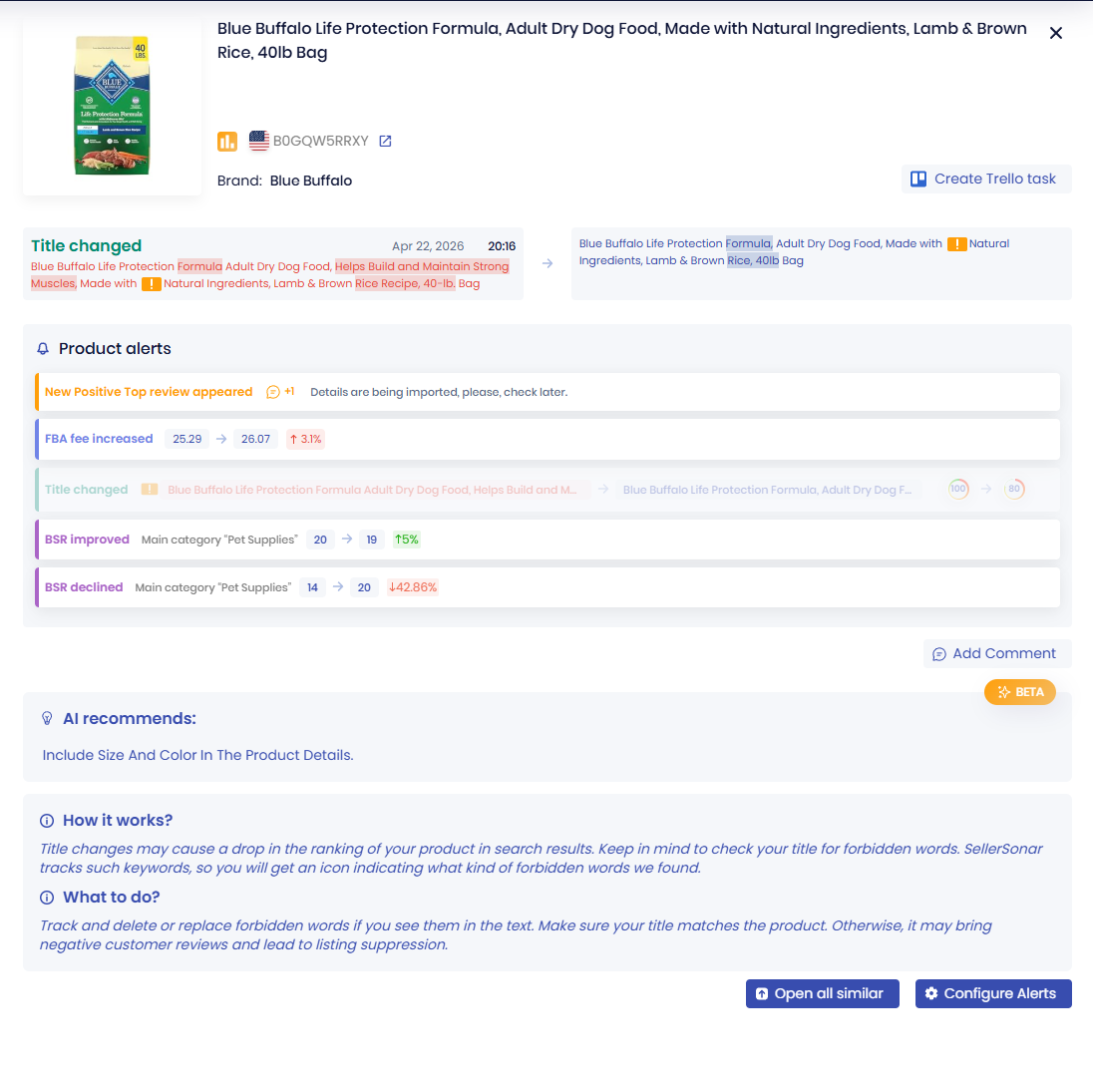
Listing Suppression
When Amazon suppresses your listing, it disappears from search. The Buy Box vanishes. Orders stop. In many cases, Amazon’s notification is buried in Seller Central dashboards or doesn’t come at all.
We’ve covered this in depth separately: Amazon Suppressed Listing: Why It Happens and How to Fix It. The short version: suppressions usually happen because of missing required attributes, image policy violations, or pricing issues. The fix depends on the specific cause.
What matters for Amazon brand protection is catching suppressions fast. Every hour of suppression is revenue you won’t recover. Automated monitoring with suppression alerts is the only reliable way to catch these quickly across a catalog of meaningful size.
Amazon Brand Protection Software: What to Look For
Amazon-specific monitoring is a subset of online brand protection broadly, but the Amazon marketplace has unique dynamics that general brand monitoring tools don’t cover well. If you’re evaluating Amazon-specific tools, a few things actually matter.
Alert speed. The gap between when a problem occurs and when you find out is where the damage accumulates. Look for tools that check hourly rather than daily.
Alert coverage. Hijacker detection is the obvious one. But suppression alerts, content change detection, and Buy Box monitoring are equally important. A tool that catches one type of threat leaves you exposed to the others.
No Seller Central connection required. Tools that require Seller Central API access have visibility into your sales data, which creates both a privacy exposure and a dependency on your API credentials staying stable. Monitoring publicly available listing data gives you the same detection capability without the risk.
Multi-ASIN support. If you’re managing 50+ ASINs, the tool needs to handle your catalog without manual work on your end. Bulk ASIN import and catalog-wide monitoring aren’t optional at this scale.
Workflow integration. Some tools just detect and notify. Better tools connect to your team’s Slack, keep alert history you can reference during Brand Registry cases, and let you configure different alerts for different product groups.
SellerSonar’s full alert suite covers all of these. The free trial includes Business features, so you can test alerts against your actual catalog before making a decision.
Building a Brand Protection System That Actually Holds
Here’s how the pieces fit together.
Amazon’s official tools (Brand Registry, Project Zero, Transparency) give you legal standing and reporting pathways. They’re your rights on the platform.
Automated monitoring gives you awareness. You can’t enforce rights you don’t know are being violated.
A response playbook gives you speed. The faster you act after an alert, the less damage accumulates.
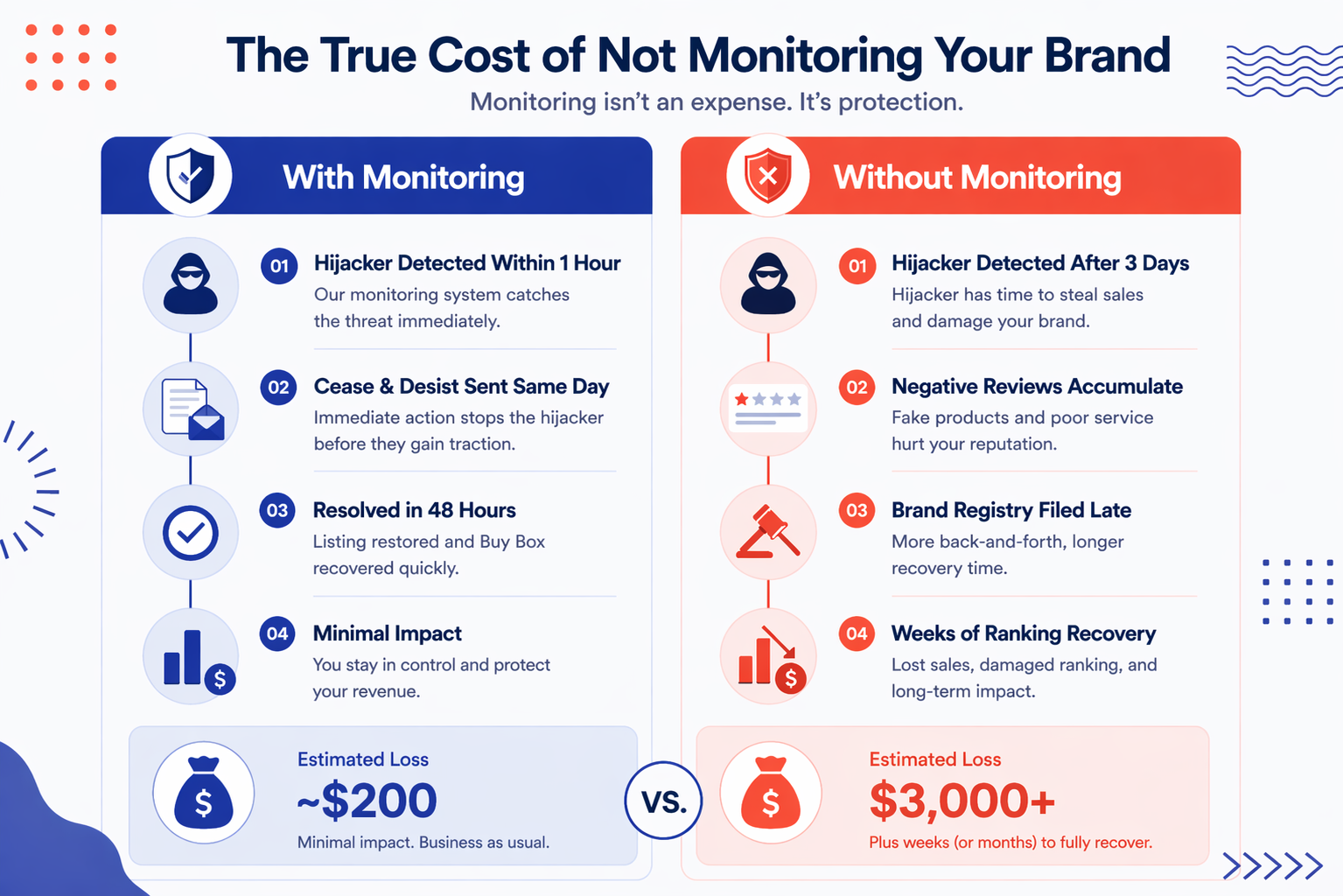
One SellerSonar seller told us about catching a hijacker at 6 AM on a Sunday. By 8 AM, she’d sent the cease and desist. By Monday morning, the hijacker was gone. Her estimated revenue loss over that window: around $200.
Sellers who catch the same situation two or three days later deal with $2,000 to $5,000 in lost revenue, several negative reviews they can’t remove, and a ranking recovery that takes weeks.
The difference between those two outcomes was a single alert. That’s it.
Conclusion: Brand Protection Is a System, Not a Setting
Amazon’s marketplace has more than 2 million active sellers. Some of those sellers will take shortcuts that cost you. That’s not cynical; it’s just the reality of the platform.
Amazon brand protection isn’t something you configure once and check off. It’s an ongoing system:
1. Legal foundation: Brand Registry, trademark protection, and Transparency for high-value products
2. Active monitoring: Automated alerts for hijackers, Buy Box changes, listing modifications, and suppression events
3. Fast response: A documented playbook so you’re not making decisions from scratch when something goes wrong
The sellers who protect their brands most effectively aren’t the most vigilant ones. They’re the ones who built a system that watches for them.
Final Expert Recommendations: The highest-leverage thing most sellers can do right now is add monitoring to the ASINs already generating revenue. You’ve already done the hard work of building products that sell. Protecting that work is far easier when you catch threats early. Start with your top 20 ASINs if you can’t add everything at once, prioritize your highest-margin products, and add suppression alerts as a baseline across the whole catalog. One caught hijacker typically covers months of monitoring costs.
Start your free 14-day SellerSonar trial and see what’s happening on your listings today. No credit card required.

