






Last updated: July 2026
Quick Answer
The best tools for Amazon vendors fall into two jobs: getting your listing right (optimization) and knowing the moment it changes (monitoring). Vendor Central handles neither well.
Key facts:
– Vendor Central’s native reports lag by 24 to 72 hours, so real-time visibility comes from third-party tools
– Amazon Retail can edit vendor listings (title, bullets, images) without notifying you
– The most useful 10 vendor tools in 2026 split cleanly into 5 optimization tools (Helium 10, Jungle Scout Cobalt, Ecomtent, CopyMonkey, SellerSonar’s free Listing Quality Checker) and 5 tracking tools (SellerSonar, Amalytix, Keepa, MerchantSpring, Openbridge)
– Amazon launched DisputeGPT for chargeback resolution on September 18, 2025, but native optimization and tracking gaps remain
Amazon Vendor Central wasn’t designed to optimize listings or monitor every catalog change. That’s why most successful Amazon Vendors rely on specialized software alongside Vendor Central. Some tools help improve listings before they go live, while others monitor Amazon Retail edits, keyword rankings, reviews, pricing, and suppression after publication.
Our article breaks down 10 tools we actually see brands using in 2026, sorted into two categories: listing optimization and tracking / monitoring. No EDI, no PO management, no chargeback recovery in this one. Just the tools that decide whether your vendor listing performs and whether you’ll know when it stops.
Why Amazon Vendors Need a Different Toolkit Than Sellers
Amazon vendors sell products wholesale to Amazon. Amazon then acts as the retailer of record. That one difference changes which tools are useful and which metrics matter.
You do not directly control the final retail price. Amazon does. You do not manage the Featured Offer in the same way as a conventional 3P seller when Amazon Retail owns the offer. You also do not manage standard FBA inbound shipments through the same workflows. Instead, Amazon 1P brands operate with constraints that many third-party sellers do not face:
- Amazon Retail can change product content. Titles, bullets, descriptions, images, variation relationships, and A+ Content can be changed or overwritten through catalog contributions.
- Vendor Central reporting is fragmented. Sales, traffic, inventory, advertising, returns, deductions, and profitability data may sit in separate reports or dashboard views.
- Daily keyword positions are not provided as a native monitoring workflow. Brand Analytics provides valuable search data, but it does not replace continuous tracking for a defined keyword set.
- Suppression and discoverability problems can be difficult to spot quickly. A catalog issue may affect the live detail page before the right team notices it inside Vendor Central.
- Hybrid brands face both 1P and 3P risks. Unauthorized third-party sellers can appear on ASINs that are primarily managed through Vendor Central.
- Profitability requires more than revenue data. Vendor teams may need to combine wholesale cost, allowances, chargebacks, advertising spend, returns, freight, and measures such as Net PPM or retail contribution profit to understand whether an ASIN is commercially healthy.
For that reason, the best tools for Amazon vendors are not simply a reduced version of the standard seller toolkit. The stack is weighted toward two priorities: building a strong listing before Amazon Retail changes it and detecting material changes after publication.
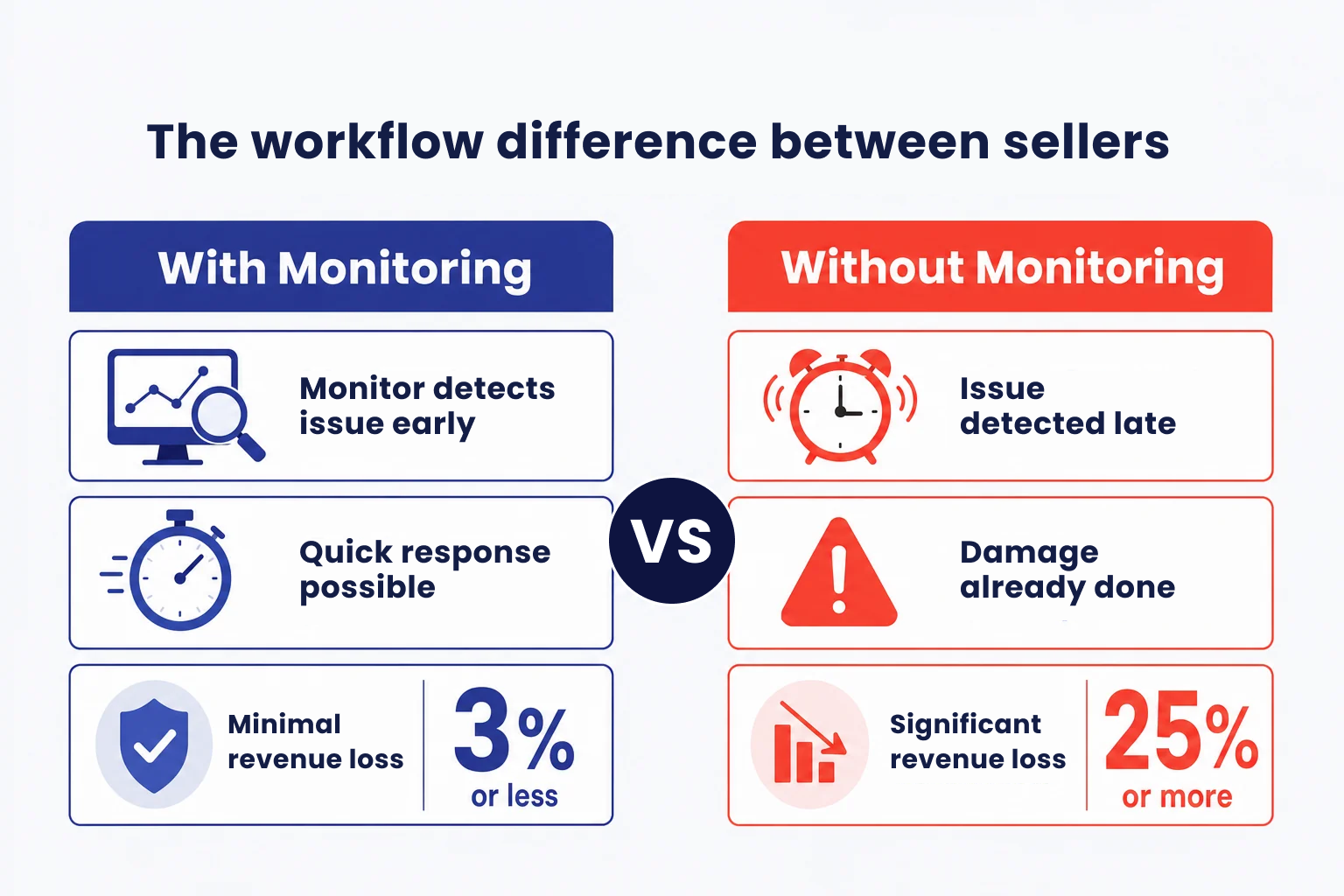
The workflow difference between Amazon sellers
💡 Expert Tip: If your brand operates through both Amazon 1P and 3P on the same ASINs, use one monitoring layer that can track the customer-facing product page regardless of which account owns the offer. Splitting the same products across disconnected dashboards creates duplicated work and increases the chance of missing an issue.
How We Selected These Amazon Vendor Tools
There is no single platform that covers every Amazon Vendor workflow equally well. We selected the tools in this guide based on their usefulness for specific optimization, monitoring, analytics, and reporting jobs.
Each tool was assessed against the following criteria:
- Relevance to Amazon Vendor workflows: whether the tool can support Amazon 1P brands, hybrid 1P and 3P businesses, or teams working with Vendor Central data.
- Core use case: whether the platform solves a clear problem such as keyword research, A+ Content production, listing monitoring, price history, vendor analytics, or BI integration.
- Catalog suitability: whether the tool is practical for a small product range, a mid-sized catalog, or an enterprise portfolio.
- Implementation requirements: whether a vendor manager can use the tool directly or whether it requires analysts, developers, data engineers, or an internal BI stack.
- Reporting and actionability: whether the platform primarily explains historical performance or helps teams identify changes that require action.
- Pricing transparency: whether public pricing is available or the vendor requires a custom quote.
- Limitations: what the tool does not cover and when another product would be a better fit.
The tools are not ranked from universally best to worst. Each one is recommended for a specific job. A keyword platform should not be evaluated as vendor monitoring software, and a BI pipeline should not be evaluated as a listing optimization tool.
Best Tools for Amazon Vendors at a Glance
Here’s the shortlist. Full breakdowns follow.
| Tool | Category | Best For | Starting Price |
|---|---|---|---|
| Helium 10 | Optimization | All-in-one keyword + listing SEO | $39/mo |
| Jungle Scout Cobalt | Optimization | Enterprise vendor market intel | Custom |
| Ecomtent | Optimization | AI-generated A+ content at scale | Custom |
| SellerSonar Listing Quality Checker | Optimization | Free one-shot listing audit | Free |
| SellerSonar | Tracking | Listing-change, review, and rank monitoring | $19.98/mo |
| Amalytix | Tracking | Comprehensive vendor analytics | Custom |
| Keepa | Tracking | Free price history + MAP monitoring | Free |
| MerchantSpring | Tracking | Marketplace dashboard for agencies | Custom |
| Openbridge | Tracking | Vendor Central data into your BI stack | ~$149/mo |
Prices reflect publicly listed starting tiers as of July 2026. Enterprise pricing varies; confirm before you buy.
Feature Comparison
This comparison shows the primary role of each tool. A checkmark means the capability is a meaningful part of the product, not necessarily that it replaces a specialist platform.
| Tool | Optimization | Monitoring | Best For |
|---|---|---|---|
| Helium 10 | Excellent | Limited | Keyword research & SEO |
| Jungle Scout Cobalt | Good | Good | Enterprise market intelligence |
| Ecomtent | Excellent | None | A+ Content & images |
| SellerSonar Listing Quality Checker | Good | None | Free listing audit |
| SellerSonar | Supports optimization | Excellent | Listing & keyword monitoring |
| Amalytix | Good | Good | Vendor analytics |
| Keepa | None | Price tracking | Price history |
| MerchantSpring | Limited | Good | Vendor reporting |
| Openbridge | None | Data pipelines | BI integration |
Which Amazon Vendor Tool Should You Choose?
- Choose Helium 10 if keyword research and listing SEO are your immediate priorities, especially if your company also operates through Seller Central.
- Choose Jungle Scout Cobalt if you need enterprise-level category intelligence, market share analysis, pricing data, and competitive benchmarking.
- Choose Ecomtent if your bottleneck is producing copy, images, infographics, and A+ Content across a large catalog.
- Use SellerSonar Listing Quality Checker if you need a free spot audit before requesting a catalog update or reviewing a competitor.
- Choose SellerSonar if you need vendor monitoring software for customer-facing listing changes, rankings, reviews, prices, retail issues, and unauthorized sellers.
- Choose Amalytix if you want a broader Amazon Vendor management platform with dashboards, alerts, digital-shelf analysis, and catalog workflows.
- Use Keepa if historical Amazon pricing is the main question you need to answer.
- Choose MerchantSpring if Vendor Central reporting, profitability, executive dashboards, and multi-account analysis are more important than individual listing alerts.
- Choose Openbridge if your data team wants to move Vendor Central and Amazon Ads data into Snowflake, BigQuery, Redshift, Databricks, or another customer-owned destination.
The Best Listing Optimization Tools for Amazon Vendors
Vendors don’t get to A/B test titles the way 3P sellers can. Once your listing goes live, Amazon Retail treats it as their asset. So the game is: build the strongest possible baseline listing, backed by real keyword data, so any Amazon-side edits have less room to hurt you.
Here are the five tools we see vendor teams actually use.
1. Helium 10 (Best all-in-one for keyword and listing SEO)
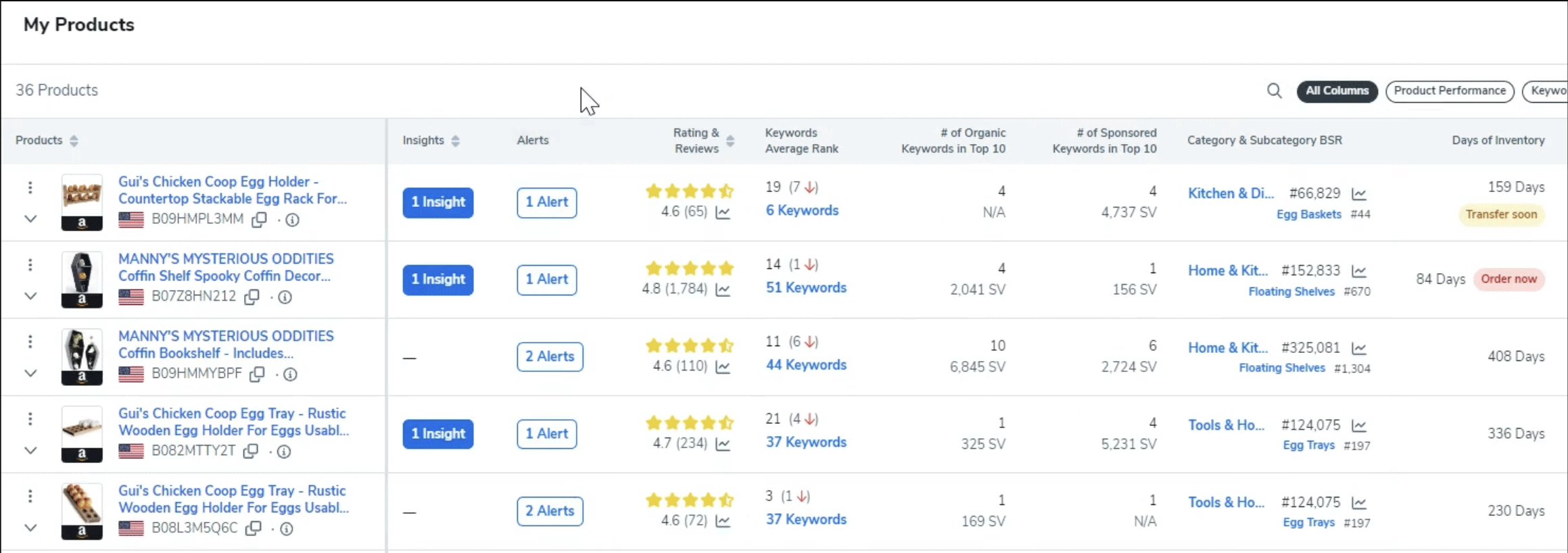
Helium10 Dashboard
Helium 10 is a keyword research and listing optimization platform that started serving 3P sellers and now covers vendor use cases too. The tools vendors actually reach for: Cerebro (reverse-ASIN keyword lookup, so you can see which keywords competing ASINs rank for), Magnet (broad keyword research), and Scribbles (a listing builder that maps keywords into your title, bullets, and backend fields).
Vendors use it the same way sellers do: to build an SEO-defensible listing before Amazon Retail starts editing. The catch is you’re paying for the full suite even if you only need the SEO half.
Choose Helium 10 if:
- Your main need is Amazon keyword research and listing SEO.
- You want to analyze the keywords associated with competing ASINs.
- Your company operates through both Vendor Central and Seller Central.
- You already use other Helium 10 research or advertising tools.
Limitations:
- Helium 10 is not dedicated vendor monitoring software for tracking every Amazon Retail content edit.
- Many features are built primarily for 3P sellers, so a pure Amazon 1P team may not use the entire subscription.
- Keyword research does not replace a monitoring layer that checks what is actually live on the product detail page.
Pricing: Helium 10 currently promotes Platinum from $99 per month when billed annually, with higher Diamond and enterprise tiers. A limited free plan is available. Review the current Helium 10 pricing page before purchasing.
🎯 Pro Insight: For a hybrid 1P and 3P brand, use reverse-ASIN research on the five closest competing products, then compare the resulting keyword list against the terms you already track with an Amazon keyword monitoring tool. Research identifies opportunities. Tracking shows whether visibility improves after the content changes.
Our Helium 10 review covers the plan tiers in detail, including what changes between Platinum and Diamond.
2. Jungle Scout Cobalt (Best for enterprise vendor market intelligence)
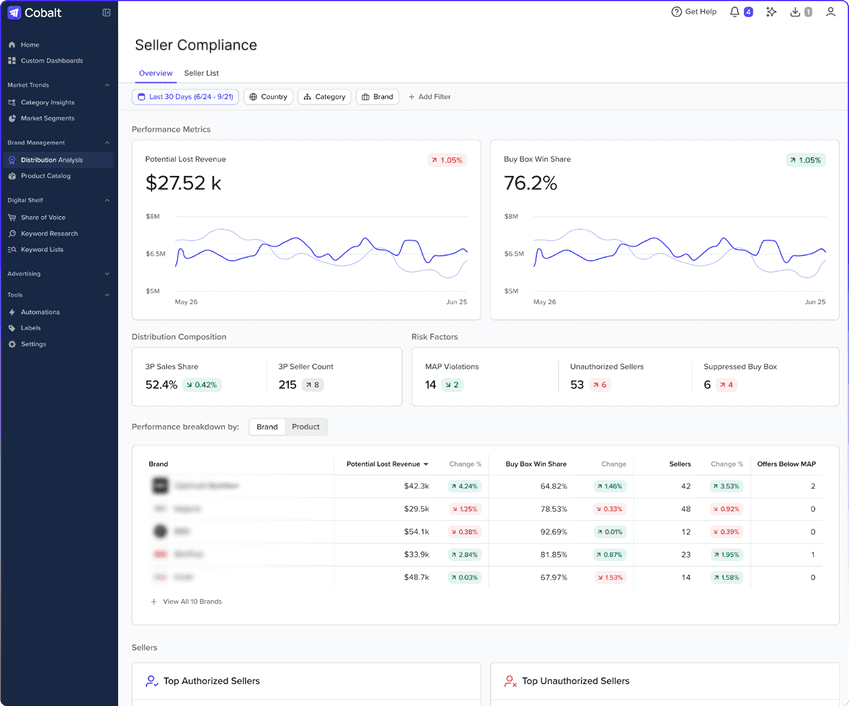
Jungle Scout Dashboard
Jungle Scout’s consumer product is well known. Their enterprise product, Cobalt, is what mid-market and enterprise vendors use. Cobalt pulls together share-of-shelf, competitive pricing, digital shelf analytics, and category-level keyword intelligence, with dashboards designed for brands running 500+ ASINs on Vendor Central.
For a large Amazon Vendor, Cobalt can provide context that is difficult to obtain from a standard Vendor Central dashboard. Category and ecommerce teams can use it to examine where market growth is coming from, compare competitors, assess pricing dynamics, and identify gaps in product visibility.
Choose Jungle Scout Cobalt if:
- You manage a large catalog across several categories or marketplaces.
- Your team needs market share, competitive intelligence, and category-level benchmarking.
- You have analysts or category managers who will actively use enterprise dashboards.
- You need strategic vendor analytics rather than only ASIN-level alerts.
Limitations:
- Cobalt can be excessive for a small vendor with a limited ASIN portfolio.
- Pricing is not publicly standardized and requires a tailored demo or quote.
- Market intelligence does not replace a dedicated operational alert for every title, image, review, or suppression change.
Pricing: Custom. Request a tailored demonstration through the Jungle Scout Cobalt page.
3. Ecomtent (Best AI-generated A+ content at scale)
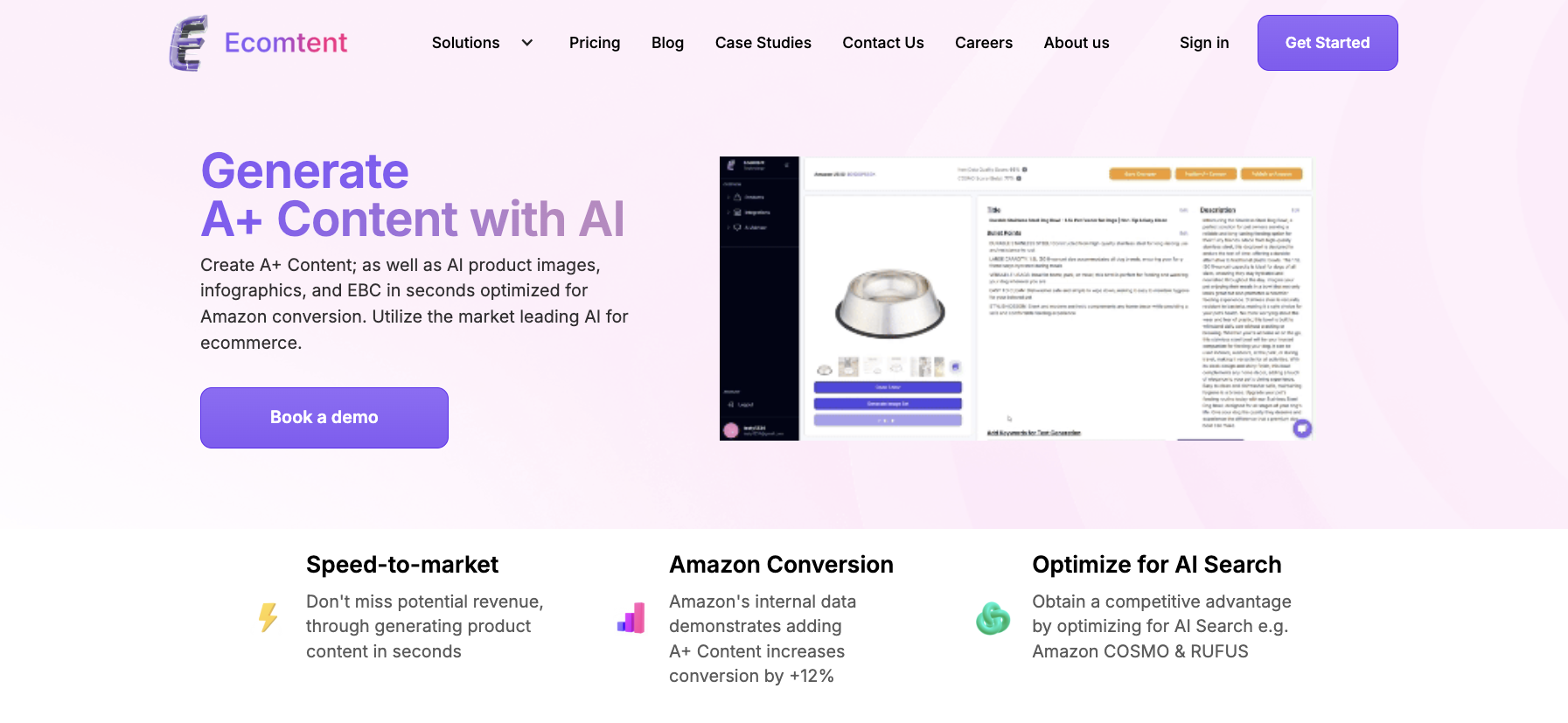
Ecomtent for A+ content
Ecomtent is built for brands with catalogs too big to hand-build every A+ page. It uses AI to generate product images, infographics, and enhanced brand content modules, then plugs them into Vendor Central through Amazon’s API.
The main value is production capacity. A vendor with hundreds or thousands of products may struggle to give every ASIN the same level of copywriting, visual design, and A+ Content support. Ecomtent provides an AI-assisted workflow that can create and adapt these assets at scale.
Choose Ecomtent if:
- Your team needs to produce A+ Content, images, infographics, and copy across a large catalog.
- Content-production speed is a bigger constraint than keyword discovery.
- You need a workflow that supports both Amazon Vendor 1P and Seller 3P content.
- You have an internal review process for checking accuracy, compliance, and brand consistency.
Limitations:
- AI-generated content still requires human review for product accuracy, claims, compliance, and brand tone.
- Ecomtent is not a dedicated vendor monitoring platform for detecting later Amazon Retail edits.
- Small catalogs with reliable in-house design support may not need a specialized content-at-scale platform.
Pricing: Ecomtent provides plan and demo options based on production requirements. Confirm current limits and Amazon 1P publishing support on the Ecomtent pricing page.
4. SellerSonar Listing Quality Checker (Best free one-shot listing audit)

Sometimes you don’t want to buy a tool. You just want to know if your listing is any good.
The SellerSonar Listing Quality Checker is a free tool that scans any Amazon URL and returns a listing quality score across images, title, bullets, description, and reviews, with specific recommendations for what to fix. No login, no credit card, no time limit.
Amazon Vendors can use the checker before requesting a listing refresh, after publishing new content, or when comparing their detail page with a competitor. For a more detailed workflow, see the guide to using an Amazon Listing Quality Checker.
Use the Listing Quality Checker if:
- You need a quick spot audit for one ASIN.
- You want a structured review before submitting content changes.
- You are comparing your detail page with a stronger competing product.
- You need a free first step before purchasing broader optimization software.
Limitations:
- A one-time audit does not continuously track what changes after the check.
- The score does not replace category expertise, conversion analysis, or human copy judgment.
- The free checker does not provide Vendor Central financial reporting or retail contribution profit analysis.
Pricing: Free.
📌 From Our Experience: Strong vendor listing optimization usually requires more than one tool. A practical workflow combines keyword research, content production, a structured quality audit, and ongoing Amazon product monitoring after publication.
The Best Tracking and Monitoring Tools for Amazon Vendors
Optimization is one job. Watching the live product page is another, and Vendor Central is not designed to send a dedicated alert for every customer-facing change.
A hybrid brand may need to detect an unauthorized seller, a title rewrite, a removed image, a suppressed product, a rating decline, or a keyword-ranking drop. These events appear in different places, and some are easier to detect from the live marketplace than from a conventional Vendor Central dashboard.
The following tools cover different parts of vendor monitoring, analytics, price tracking, reporting, and data integration.
Here are the tools that fill that gap.
1. SellerSonar API (Best for Custom Amazon Monitoring & Integrations)
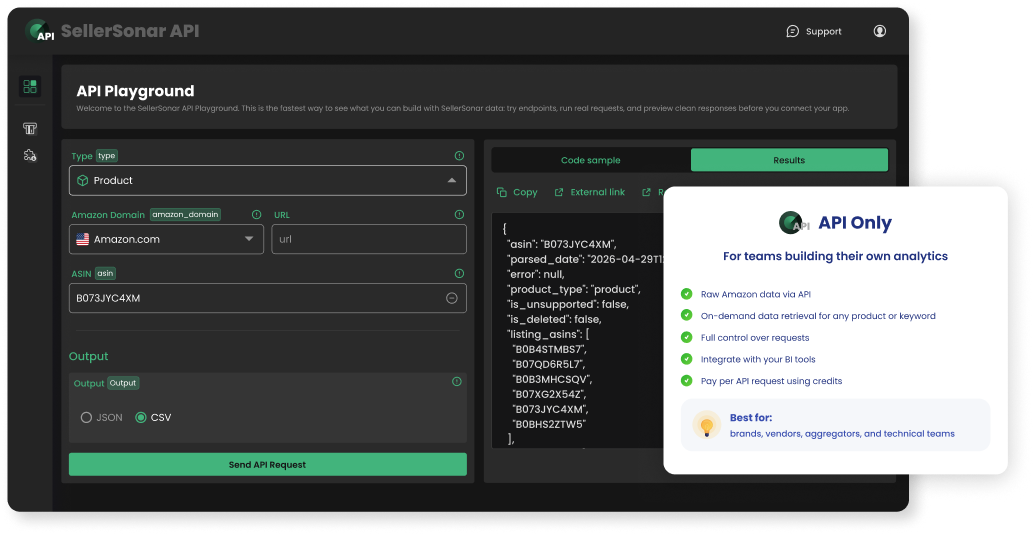
SellerSonar API Playground
We built the SellerSonar Amazon Monitoring API for brands, agencies, and developers who want Amazon marketplace data inside their own applications, dashboards, and workflows. Instead of logging into another interface, you can retrieve structured marketplace data through REST API endpoints and integrate it directly into your internal systems.
Our API currently provides endpoints for Products, Search, Offers, Best Sellers, Seller Products, and Brand Stores, making it easy to build custom reporting, automate monitoring workflows, or power your own Amazon applications.
Whether you’re creating client dashboards, feeding a BI platform, or building internal automation with Zapier, Make, n8n, or your own infrastructure, the API gives you flexible access to the data you need.
Best for:
- Agencies building custom client dashboards
- Software companies developing Amazon tools
- Enterprise brands with internal BI teams
- Developers creating automated Amazon workflows
Pricing: API plans include free trial credits so you can test the platform before upgrading.
Ready to build with Amazon marketplace data? Start with 100 free API credits and explore the available endpoints before integrating the SellerSonar API into your applications, dashboards, or automation workflows.
2. Amalytix (Best comprehensive vendor analytics)
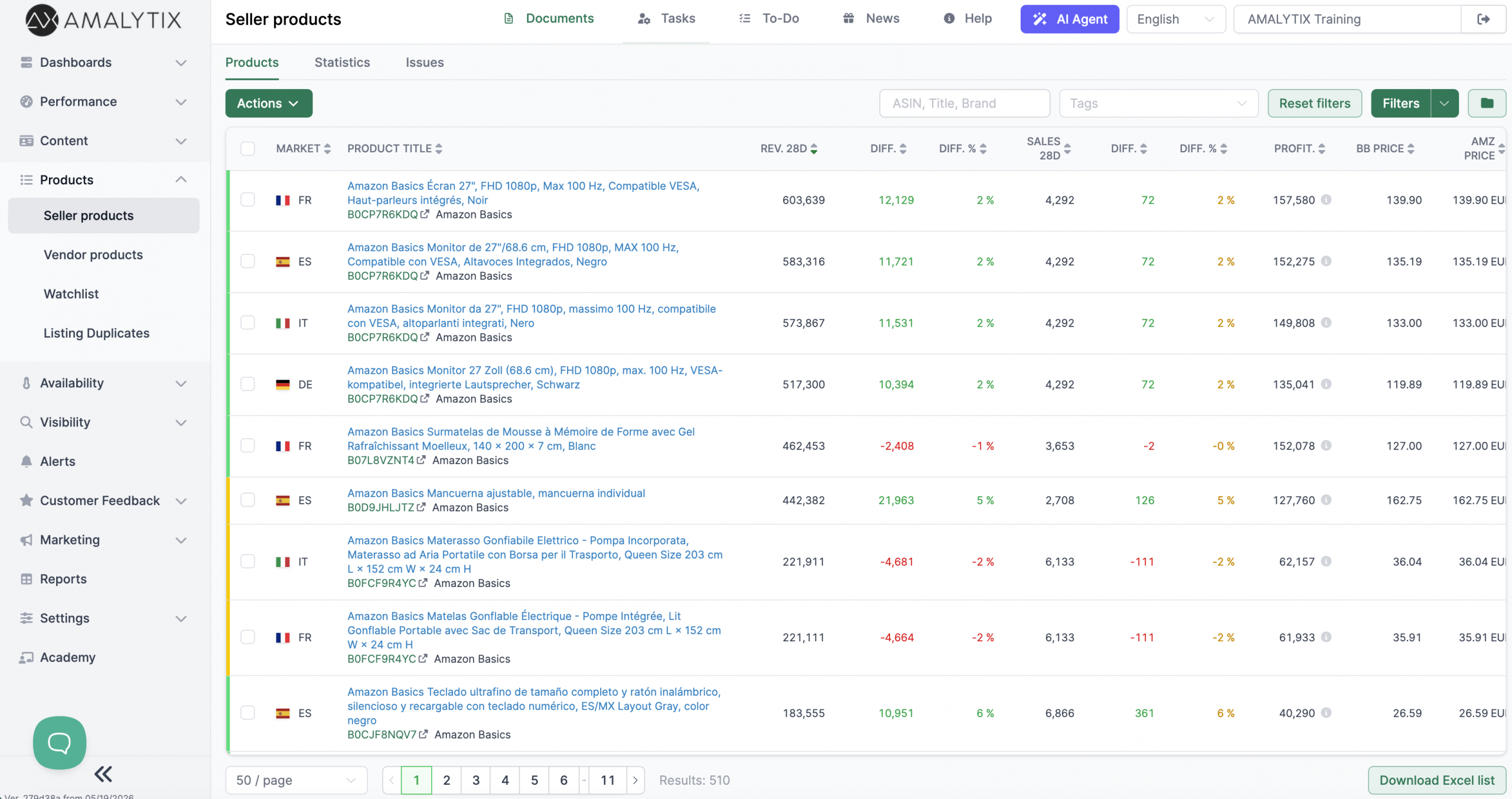
Amalytix dashboard
Amalytix is built for Amazon Vendor and Seller Central management. Its vendor product combines dashboards, ARA data, content monitoring, digital-shelf analysis, pricing history, low-stock signals, product-level performance analysis, listing-quality workflows, and AI-assisted catalog tasks.
The platform is broader than a dedicated alerting tool. A Vendor Central dashboard in Amalytix can bring together revenue, marketplaces, products, pricing, inventory, and other vendor analytics in one interface. It also supports vendor-specific measures such as Amazon margin and Net PPM where those fields are available through the connected data.
Choose Amalytix if:
- You want a broad Vendor Central management and analytics platform.
- Your team needs dashboards, content workflows, alerts, and digital-shelf analysis in one system.
- You manage a substantial Amazon 1P catalog, particularly across European marketplaces.
- You want to combine operational monitoring with deeper historical performance analysis.
Limitations:
- Vendor pricing requires contact with the company, which makes upfront budget comparison harder.
- The platform may be broader than necessary for a team that only needs basic listing-change alerts.
- Implementation and dashboard configuration may require more onboarding than a lightweight tracker.
Pricing: Custom Vendor pricing. Amalytix advertises a 14-day trial. Confirm catalog limits, contract terms, and onboarding requirements directly with the provider.
3. Keepa (Best free price history and MAP monitoring)
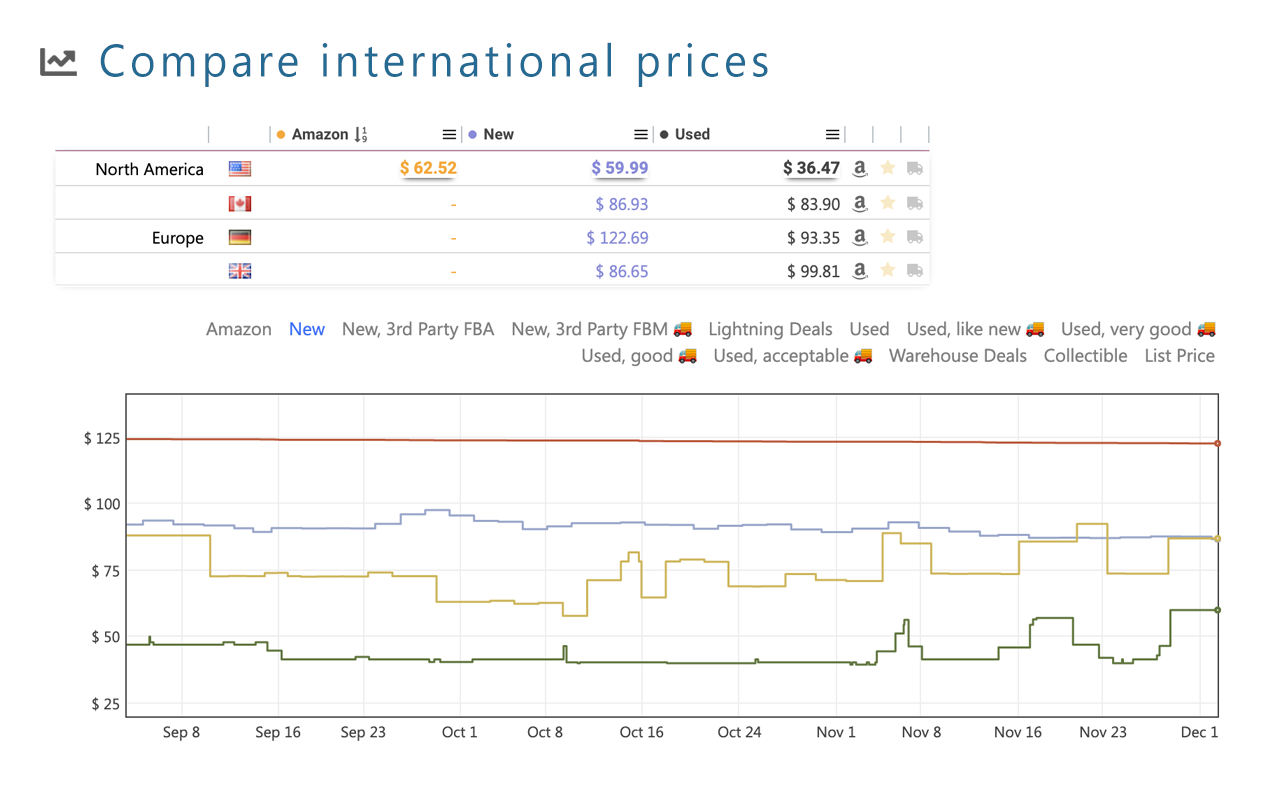
Keepa Price Tracker extension
Keepa tracks Amazon price history and provides price-drop alerts, product charts, watchlists, browser extensions, and paid data access. Although it is not specifically positioned as Amazon Vendor software, it is widely useful for checking how Amazon’s retail price has changed over time.
For a vendor, this can help explain price erosion, assess whether Amazon is discounting a product, review historical Featured Offer behavior, and investigate whether Amazon pricing may affect MAP policies or relationships with other retailers.
Choose Keepa if:
- Your primary question is how an ASIN’s Amazon price has changed over time.
- You need a quick historical check without connecting Vendor Central.
- You want price-drop alerts or browser-based charts.
- You need price history as a supporting layer alongside broader vendor monitoring software.
Limitations:
- Keepa is not a complete Vendor Central reporting or vendor analytics platform.
- It does not provide a full content-change history for titles, bullets, descriptions, and images.
- Price history alone cannot explain profitability, deductions, inventory availability, or retail contribution profit.
Pricing: Core price-history charts are available free. Paid data access and API options are available through Keepa.
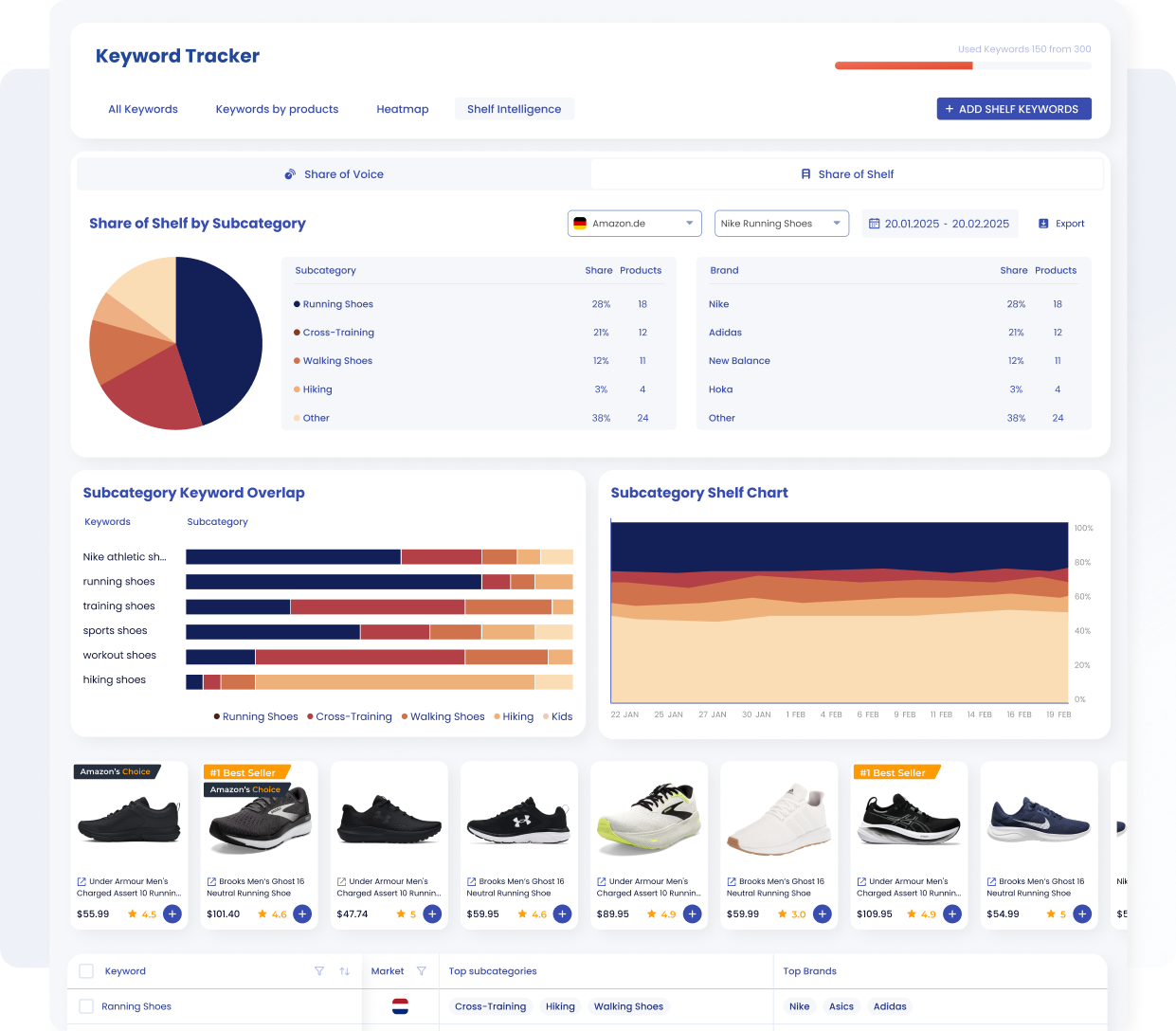
SellerSonar’s Shelf Intelligence dashboard illustrates Share of Shelf across subcategories and brands and shows sample running shoe products.
Our Share of Shelf tracker helps you understand how visible your products are across Amazon search results compared with your competitors. Rather than looking at a single keyword ranking, it measures your overall search presence across an entire keyword portfolio, giving you a clearer picture of your brand’s digital shelf.
For Amazon Vendors, this makes it much easier to monitor category visibility, evaluate the impact of listing improvements, and understand how Prime Day, seasonal events, advertising campaigns, or Amazon Retail catalog changes affect your overall search presence.
Share of Shelf works especially well alongside our keyword monitoring and content-change alerts. Together, they help answer two different questions: “Did something change?” and “Did that change affect our visibility?”
Best for:
- Competitive benchmarking
- Category visibility tracking
- Executive reporting
- Measuring long-term SEO performance
- Monitoring digital shelf share across multiple keywords
5. MerchantSpring (Best marketplace dashboard for agencies and brands)
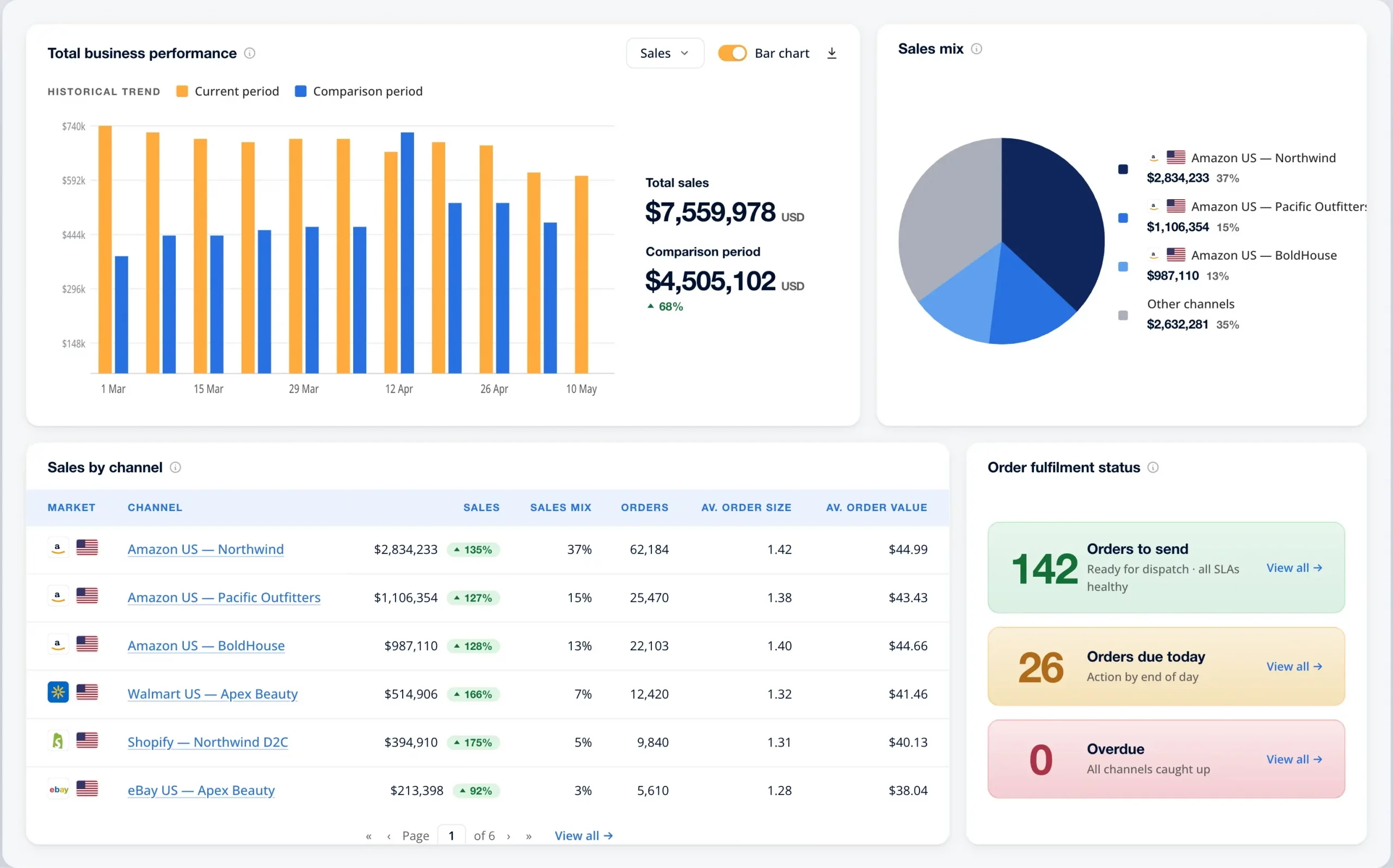
Merchantspring sales dashboard
MerchantSpring provides Amazon Vendor analytics for brands and agencies. It focuses on automated Vendor Central reporting, sell-in and sell-out analysis, advertising effectiveness, profitability, multi-account visibility, and executive reporting.
The product is particularly relevant when a vendor team needs a consistent reporting layer rather than a collection of manual spreadsheets. Its dashboards can help brands analyze sales, cost, advertising, chargebacks, rebates, and other inputs that affect ASIN-level or vendor-code profitability.
This is also where concepts such as retail contribution profit, vendor profitability, and true contribution by ASIN become more relevant. These calculations require connected financial and operating data, not only a scan of the live product page.
Choose MerchantSpring if:
- Your priority is automated Vendor Central reporting and profitability analysis.
- You need a consolidated Vendor Central dashboard for executives, agencies, or regional teams.
- You manage multiple vendor codes, accounts, marketplaces, or fulfilment models.
- You need repeatable weekly or monthly reporting without rebuilding spreadsheets.
Limitations:
- MerchantSpring is more expensive than a focused ASIN-monitoring tool.
- It is designed for analytics and reporting rather than A+ Content creation or keyword copywriting.
- A broad reporting dashboard may not replace a specialized alert for every customer-facing listing edit.
Pricing: MerchantSpring lists Amazon Vendor Analytics at $399 per month, with trial and annual options available. Confirm the current account, marketplace, and feature allowances before subscribing.
6. Openbridge (Best for pulling Vendor Central data into your BI stack)
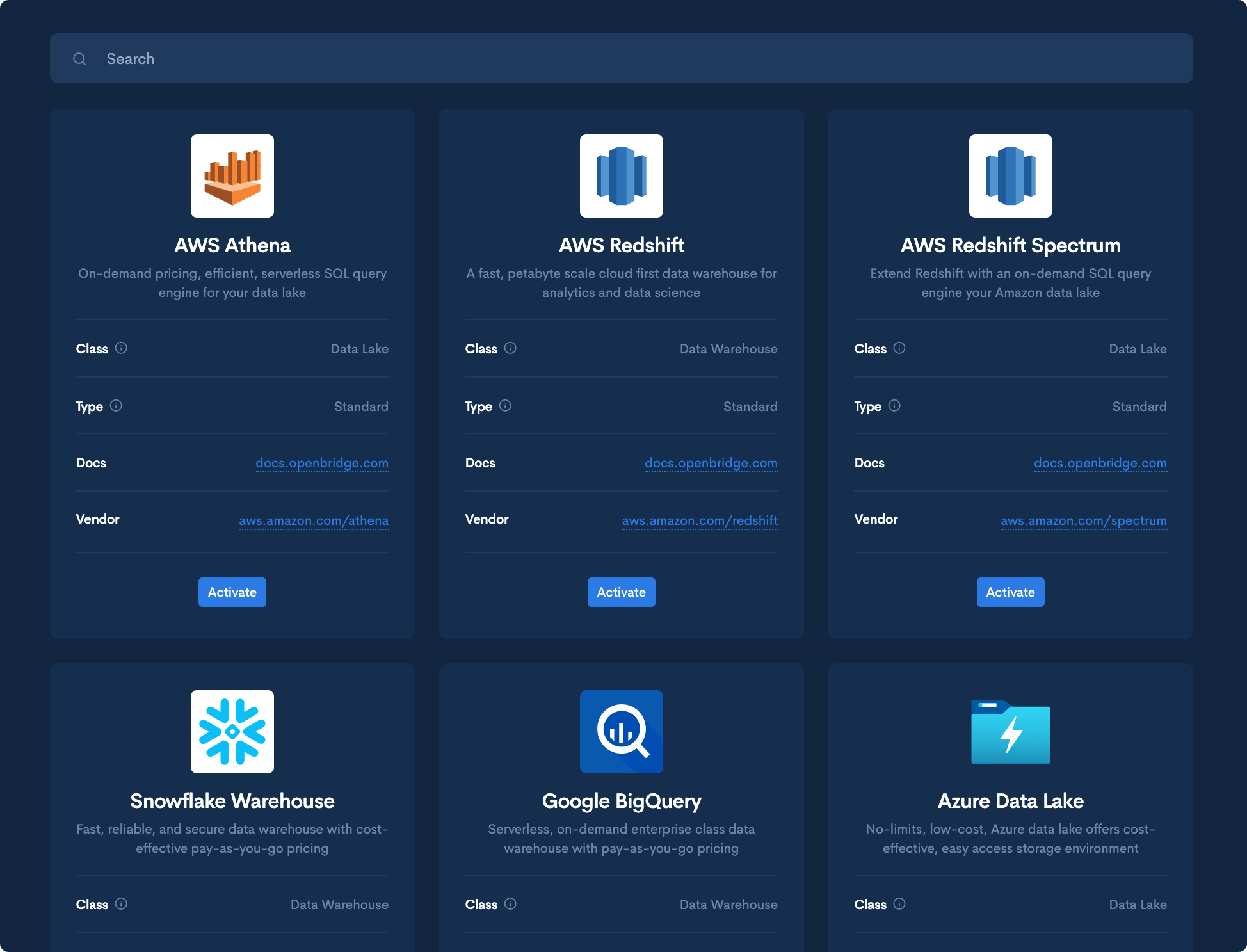
Openbridge customer-owned data destinations
Openbridge is not conventional vendor monitoring software. It is a data-integration platform that moves Vendor Central and Amazon Ads data into customer-owned destinations such as Snowflake, BigQuery, Redshift, Databricks, data lakes, and business-intelligence environments.
For enterprise vendors, Openbridge can replace repetitive report downloads with automated data pipelines. Analysts can then combine Amazon data with ERP, finance, logistics, retail, advertising, and internal product data to build custom Vendor Central reporting.
Choose Openbridge if:
- Your company already uses Snowflake, BigQuery, Redshift, Databricks, Tableau, Looker, Power BI, or another BI environment.
- Your analysts need raw or structured Vendor Central data outside Amazon’s native dashboards.
- You want to combine Amazon Retail Analytics and advertising data with internal financial or supply-chain data.
- Your organization has data engineering or analytics resources to maintain downstream models and dashboards.
Limitations:
- Openbridge does not provide a complete ready-made vendor monitoring workflow by itself.
- You need a data destination and internal capability to model, validate, and visualize the extracted data.
- Total cost depends on the base plan, active pipelines, destinations, and data usage.
- It is unnecessary for a small team that only needs a few listing or price alerts.
Pricing: Usage-based. Openbridge offers a 30-day trial without requiring a credit card. Final pricing depends on the selected connectors, destinations, and active data pipelines.
💡 Expert Tip: Match the delivery method to the type of decision. Use alerts for events that require operational action, dashboards for recurring reviews, and a BI warehouse for analysis that combines Amazon data with finance, supply-chain, or retail information.
How to Build Your Amazon Vendor Toolkit (By Stage)
As your Amazon Vendor business grows, your software stack should evolve with it. Emerging brands usually need just a few core tools: one for listing optimization, one for monitoring marketplace changes, and a couple of free resources for occasional audits. Established brands often add specialized platforms for A+ Content creation, deeper analytics, and executive reporting. Enterprise vendors typically combine dedicated optimization tools with monitoring, business intelligence platforms, and internal reporting infrastructure to support larger catalogs and multiple stakeholders.
You don’t need every tool at every stage. Here’s what actually works, based on what we see brands running.
| Vendor Stage | Annual Vendor Central Revenue | Recommended Stack | Estimated Monthly Cost |
|---|---|---|---|
| Emerging brand | $1M–5M | Helium 10 or another keyword tool for optimization, SellerSonar for monitoring, SellerSonar Listing Quality Checker for free audits, and Keepa for price history | Approximately $60–200+, depending on the optimization plan and billing term |
| Established brand | $5M–25M | Helium 10 plus Ecomtent for optimization and content, SellerSonar plus Amalytix for monitoring and vendor analytics, with MerchantSpring where structured reporting is required | Custom, commonly several hundred dollars per month or more |
| Enterprise vendor | $25M+ | Jungle Scout Cobalt or equivalent intelligence, Ecomtent plus an internal content team, SellerSonar, Amalytix, and Openbridge feeding Snowflake, Tableau, Looker, Power BI, or another BI stack | $1,000+ before internal BI, data engineering, and enterprise service costs |
The revenue ranges are directional, not purchasing rules. A smaller vendor with a complex international catalog may need enterprise-grade vendor analytics. A larger brand with a narrow product line may be able to operate with a simpler stack.
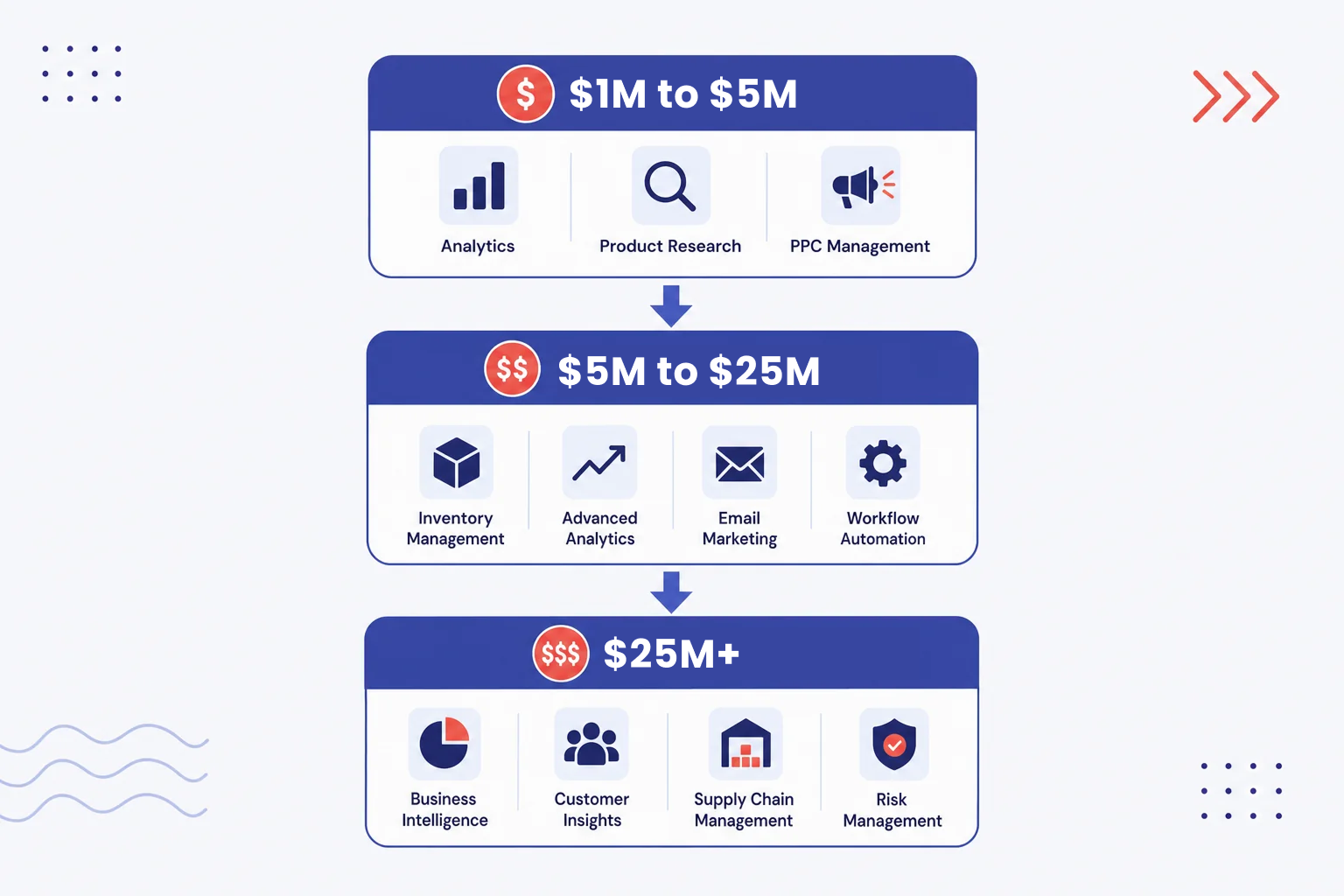
Amazon vendor tool stack by revenue stage from emerging to enterprise
What Vendor Central Won’t Tell You
Vendor Central is designed to support purchase orders, catalog information, invoices, operational workflows, and Amazon 1P reporting. It is not designed to function as a complete vendor listing optimization or customer-facing monitoring platform.
Some of the largest visibility gaps include:
- Complete content-change history. If Amazon Retail changes your title, bullets, description, images, or variation structure, Vendor Central may not provide a simple chronological comparison showing the previous and current live versions.
- Daily keyword positions for a custom keyword set. Brand Analytics provides valuable search and query data, but it does not replace dedicated keyword-rank monitoring for each tracked ASIN.
- Review and rating history per ASIN. Vendor Central is not primarily designed to show an operations or marketing team how a product’s rating has moved over time.
- Immediate suppression and discoverability alerts. Catalog problems can affect product visibility before the responsible team identifies the issue through normal Vendor Central workflows.
- Unauthorized third-party seller monitoring. Hybrid brands often need to watch Amazon 1P ASINs for new 3P offers, seller changes, and potential hijacking risks.
- A unified explanation of profitability. Revenue alone does not show whether an ASIN is healthy. Vendor teams may need to combine cost, allowances, chargebacks, advertising, freight, returns, Net PPM, and retail contribution profit in a dedicated vendor analytics or BI environment.
- Cross-marketplace operational context. A standard Vendor Central dashboard may not provide the consolidated regional or multi-account view required by a global brand or agency.
These gaps explain why many Amazon Vendors combine Vendor Central with specialized monitoring, optimization, reporting, and analytics tools. Vendor Central remains the operating system for the wholesale relationship. Third-party platforms extend it with customer-facing listing visibility, historical changes, alerts, competitor data, keyword tracking, profitability analysis, and BI integration.
💡 Expert Tip: Use Vendor Central as the system of record for your Amazon wholesale operations. Use monitoring tools to detect marketplace changes, optimization tools to improve content, and vendor analytics platforms to explain commercial performance.
Final Expert Recommendations
If you are evaluating Amazon Vendor software, do not buy every category at once. Start by identifying which of these problems is currently costing your team the most:
- Weak keyword coverage or product copy
- Slow A+ Content production
- Unnoticed Amazon Retail edits
- Suppression or unauthorized seller risks
- Fragmented Vendor Central reporting
- Limited profitability analysis
- Manual data exports into an internal BI stack
For most mid-sized Amazon Vendors, a practical starting stack includes:
- Vendor listing optimization: Helium 10 or another established keyword and listing-research platform
- Vendor monitoring software: SellerSonar for tracking listing changes, retail issues, prices, reviews, ratings, rankings, competitors, and unauthorized sellers
- Free audit layer: SellerSonar Listing Quality Checker for periodic product-page reviews
- Price-history layer: Keepa for checking historical Amazon pricing
Add Amalytix when you need broader vendor dashboards and management workflows. Add MerchantSpring when profitability and executive Vendor Central reporting become central requirements. Add Openbridge when your organization is ready to move Amazon data into a customer-owned warehouse and combine it with finance, retail, advertising, or supply-chain data.
The central principle is simple: optimization builds the preferred listing, monitoring protects it, and vendor analytics explains the commercial result.
A well-optimized Amazon 1P listing can still lose visibility after a content edit, suppression, rating decline, price shift, or unauthorized seller change. Without automated monitoring, the team may not discover the problem until it appears in a scheduled report or performance review. At the same time, alerts alone cannot explain retail contribution profit, Net PPM, or long-term category performance. Each layer has a different job.
If monitoring is your biggest gap, start with SellerSonar’s 14-day Business trial. Monitor 5 ASINs and 10 keywords with no credit card required, and see how automated alerts fit into your existing Vendor Central workflow.

