






Last updated: July 2026
Quick Answer
Amazon agency software helps service providers manage advertising, listings, monitoring, analytics, inventory, and reporting across multiple client accounts. The most useful platforms reduce repeated logins and spreadsheet work while keeping permissions, responsibilities, and client data separate.
A practical agency stack usually covers five layers: multi-client portfolio management, PPC and retail media, market intelligence and listing optimization, monitoring and automated QA, and client reporting. No single product is equally strong across every layer, so choose tools according to the workflows your agency sells and the operational gaps that still require manual checks.
Fast shortlist: Helium 10, SellerApp, and KwickMetrics support broad seller or multi-client workflows; Pacvue, Perpetua, and Quartile focus on advertising; Jungle Scout Cobalt supports enterprise intelligence; SellerSonar and SentryKit focus on monitoring; eComEngine covers specialist seller operations; and AgencyAnalytics, Whatagraph, and ReportsMate handle different reporting use cases.
An individual seller optimizes one business. An agency must repeat the same research, advertising, quality-control, escalation, and reporting processes across many brands without exposing one client’s data to another. This guide compares 14 tools by the job they are designed to perform rather than treating every product as an interchangeable all-in-one platform.
Amazon Agency Tools Compared
| Tool | Best for | Strength | Agency use | Price |
|---|---|---|---|---|
| Helium 10 | Seller suite | Research, listings, ops, PPC | Multi-account by plan | $279/mo; Ent. $1,499+/mo* |
| SellerApp Agency | Account management | Ads, audits, analytics, reports | Agency workspace | Quote |
| KwickMetrics | Amazon & Walmart | Profit, FBA costs, reports | Multi-client, white-label | Quote |
| Pacvue | Enterprise retail media | Ads, DSP, AMC, commerce data | Complex portfolios | Quote |
| Perpetua | PPC automation | Goal-based bidding | Manager accounts, reports | Quote |
| Quartile | Managed PPC | Product-level optimization | Multi-account service | Quote |
| Jungle Scout Cobalt | Enterprise strategy | Market, price & SOV data | Dashboards, data delivery | Quote |
| SellerSonar Listing Checker | Listing audits | One-time quality check | Per listing | Free |
| SellerSonar | Monitoring & QA | Listings, offers, SEO, reviews | Multi-account | $19.98+/mo* |
| SentryKit | Seller alerts | Buy Box, price, stock, health | Roles, alert routing | $19+/mo; agency ~$199+ |
| eComEngine | Amazon operations | Reviews, analytics, restocking | Multi-store plans | Plans or quote |
| AgencyAnalytics | Cross-channel reports | White-label dashboards | Multi-client portals | $20/client/mo* |
| Whatagraph | Cross-channel reporting | Blending, branding, delivery | Multi-client; Amazon limits | €699/mo*; Prime quote |
| ReportsMate | Email reports | Branded AI summaries | Multi-client; no Amazon source | $29/mo or $24/mo* |
*Annual billing.
Pricing note: Prices and plan details were checked against official vendor information in July 2026. Taxes, onboarding, media-spend fees, data usage, optional modules, account volume, support, and contract commitments can change the final cost. Confirm current limits and commercial terms before purchasing.
Shortlist by workflow
- Broad seller and account operations: start with Helium 10 when the team already uses its research and listing ecosystem, SellerApp when centralized agency workflows and advertising are the priority, or KwickMetrics when Amazon and Walmart profitability and branded reporting matter most.
- PPC and retail media: evaluate Pacvue for enterprise retail-media complexity, Perpetua for goal-based automation with manager controls, and Quartile when the desired package includes both technology and expert account support.
- Intelligence and listing work: use Jungle Scout Cobalt for portfolio and category decisions and the SellerSonar Listing Quality Checker for individual prospect, onboarding, or post-publication audits.
- Monitoring and seller operations: compare SellerSonar’s public-marketplace monitoring with SentryKit’s Seller Central-connected alert model. Use eComEngine when review operations, seller analytics, or FBA replenishment is the specific need.
- Client reporting: AgencyAnalytics is the clearest Amazon Ads and cross-channel dashboard option in this list. Whatagraph suits more governed data workflows but has Amazon-specific restrictions. ReportsMate is an adjacent email-reporting tool for supported non-Amazon sources.
How to Choose Amazon Agency Software
Compare tools within the same job. A PPC optimizer should not be judged as listing-monitoring software, and a reporting dashboard should not be treated as an incident-detection system. First identify which of the five layers—portfolio management, advertising, intelligence and optimization, monitoring, or reporting—creates the most manual work or client risk.
- Account model: confirm client separation, user roles, permissions, marketplaces, account limits, and offboarding controls.
- Workflow depth: determine whether the tool only displays a metric or also supports alerts, rules, approvals, bulk actions, and documented follow-up.
- Data and reporting: check refresh frequency, history, exports, APIs, webhooks, white-label options, and how important KPIs are calculated.
- Total implementation cost: include onboarding, training, integrations, usage limits, advertising-spend fees, support, and ongoing administration—not only the headline subscription.
Run the final two or three candidates through the same controlled trial. Use at least two representative clients: one straightforward account and one with several marketplaces, users, or data sources. Record setup time, missing permissions, data discrepancies, alert relevance, time saved, and the quality of client-facing output. A successful demo is not enough if the operating model fails under real account complexity.
Calculate an effective monthly cost before comparing proposals. Include subscriptions, additional users or accounts, connected sources, media-spend fees, API or usage charges, onboarding, support, and the internal hours required to configure and maintain the platform. Divide that figure by the number of billable clients the tool will genuinely support. A cheaper subscription can produce a higher cost per client when it requires more manual work or a second platform to close an essential gap.
How the five layers should work together
The portfolio platform should identify the client and responsible team. Research and intelligence tools should produce an approved brief. PPC software should execute the media strategy within agreed guardrails. Monitoring should detect customer-facing or operational changes that can affect the plan. Reporting should combine verified outcomes with commentary about completed work and incidents. The systems do not need identical data, but the agency must define which one owns each metric, task, and decision.
Security and data governance belong in the selection process as well. Ask how connections are authorized, whether users can be removed immediately, what audit history is retained, where data is processed, and which security or data-processing documents are available. Confirm how the agency will export essential records and revoke access when a staff member or client leaves.
Capacity test: calculate how many active clients one account manager supports today and the target for the next 12 months. A new platform should remove enough manual work to make that target realistic without weakening service quality.
Category 1: Agency-Native Multi-Client Platforms
These platforms reduce the friction of separate client logins and disconnected operating views. Their value depends on account separation, team access, portfolio visibility, and how well research, advertising, profitability, and reporting workflows connect.
1. Helium 10
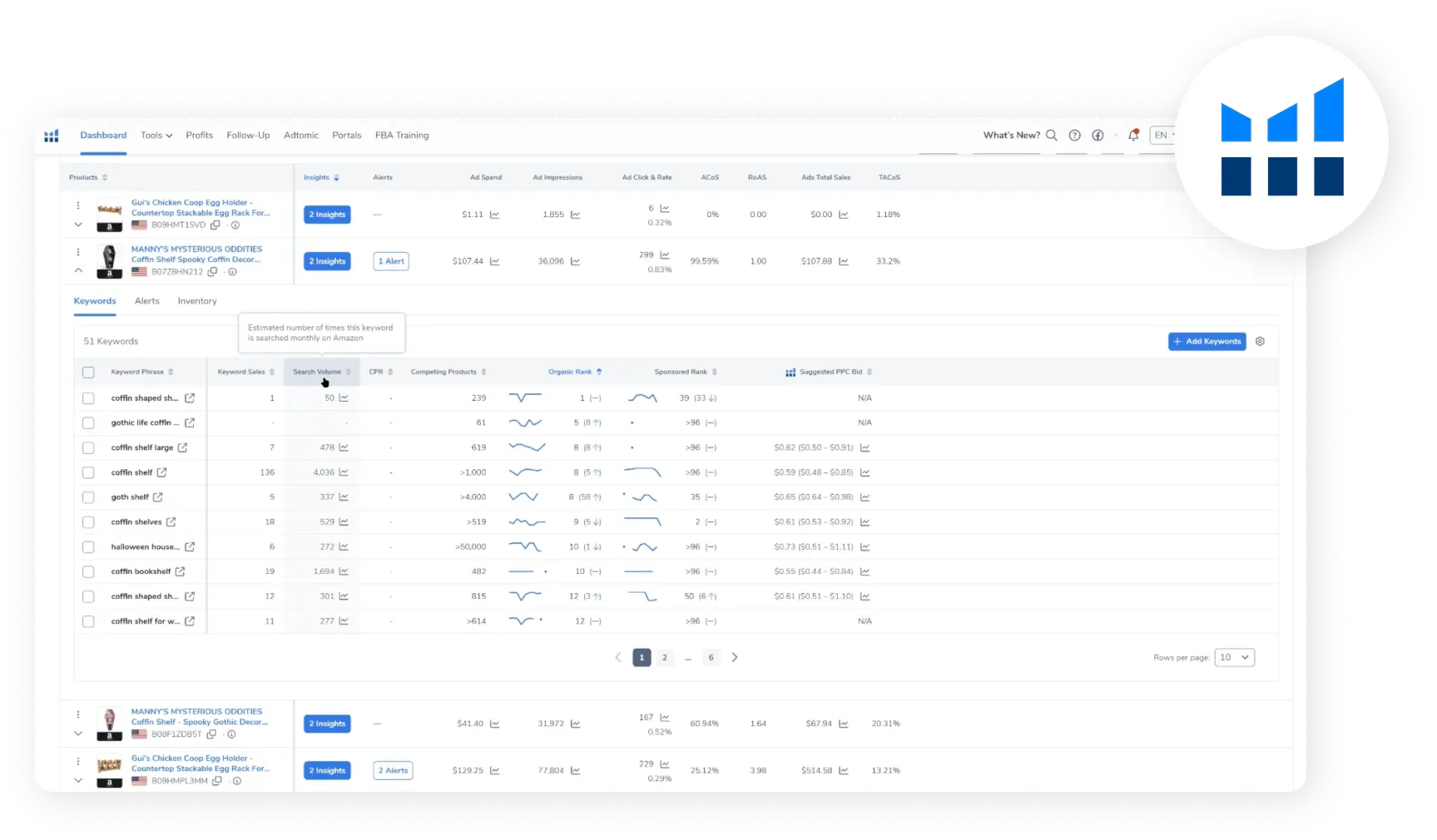
Helium 10 brings Amazon keyword, advertising, and product performance data into one agency-ready dashboard.
Helium 10 is a broad Amazon seller suite covering product and keyword research, listing work, advertising, profitability, inventory, and daily operations. It is best for agencies that already use a common Helium 10 workflow across research, content, and PPC services.
- Research and listings: Cerebro, Magnet, Black Box, the Chrome Extension, Listing Analyzer, and Listing Builder support keyword discovery, marketplace analysis, audits, and content production.
- Advertising: Helium 10 Ads provides rules-based automation, dayparting, and manual bid and budget controls on eligible plans.
- Analytics and operations: Insights Dashboard, keyword tracking, profit and loss reporting, and inventory tools connect performance with seller-side work.
- Agency access: Enterprise is positioned for larger teams and account portfolios; lower tiers have smaller connection, user, and usage allowances.
Practical agency workflow: standardize how strategists move from reverse-ASIN research to a keyword brief, listing revision, launch campaign, and post-launch review. Shared naming and folder conventions matter because different Helium 10 modules may be used by different specialists. Keep client reporting and incident monitoring in dedicated systems when those deliverables are part of the retainer.
Pricing: Diamond is $279 per month when billed annually. Enterprise currently starts at $1,499 per month billed annually. Check current Helium 10 pricing and limits. See also our Helium 10 vs SellerSonar comparison.
For a plan-by-plan breakdown of what agencies actually get at each tier, see our Helium 10 review.
2. SellerApp Agency
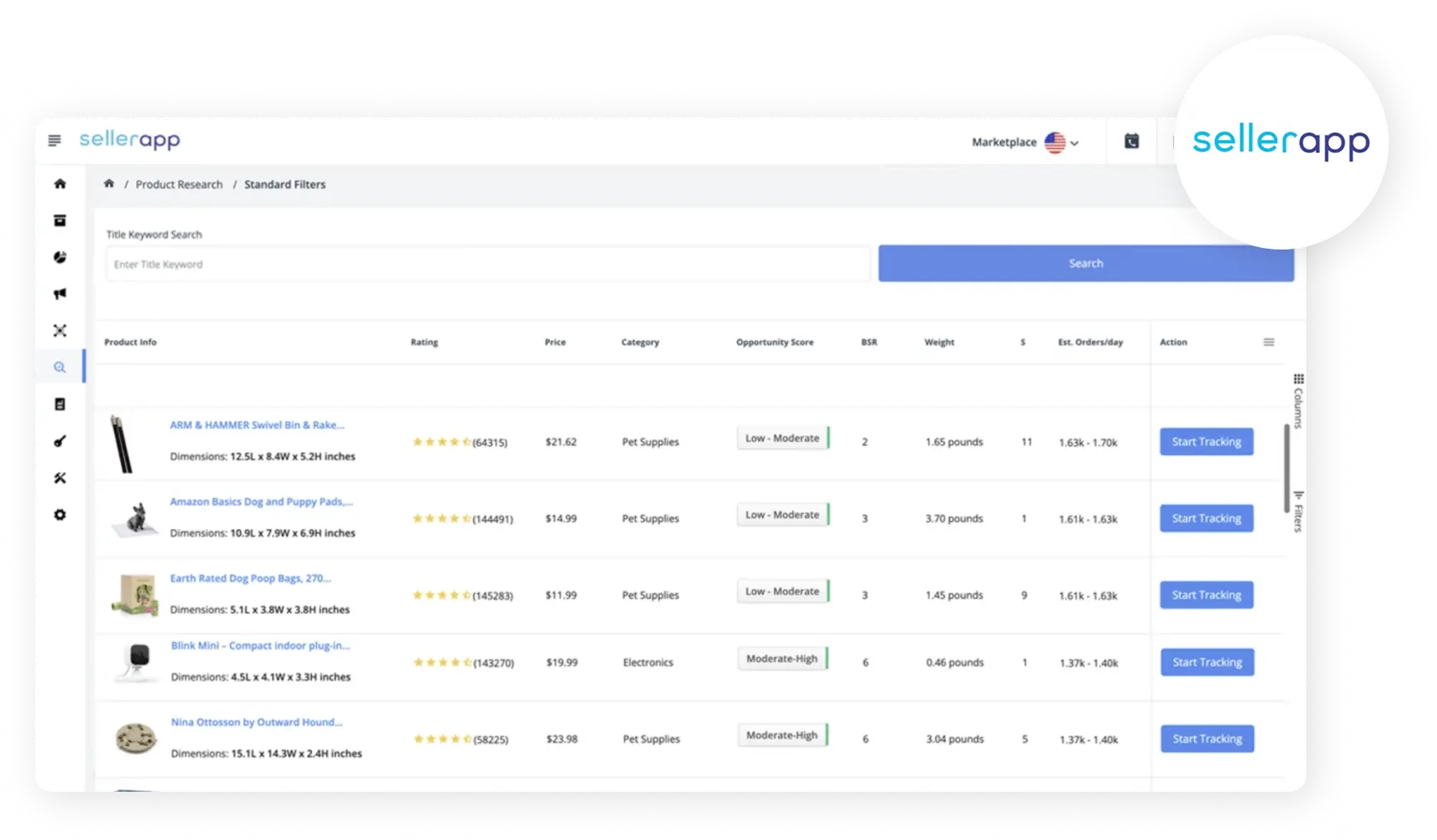
SellerApp helps agencies compare Amazon products and uncover opportunities using sales, competition, and demand data.
SellerApp Agency combines multi-account management, advertising automation, business monitoring, account audits, market intelligence, and customizable reporting in an agency-oriented environment.
- Portfolio operations: a centralized dashboard helps teams manage client accounts, permissions, and agency reporting.
- Advertising: rules, AI recommendations, bulk actions, dayparting, and account-level objectives support repeatable PPC management.
- Audits and intelligence: agencies can review listings, keywords, A+ Content, pricing, reviews, refunds, category signals, competitors, Share of Voice, and Buy Box activity.
- Reporting: customizable reports can be adapted for different clients and operating cadences.
Practical agency workflow: begin onboarding with an account audit, convert the findings into a prioritized work plan, then apply approved advertising rules and recurring review cadences. Define which recommendations account managers may accept independently and which require a strategist or client approval. This prevents a centralized workspace from becoming an uncontrolled bulk-action environment.
Pricing: Custom agency quote. Confirm contractual account limits and commercial terms for your expected client and advertising volume. Our SellerApp vs SellerSonar comparison explains where specialist monitoring fits.
3. KwickMetrics
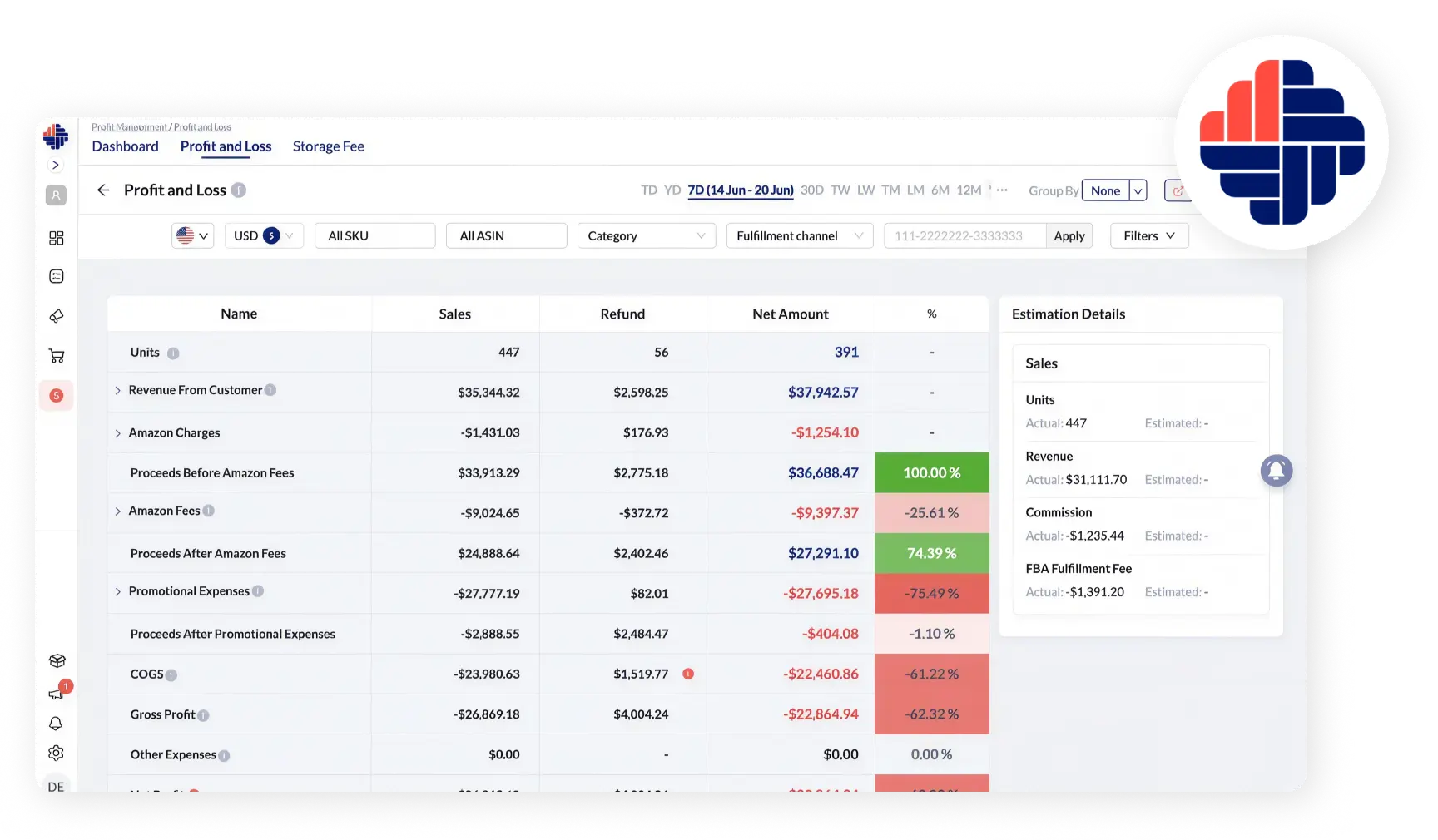
KwickMetrics breaks down Amazon revenue, fees, refunds, and costs to provide a clearer view of profitability.
KwickMetrics is an Amazon and Walmart analytics platform covering profitability, advertising, inventory, reimbursements, listings, and client reporting. Its clearest agency strengths are cross-marketplace financial visibility and white-label delivery.
- Profitability: analyze revenue, COGS, marketplace fees, ad spend, refunds, storage costs, and other operating expenses by SKU, client, or marketplace.
- Cross-marketplace operations: combine Amazon Seller Central, Amazon Ads, and Walmart data while reviewing reimbursements and fee leakage.
- Client delivery: apply agency branding, colors, a custom domain, curated views, and scheduled reports; PDF and CSV exports support reviews and downstream work.
- Access: multi-client dashboards and role controls help limit what clients and team members can see.
Practical agency workflow: collect COGS and other cost inputs during onboarding, document how the agency defines profit, reimbursements, advertising cost, returns, and marketplace fees, and reconcile those definitions before sending the first client report. Use the branded dashboard for recurring visibility and reserve accounting-system data for formal financial reporting when the two systems serve different purposes.
Pricing: Standard seller plans are published; agency pricing is tailored to client volume and requirements.
Category 2: PPC and Retail Media Management
Dedicated PPC platforms become valuable when campaign volume makes manual bidding, budgeting, search-term analysis, placement work, and pacing inefficient. Compare automation control, ad-product and retailer coverage, measurement, data access, and service model.
4. Pacvue
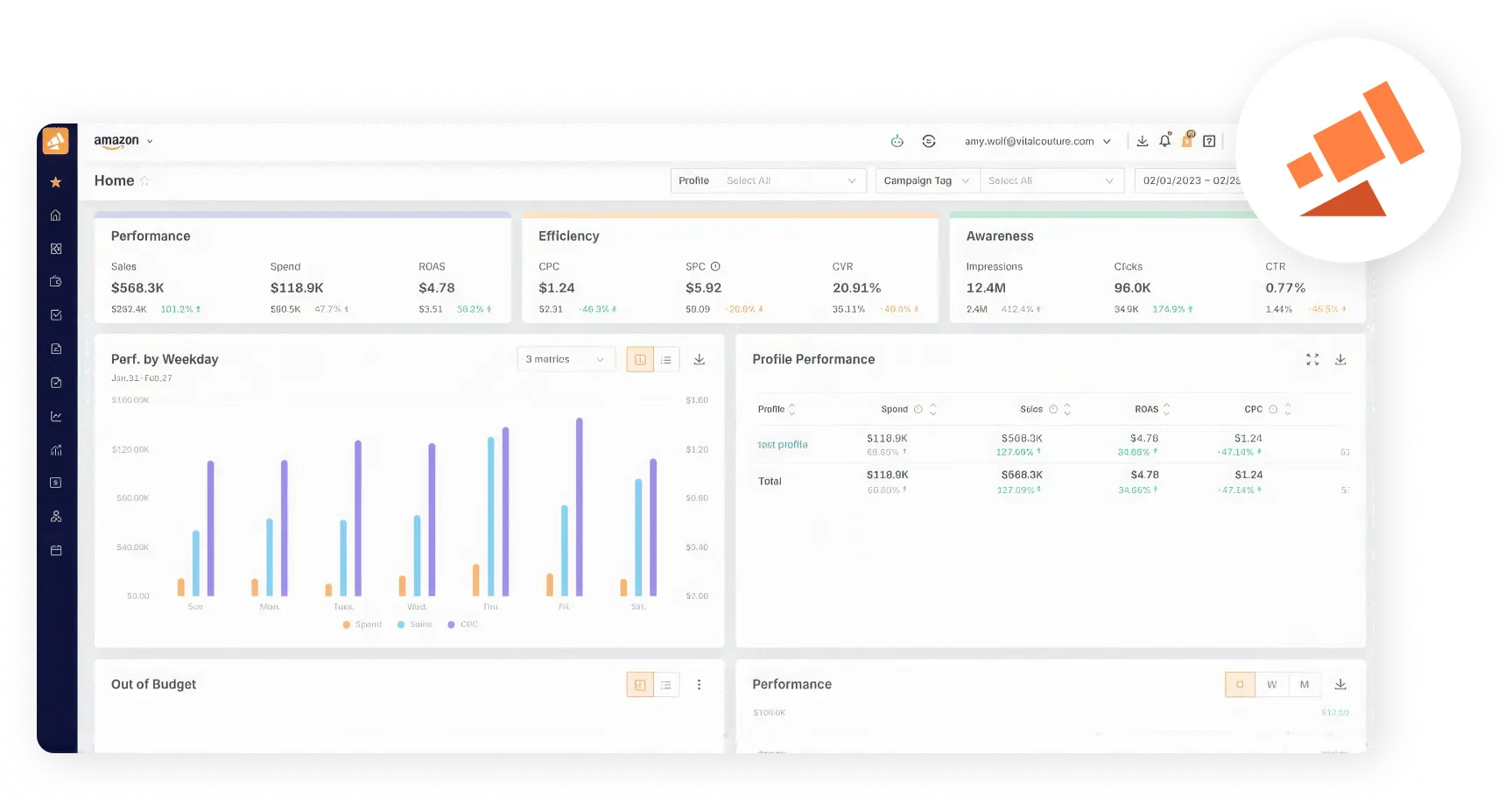
Pacvue makes Amazon advertising performance easier to evaluate across sales, spend, efficiency, and awareness metrics.
Pacvue for Amazon combines retail-media activation, automation, measurement, and commerce signals across Amazon Sponsored Ads, Amazon DSP, and Amazon Marketing Cloud. It is designed for larger brands, agencies, and commerce teams managing substantial programs across Amazon and other retailer networks.
- Activation and optimization: manage campaigns while automating bidding, dayparting, budget pacing, and other actions with rules and AI-assisted workflows.
- Retail-aware decisions: use inventory, Buy Box, Share of Voice, profitability, and commerce signals to inform media controls.
- Measurement: work with AMC, audience building, incrementality, and cross-campaign reporting.
- Stakeholder visibility: combine media performance, retail execution, and business outcomes in unified dashboards.
Practical agency workflow: build a governance template before connecting a large portfolio. Define naming, budget and bid guardrails, out-of-stock behavior, approval thresholds, and who owns AMC audiences or DSP decisions. Review pacing and retail signals together so automated media actions do not continue promoting products that cannot win the Featured Offer or meet inventory requirements.
Pricing: Custom. Request a proposal based on retailer coverage, media volume, modules, data requirements, and services.
5. Perpetua
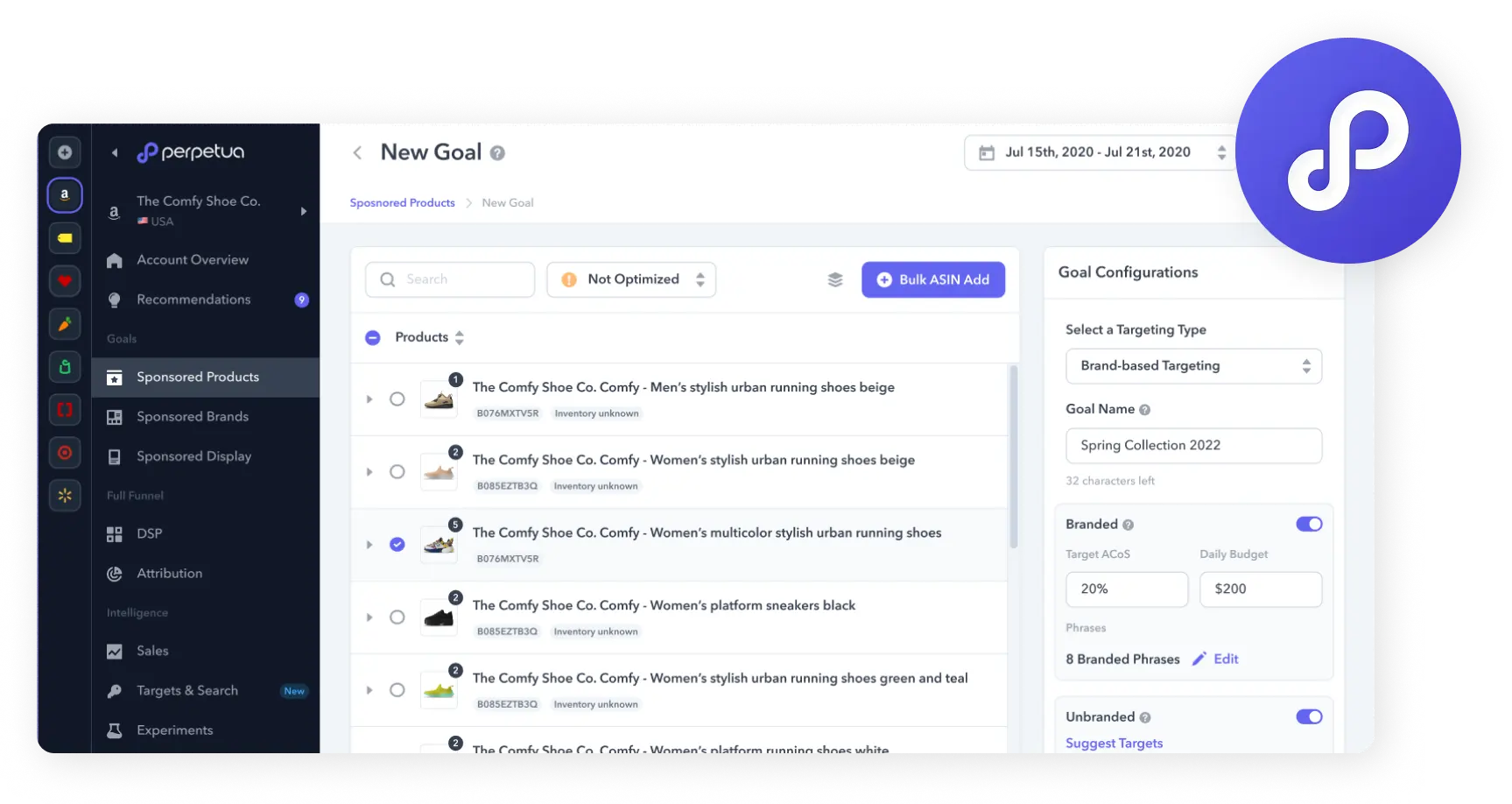
Perpetua lets advertisers build goal-based Amazon campaigns with defined targeting, budgets, and ACoS objectives.
Perpetua is a goal-based advertising optimization platform. Account managers set objectives such as target ACoS and daily budget, while the platform automates bids and provides additional strategic controls.
- Campaign workflow: launch Sponsored Ads, organize products around defined goals, and use budget pacing and forecasting.
- Manager controls: apply dayparting, Keyword Boosts, Top of Search multipliers, custom structures, exclusions, and other guardrails.
- Full-funnel media: support includes Sponsored Brands, Sponsored Brands video, Sponsored Display, Amazon DSP, and AMC-related workflows.
- Agency reporting: Manager Accounts, activity streams, approvals, executive views, white-label dashboards, and enterprise integrations support multi-client use.
Practical agency workflow: pilot automation on a controlled product group before applying it across a client portfolio. Record the baseline ACoS, budget, placement mix, search-term process, and exclusions; then review the activity stream and outcomes against the agency’s manual approach. Document when account managers should override a goal or escalate a structural campaign decision.
Pricing: Request a quote based on marketplaces, advertising volume, modules, and service level.
6. Quartile
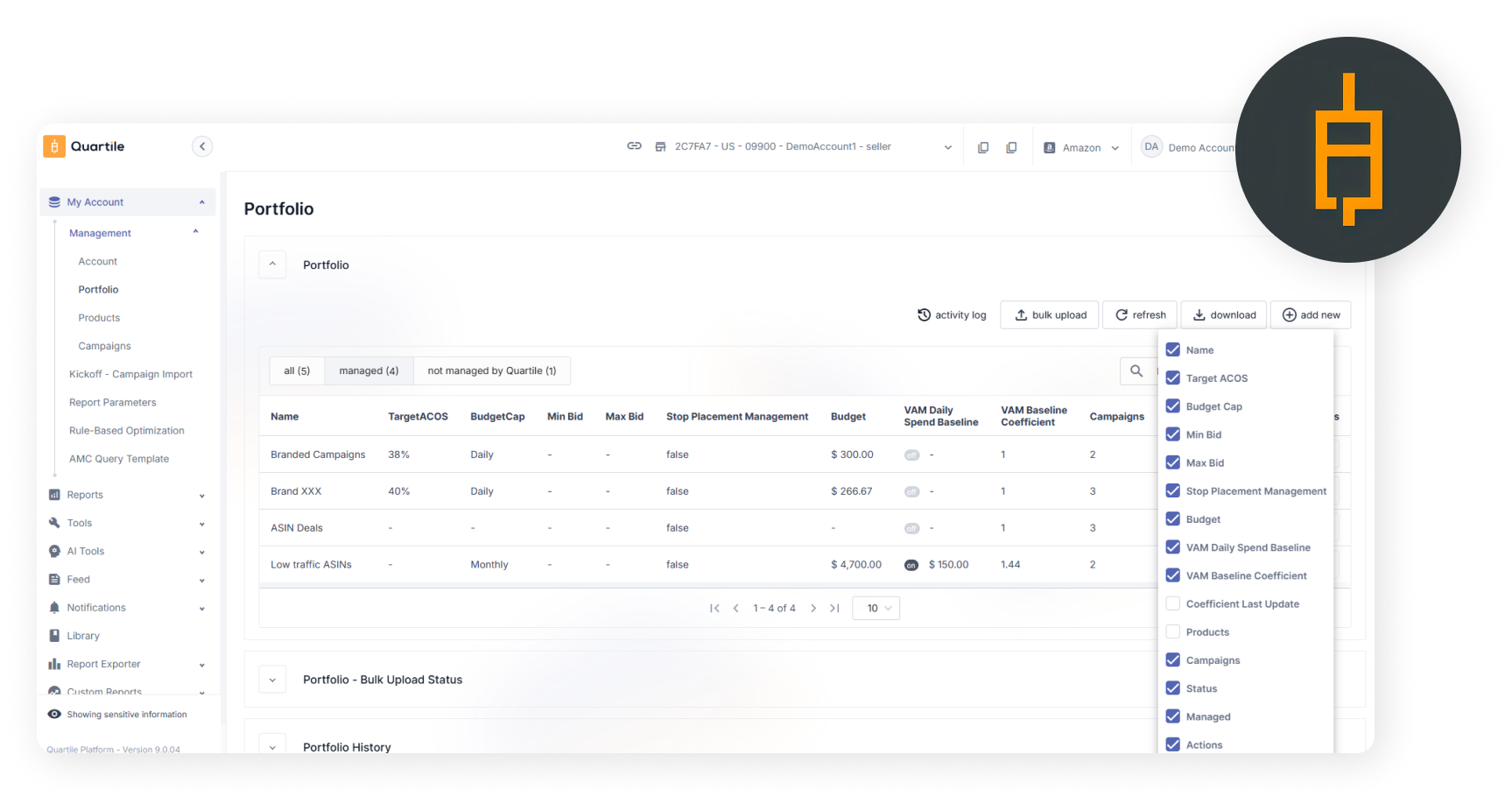
Quartile centralizes Amazon portfolio settings, budgets, bids, and campaign management controls.
Quartile combines AI-assisted advertising optimization with expert account support. The platform adjusts campaigns at product level and supports automated and rules-based approaches across Amazon and additional performance-marketing channels.
- Amazon coverage: manage Sponsored Products, Sponsored Brands, Sponsored Display, Sponsored Video, and Amazon DSP.
- Optimization: adjust bids, budgets, targeting, and placements using campaign performance and Amazon Marketing Stream data.
- Customization: Quartile Versa supports custom structures and rules alongside automation.
- Service model: an assigned expert team can support strategy and campaign execution across connected channels.
Practical agency workflow: create a responsibility matrix for the Quartile team, the agency account lead, and the client. Clarify who approves goals, budgets, campaign structures, promotions, and strategic exceptions. Hold recurring reviews that separate platform-led optimization from agency strategy so the client understands what the technology and service team each contribute.
Pricing: Custom. Ask the proposal to separate technology, managed services, media requirements, and contract terms.
Category 3: Market Intelligence, Listing Optimization, and Keyword Research
This layer helps agencies decide what to change before content or campaigns go live. Enterprise intelligence platforms answer category and competitive questions; listing-audit tools provide structured QA for individual ASINs.
7. Jungle Scout Cobalt
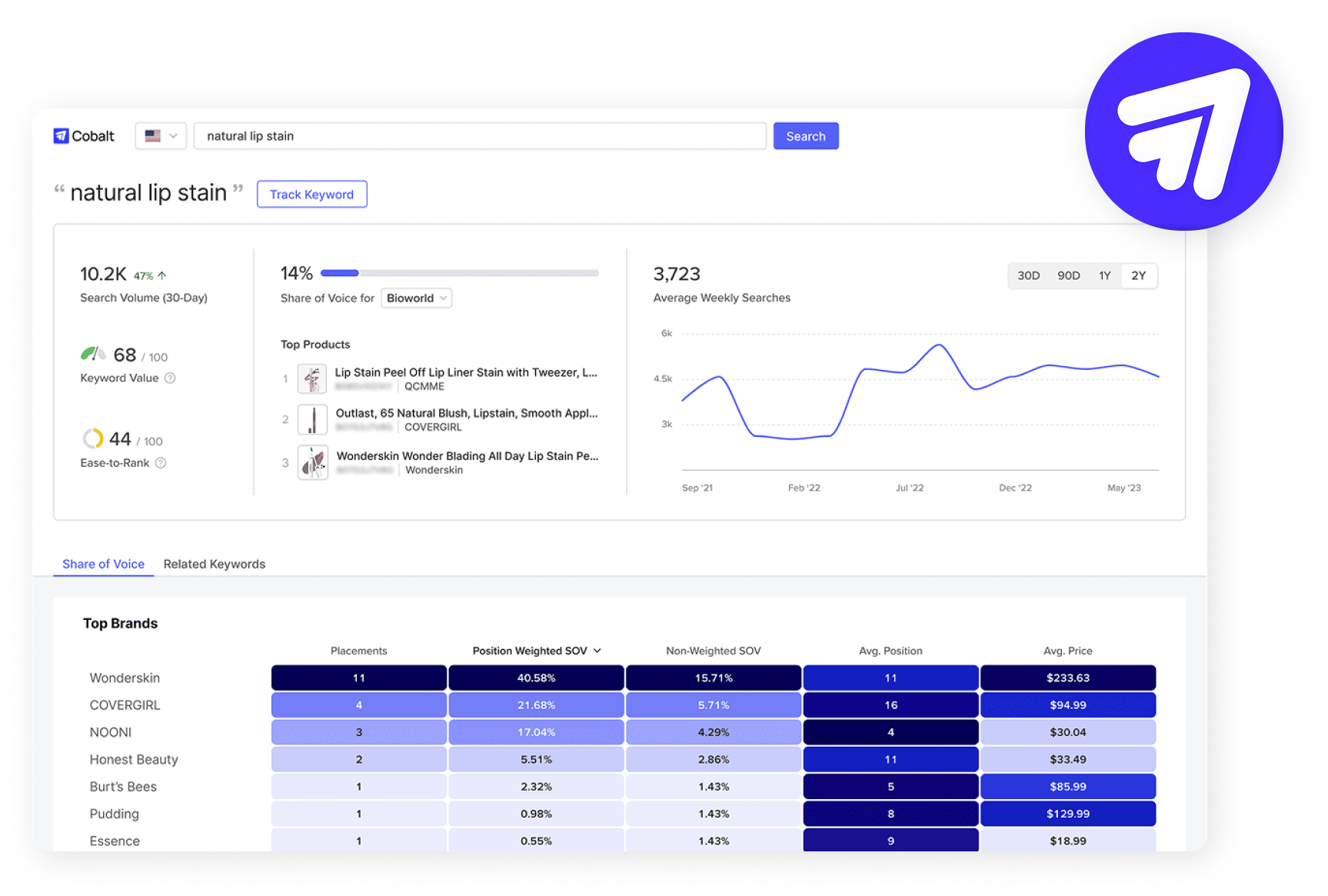
Jungle Scout Cobalt reveals Amazon keyword demand, share of voice, search trends, and leading brands in a category.
Jungle Scout Cobalt is an enterprise Amazon market-intelligence platform for brands, retailers, agencies, and data teams. It is broader than a conventional keyword or listing tool and is designed for portfolio, category, and executive decisions.
- Benchmarking and digital shelf: compare brands, products, categories, Share of Voice, rankings, keywords, Buy Box disruption, and visibility.
- Pricing and innovation: evaluate price tiers, product attributes, variants, demand shifts, and emerging opportunities.
- Competition and compliance: review unauthorized sellers, third-party pricing, MAP-related signals, and seller-level detail.
- Data delivery: custom dashboards, executive reporting, API, Data Cloud, and connected Seller Central or Vendor Central data support enterprise analysis.
Practical agency workflow: use Cobalt for monthly or quarterly category decisions rather than turning every data point into a daily task. Build recurring views for market share, price position, competitor movement, assortment gaps, and search visibility. Export only the measures that support an agreed client decision, and keep operational incident alerts in the system responsible for day-to-day response.
Pricing: Custom. Cobalt is positioned for enterprise requirements; agencies and data buyers should request a tailored demonstration and proposal.
8. SellerSonar Listing Quality Checker
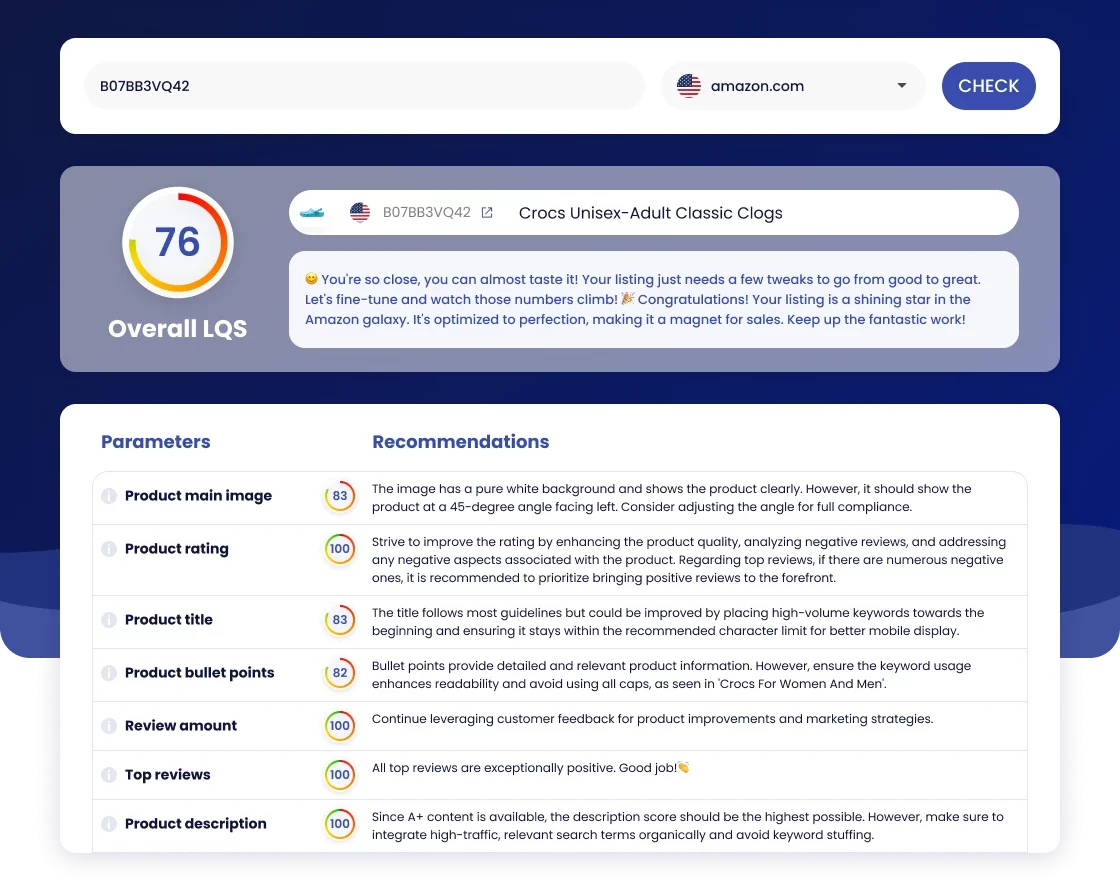
The free SellerSonar Amazon Listing Quality Checker scans an Amazon ASIN or product URL and returns a structured review of listing elements and improvement opportunities.
- Audit scope: review the title, bullets, images, description, A+ Content, rating and review signals, wording, and other visible quality elements.
- Prospecting: use a priority ASIN to support discovery calls with a concrete example instead of a generic sales deck.
- Onboarding: save the starting score and recommendations, convert high-priority findings into a content brief, and recheck after approved content appears.
- QA handoff: add continuous monitoring when the agency needs to detect later marketplace changes.
Practical agency workflow: save the initial report with the client’s onboarding record and link every recommended change to a brief, owner, and approval status. After publication, run the audit again and capture the new result. This creates clear before-and-after evidence while preventing the quality score from being presented as a guaranteed conversion or ranking outcome.
Pricing: Free.
Category 4: Listing Monitoring and Automated QA
Optimization tools help agencies make changes. Monitoring tools help them see what happens afterward. The goal is to detect relevant events, verify their impact, assign ownership, and act consistently—not to send every notification to every team member.
9. SellerSonar

SellerSonar monitors public Amazon marketplace data across products, listings, offers, keywords, reviews, and competitors. It does not require a Seller Central connection, making it useful for sellers, vendors, resellers, and agencies that need to watch the customer-facing marketplace.
- Listing and catalog QA: track changes to titles, images, bullets, descriptions, categories, listing-quality signals, retail issues, availability, and intended parent-child structures.
- Visibility and competition: monitor Featured Offer/Buy Box ownership, prices, sellers, organic and sponsored keyword positions, reviews, ratings, BSR, categories, badges, competitors, Share of Voice, and Share of Shelf.
- Agency workflow: configure alerts by product group and route them through email, Slack, Trello-supported workflows, or webhooks.
- Data access: export product, competitor, Buy Box, keyword, alert, and review data; Enterprise plans can use API access and webhooks for BI, CRM, or internal automation.
- AI assistant access: the same monitoring data can be read by Claude, ChatGPT, Copilot, Cursor, or Gemini through the SellerSonar MCP server. It can’t change anything on Amazon, connects over OAuth, and requires no Seller Central connection, so an account manager can ask what changed across a client portfolio instead of opening each dashboard in turn. For campaign data, agencies with Ads API access can connect the Amazon Ads MCP the same way.
- Account model: multiple-account access supports employees and managers, while shared products and keywords are counted once across linked accounts under the current allocation model.
Practical agency workflow: group tracked products by client, marketplace, priority, and service tier. Route critical availability, suppression, Featured Offer, or unexpected-seller events for rapid review; batch lower-severity content, ranking, review, and competitor changes into scheduled QA. Attach evidence to the agency’s task system and report only verified, material incidents to the client.
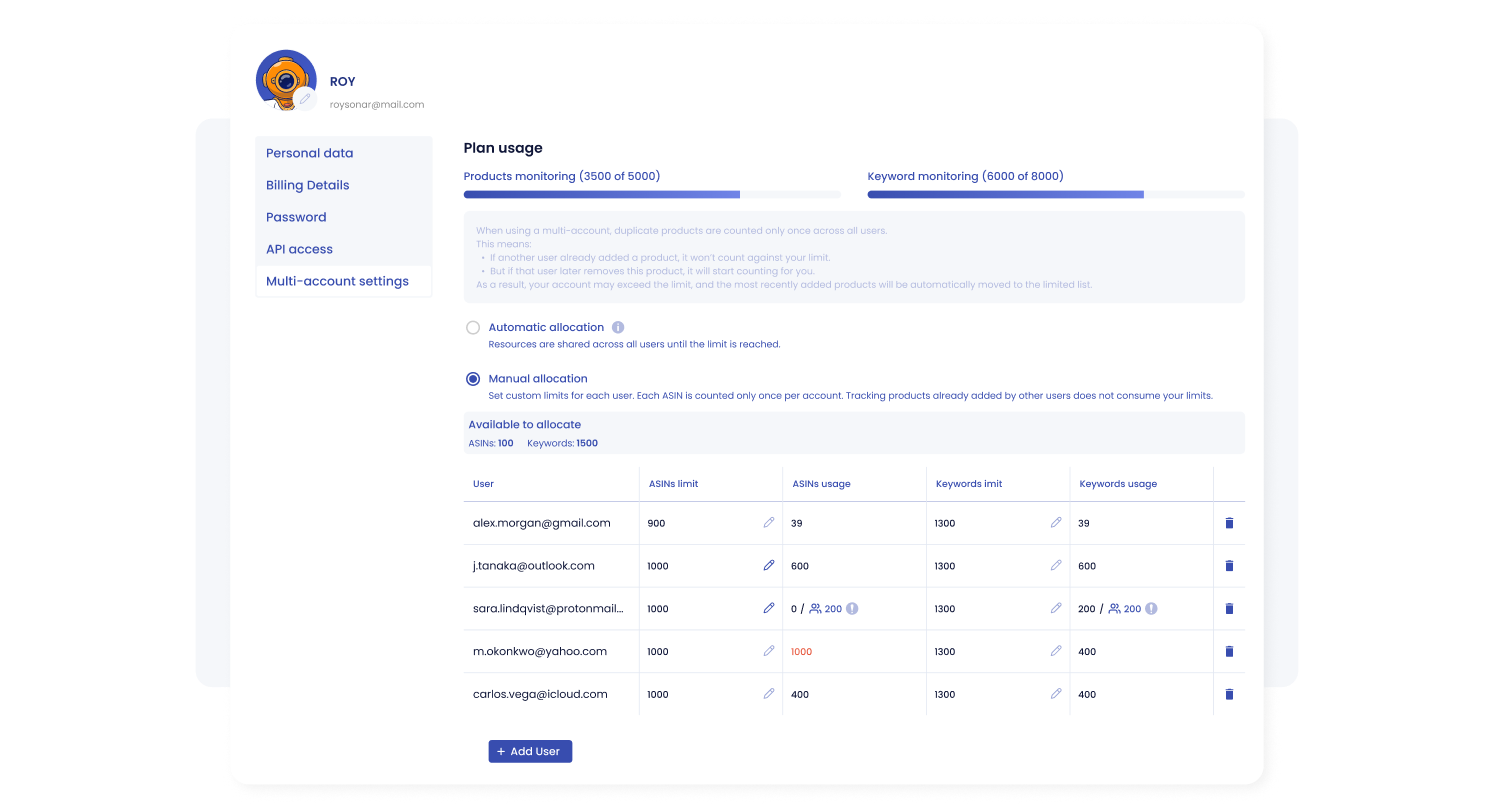
Pricing: Annual plans currently start at $19.98 per month. The free 14-day trial includes Business-plan functionality for 5 ASINs and 10 keywords; a separate $5 trial covers 500 ASINs and 3,000 keywords for 14 days. Review the current SellerSonar plans and limits.
10. SentryKit
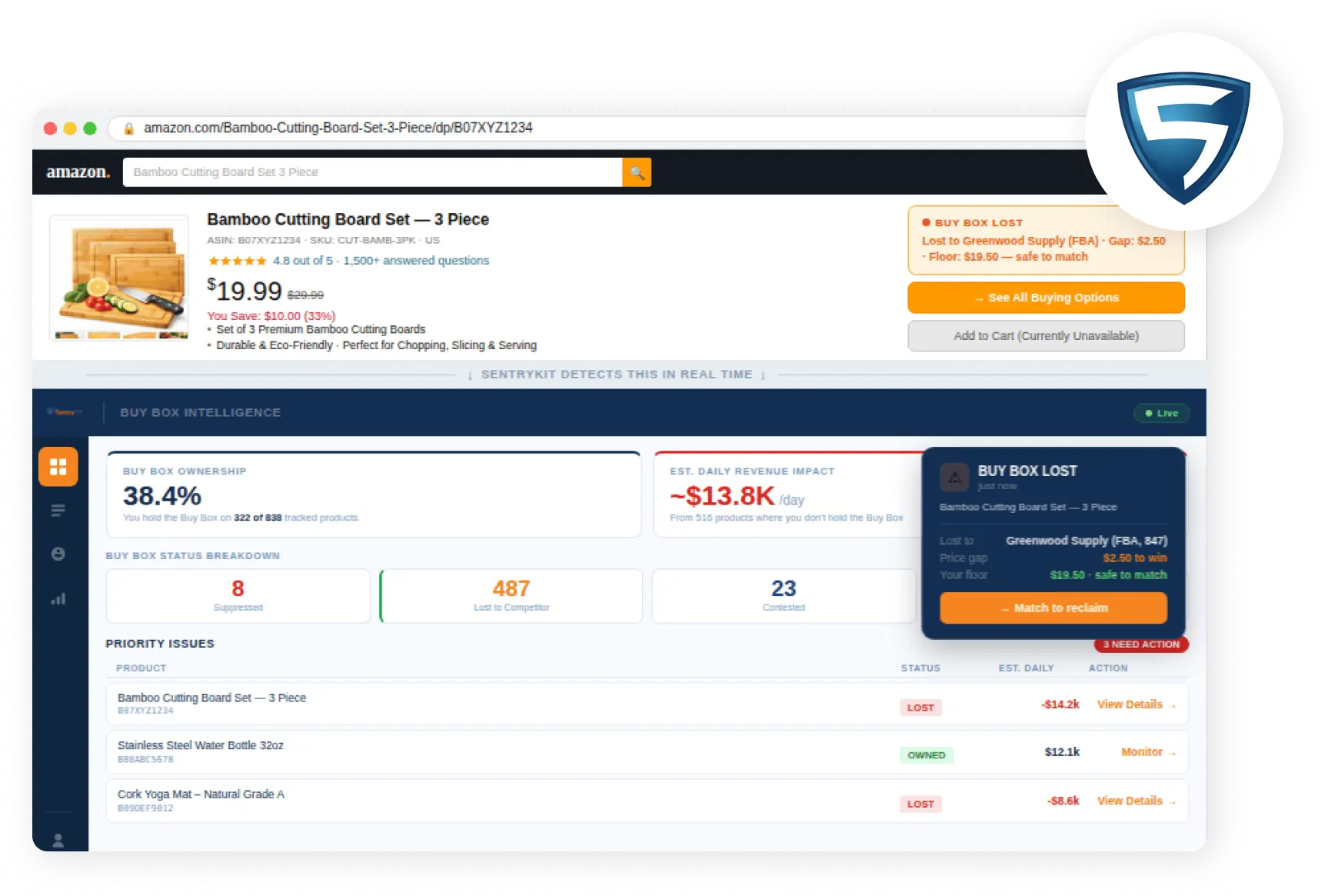
SentryKit flags Amazon Buy Box losses and highlights the products and revenue that may require immediate action.
SentryKit is an Amazon seller-intelligence and alerting platform that connects to Seller Central through SP-API. Its agency product emphasizes multi-account visibility, role-scoped access, and delivery of operational events to the responsible person.
- Portfolio monitoring: view Buy Box, seller, pricing, inventory, and listing-health issues across connected storefronts.
- Routing and access: configure delivery by user, account, alert type, and cadence while limiting account managers, directors, or clients to relevant brands.
- Seller intelligence: monitor competing sellers, fulfillment type, pricing gaps, floor-price risk, and related operational signals.
- Workflow delivery: connect alerts with email, Slack, Google Sheets, Zapier, and supported third-party applications; agency options include white-label alerts, reporting, onboarding, and consolidated invoicing.
Practical agency workflow: connect a small set of representative storefronts, map each account to the correct manager, and test permissions with both staff and client roles. Trigger or wait for several real events, verify delivery time and context, and confirm that the receiving team can move from the alert to an accountable task without exposing another client’s information.
Pricing: Published monthly pricing starts at $19 for Starter and $49 base for Pro. Agency/Enterprise options are currently listed from approximately $199 per month, with final cost based on storefront volume and requirements.
11. eComEngine
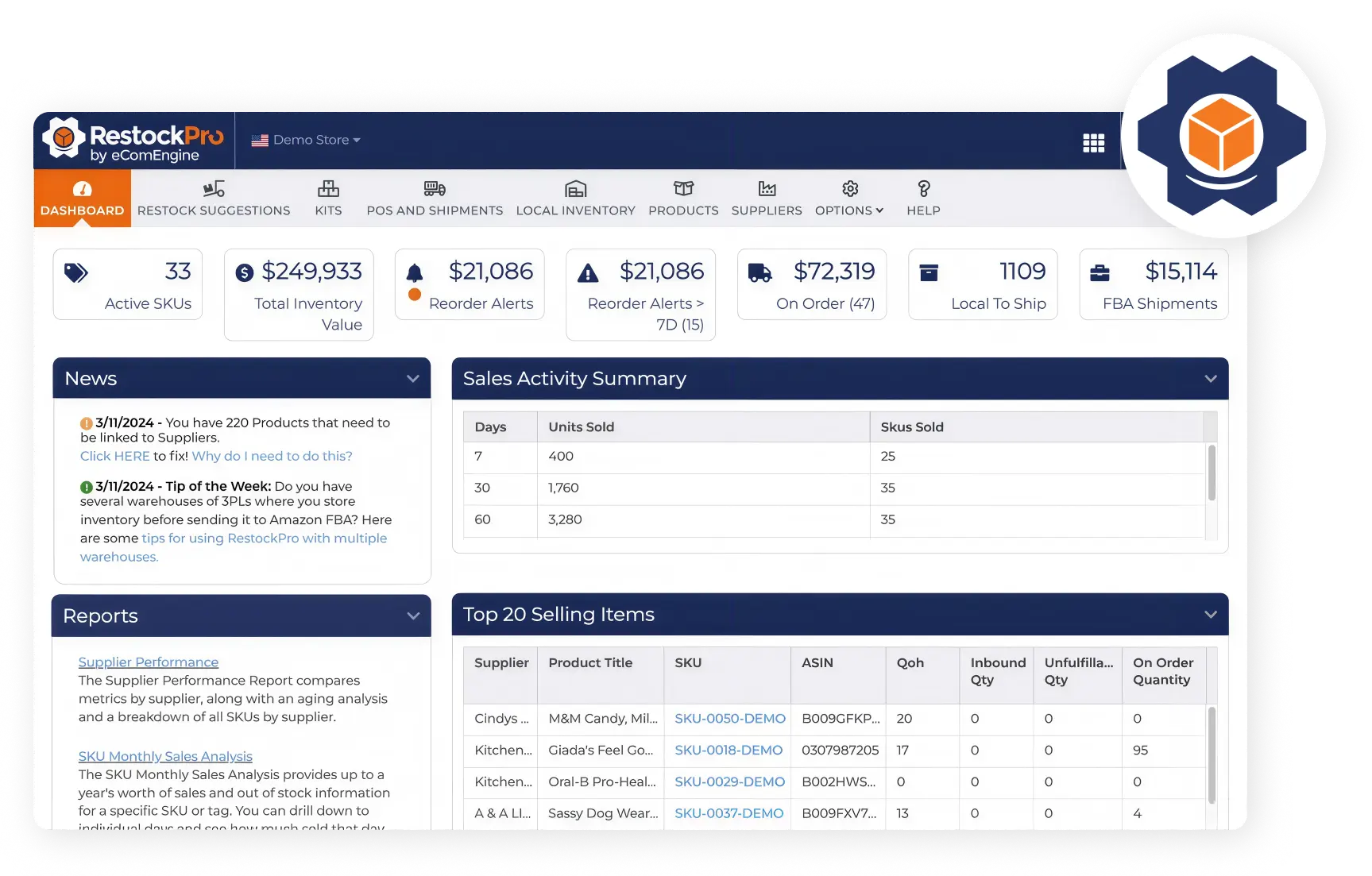
RestockPro helps Amazon sellers monitor inventory, reorder needs, shipments, and sales activity from one dashboard.
eComEngine offers separate Amazon seller products rather than one general agency suite. Evaluate each product against a specific workflow.
- FeedbackFive: automate supported Request a Review and buyer-communication workflows, monitor product reviews and seller feedback, receive alerts, and manage multiple client stores through agency plans.
- SellerPulse: monitor Buy Box events, suppressions, seller activity, listing-detail changes, returns, FBA fees, proceeds, ad spend, TACoS, product cost, and SKU economics.
- RestockPro: forecast demand, generate restock suggestions, and manage suppliers, purchase orders, shipments, local inventory, labels, margins, aging inventory, and supported kits or bundles.
Practical agency workflow: select the eComEngine product according to the contracted service rather than deploying all three by default. Assign FeedbackFive to reputation operations, SellerPulse to seller and SKU analysis, and RestockPro to the inventory owner. Keep product-specific definitions and permissions separate so review, profitability, and replenishment tasks do not become one undifferentiated queue.
Pricing: FeedbackFive starts at $34 per month, SellerPulse at $89 per month, and RestockPro at $49 per month. Order volume affects seller pricing; request a quote for multi-client use.
Category 5: Reporting and White-Label Client Dashboards
Reporting platforms turn advertising, marketplace, analytics, and marketing data into client-facing views. They work best after the agency standardizes KPI definitions, commentary, delivery cadence, permissions, and ownership.
12. AgencyAnalytics
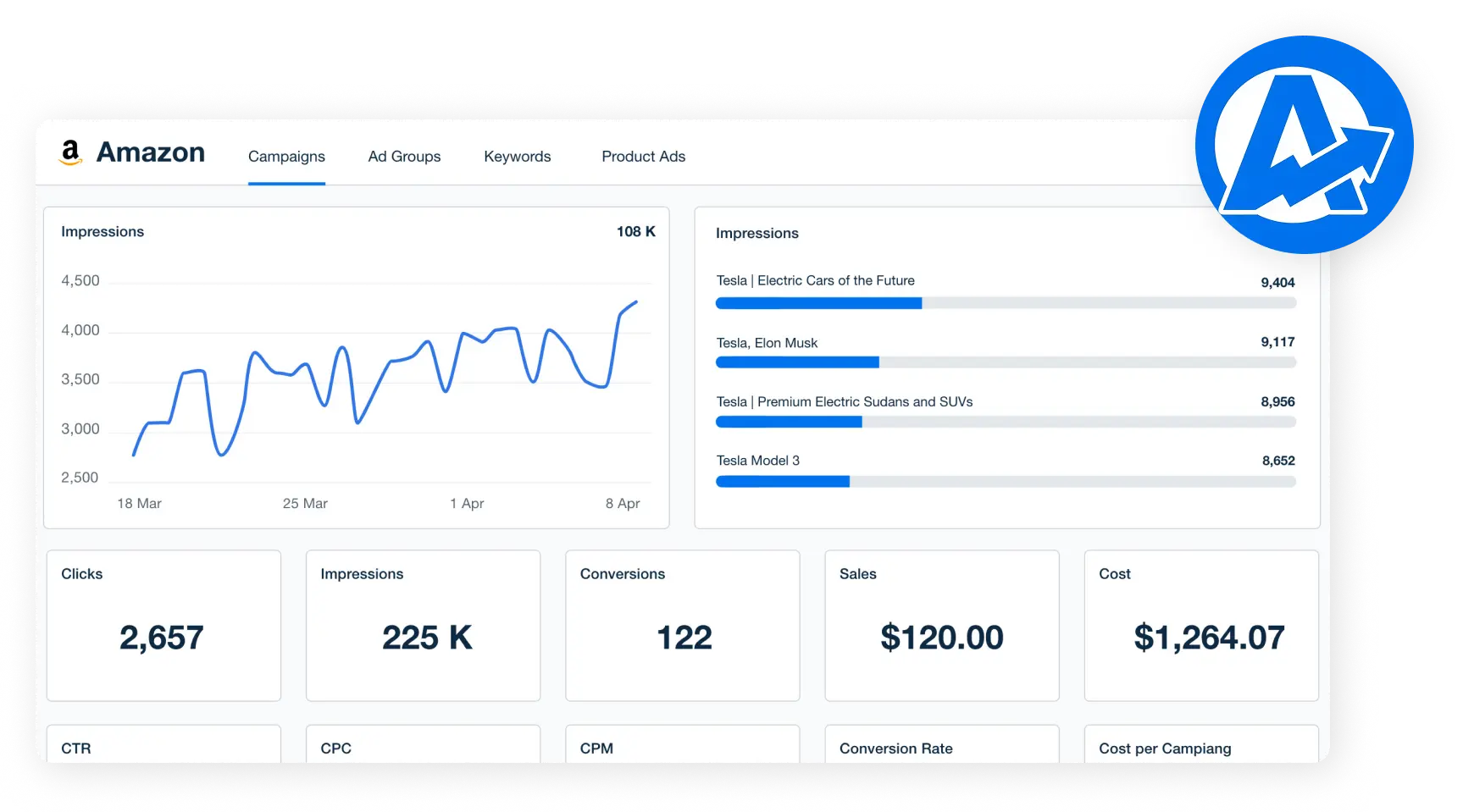
AgencyAnalytics turns Amazon advertising data into a clear client dashboard with campaign and performance metrics.
AgencyAnalytics is a multi-client marketing-reporting platform with a native Amazon Ads integration and more than 85 additional marketing integrations.
- Amazon Ads reporting: report campaign, keyword, and product-ad metrics including spend, sales, impressions, clicks, conversions, CPC, CTR, and units sold.
- Reusable delivery: start from a template, clone dashboards, schedule reports, and adapt widgets, goals, budgets, and commentary for each client.
- White label and access: apply agency or client branding, custom domains, logos, colors, sending email, portal logins, and staff or client permissions.
- Agency operations: unlimited users, alerts, anomaly detection, API access, agency PPC markup, and AI-assisted analysis support scaled reporting.
Practical agency workflow: create one approved Amazon Ads template with a KPI dictionary, default date comparison, commentary fields, and client-safe branding. Clone it during onboarding, then add only the channels and goals included in that client’s scope. Annotate significant budget changes, promotions, listing incidents, and completed work so the report explains performance instead of only repeating metrics.
Pricing: $20 per client per month when billed annually. Enterprise pricing and volume discounts are available for larger agencies.
13. Whatagraph
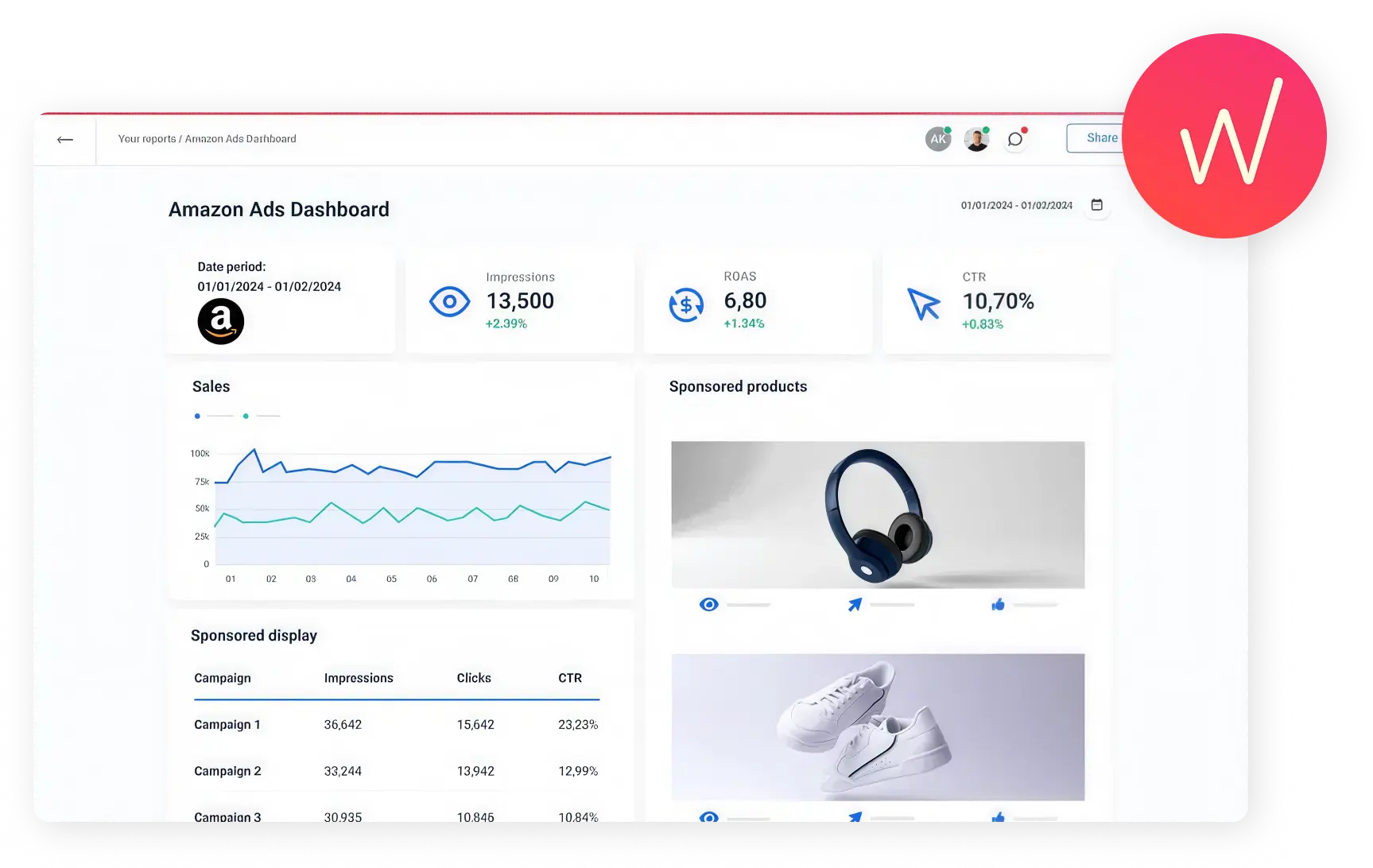
Whatagraph presents Amazon Ads performance through clear KPIs, campaign tables, sales trends, and product-level visuals.
Whatagraph is a cross-channel marketing-intelligence and reporting platform with reusable reports, data organization, custom metrics, source grouping, white-label delivery, and an Amazon Advertising integration.
- Reporting governance: group, transform, and blend sources so KPI definitions stay consistent across reports and clients.
- Scaled production: use templates, linked reports, source tags, folders, automated schedules, custom branding, domains, and branded emails.
- Cross-channel use: combine Amazon Advertising with supported paid media, analytics, SEO, CRM, ecommerce, and warehouse sources according to plan.
- Team model: current plans include unlimited users and reports, while connected sources remain a key billing unit.
Practical agency workflow: inventory every client account and property before choosing a plan because connected sources drive usage. Test an Amazon Seller account and a Vendor account separately, confirm the available fields and history, and decide where longer-term Amazon data will live. Keep a documented source-of-truth rule when Whatagraph and an Amazon-native platform calculate related metrics differently.
Pricing: Whatagraph Max currently starts at €699 per month billed annually with 50 source credits. Prime uses custom pricing.
14. ReportsMate
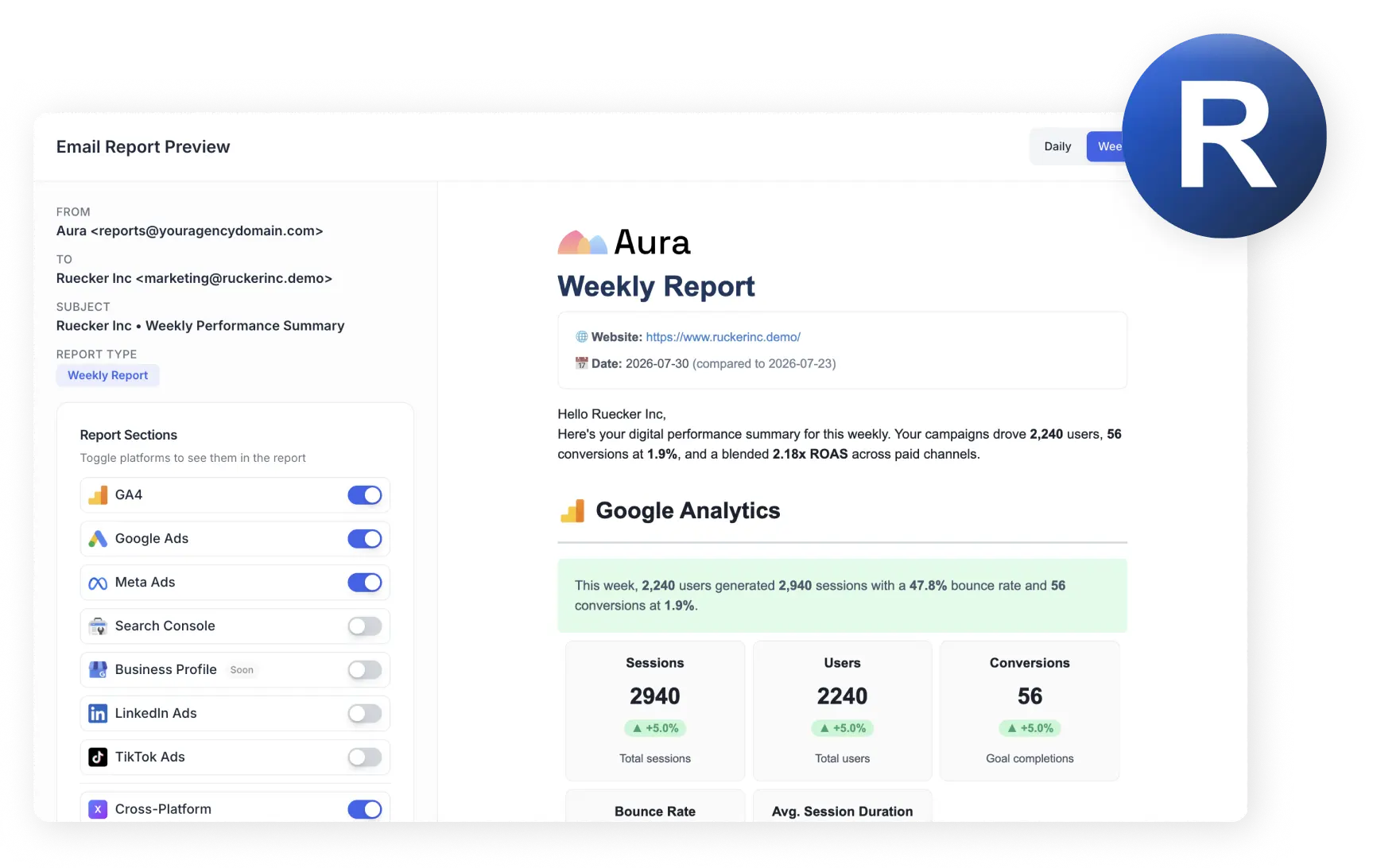
ReportsMate lets agencies prepare branded email reports with cross-channel performance metrics for each client.
ReportsMate is an email-first, white-label reporting platform for supported Google, Meta, LinkedIn, TikTok, Search Console, Business Profile, and analytics sources. It does not currently list a native Amazon Ads, Seller Central, or Vendor Central integration.
- Connect supported advertising and analytics sources through read-only authentication.
- Apply agency branding, colors, a custom domain, sender name, and sending address according to plan.
- Schedule daily, weekly, or monthly reports without requiring clients to log in to a portal.
- Use AI-written summaries to explain supported-channel performance in plain language.
Practical agency workflow: use ReportsMate for a clearly defined inbox-reporting package covering its supported channels. Keep Amazon performance in the agency’s native Amazon dashboard or reporting platform and avoid implying that ReportsMate is the underlying Amazon data source. Review AI-written summaries before delivery and add human context for strategy changes, attribution caveats, and client decisions.
Pricing: Starter is $29 per month for up to 20 client accounts, or $24 per month when billed annually. Professional is $69 monthly and Professional Plus is $129 monthly, with lower effective prices on annual billing.
Agency Implementation Playbook
Software only improves service quality when the agency defines what to monitor, who owns each event, and how the team responds. Use a representative client during setup instead of enabling every available alert or automation rule.
- Map the environment: document Seller Central, Vendor Central, Amazon Ads, DSP, marketplaces, brands, priority ASINs, users, and external systems.
- Set access and baselines: use named users and minimum permissions; save current listing content, rankings, reviews, rating, Featured Offer status, advertising KPIs, inventory signals, and agreed metric definitions.
- Assign ownership: name the tool and person responsible for PPC, listing work, monitoring, inventory, reporting, and client communication.
- Configure only material alerts: prioritize suppressions, availability, Featured Offer loss, unexpected sellers, content or variation changes, important keyword movement, reviews, competitors, and inventory risks relevant to the client’s scope.
- Define escalation: verify the event on Amazon, classify its severity, assess revenue and customer impact, create a task with evidence, act through the approved workflow, and contact the client when a decision or material risk requires it.
- Review after 30 days: remove noisy alerts, correct data gaps, confirm access, and record response time, outcome, and any SOP change.
Use three response levels to keep the workflow manageable. Critical events—such as a priority product becoming unavailable or losing a commercially important purchase position—need rapid verification and assignment. Material but noncritical changes can enter the same-day account queue. Informational movements belong in a scheduled review. The exact classification should reflect the client’s catalog, revenue concentration, advertising activity, and contracted scope rather than a universal threshold.
Track a small set of operational KPIs: percentage of priority products covered, alert-to-verification time, time to assignment, time to resolution, repeated incidents, and false-positive or low-value alert rate. These measures show whether the stack improves control and capacity even when the client never sees the raw alert stream.
Operating rule: an alert without an owner and response target is only noise. Configure accountability before expanding coverage.
Asking instead of logging in
The reporting problem at agency scale is rarely that the data is missing. It is that checking it costs one login per client, and a dashboard nobody opens stops being a control.
A monitoring tool that exposes its data over MCP removes that step. The account manager asks their existing AI assistant what changed across the portfolio overnight, and the assistant queries the monitoring data directly. For a team already working in Claude or ChatGPT, this replaces a morning of tab-switching with one question, and the answer can be pasted straight into a client update.
Two limits are worth setting out before anyone builds a process on this. First, an MCP server cannot wake itself up. It answers when something asks, so a scheduled 8 a.m. digest still needs either the AI client’s own scheduler or a server-side monitoring engine. Second, an MCP that can’t change anything on Amazon is a feature rather than a restriction: the assistant reports what changed, and a human still decides what to do about it. Our guide to Amazon MCP covers the setup and what each client supports.
Build and Evaluate Your Agency Stack
| Agency Model | Recommended Stack |
|---|---|
| Boutique agency | Familiar seller suite + native Amazon Ads until scale requires automation + monitoring for priority ASINs + reusable report templates |
| Growth agency | Multi-client platform + PPC automation + standardized monitoring and routing + automated client reporting |
| PPC-focused agency | PPC automation + Amazon Ads reporting + Featured Offer, listing, and inventory monitoring |
| Listing optimization agency | Keyword research + listing audits + content, catalog, and ranking monitoring |
| Enterprise commerce agency | Retail-media platform + market intelligence + monitoring + API/webhooks + warehouse or BI layer |
Six mistakes to avoid
- Buying an all-in-one platform without mapping its gaps. Add the specialist tool that closes a defined workflow gap.
- Sending every alert to everyone. Route material events to a named owner instead.
- Using monthly reports as monitoring. Reports explain a period; they do not replace ongoing detection.
- Comparing products from different categories as substitutes. PPC, monitoring, intelligence, inventory, and reporting solve different jobs.
- Ignoring scale and portability. Confirm permissions, metric ownership, implementation effort, exports, offboarding, and data retention before signing.
- Adding a reporting layer before the monitoring layer. A dashboard summarizes what was already detected. If detection is thin, better reporting only presents the gap more clearly, and adds a subscription to do it.
What success should look like after 90 days
- New client accounts follow the same minimum onboarding and permission standard.
- Account managers spend less time collecting data and more time investigating, deciding, and communicating.
- Critical listing, offer, advertising, and inventory issues reach a named owner within the agreed response window.
- Client reports use consistent KPI definitions and connect performance with completed work, incidents, and next actions.
- Leadership can see tool cost, usage, workload, and service capacity by client instead of relying on subscription totals alone.
If those outcomes do not improve, first review configuration, ownership, training, and unused overlap. Replacing the platform will not solve an operating process that was never defined.
Final Recommendations
Map the five layers of your current stack and record which tool and person owns each one. Do not add another all-in-one platform because one workflow is weak; close the specific gap and document how data, alerts, approvals, and tasks move between systems.
SellerSonar is relevant when the missing layer is monitoring and automated QA. Start with a representative client set, add the most important ASINs and keywords, enable only high-value alerts, assign owners, and evaluate alert relevance, response effort, reporting value, and total cost before expanding.
For every shortlisted product, run the same test plan and keep a written scorecard. Measure setup effort, client and user limits, automation control, data accuracy, historical access, export options, reporting quality, and the time the workflow saves. Select the smallest stack that reliably covers the services your agency has promised, then review overlap and cost at least twice a year.
Start the free 14-day SellerSonar trial. Monitor 5 ASINs and 10 keywords with no credit card required.

