



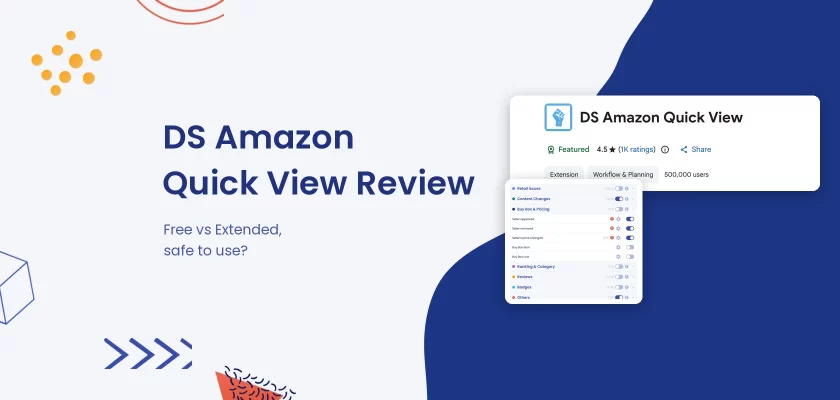


Verdict: DS Amazon Quick View is a free, lightweight Chrome extension that adds sales rank, seller counts and a “Sold by Amazon” flag to amazon.com search results. The free version is a fast first filter for resellers; the paid Extended version adds other marketplaces, the Buy Box holder, filters and CSV export for a one-time $25, per Paddle’s checkout on the developer’s site.
Best for: retail and online arbitrage sellers who scan search pages and want to drop slow sellers before opening a listing. Look elsewhere if: you need profit math, eligibility checks or alerts on listings you already sell.
DS Amazon Quick View is a Chrome extension by independent developer Dmitry Artamoshkin. The free version works on amazon.com, and according to the developer’s checkout, DS Amazon Quick View Extended costs a one-time $25 for every Amazon marketplace. Below: what it shows, what the $25 adds, whether it is safe, and the alternatives sellers use instead.
Disclosure: SellerSonar publishes this review. We do not make a sourcing extension, and we compete with DS Amazon Quick View only where sellers need to watch their own listings, so where it is the better tool, we say so. Every fact comes from its Chrome Web Store listings, its checkout page and the published extension packages, read on November 11, 2026.
What is DS Amazon Quick View?
DS Amazon Quick View is a “Productivity extension for Amazon,” in its own words. According to its Chrome Web Store listing, it adds “amazon ranking and sellers information to the search results and bestseller pages” and lets you “hover over product image to see full product details.”
Resellers use it to scan a page of search results and spot products that sell, without opening each listing. It does not estimate sales, calculate fees or check whether you can sell a product.
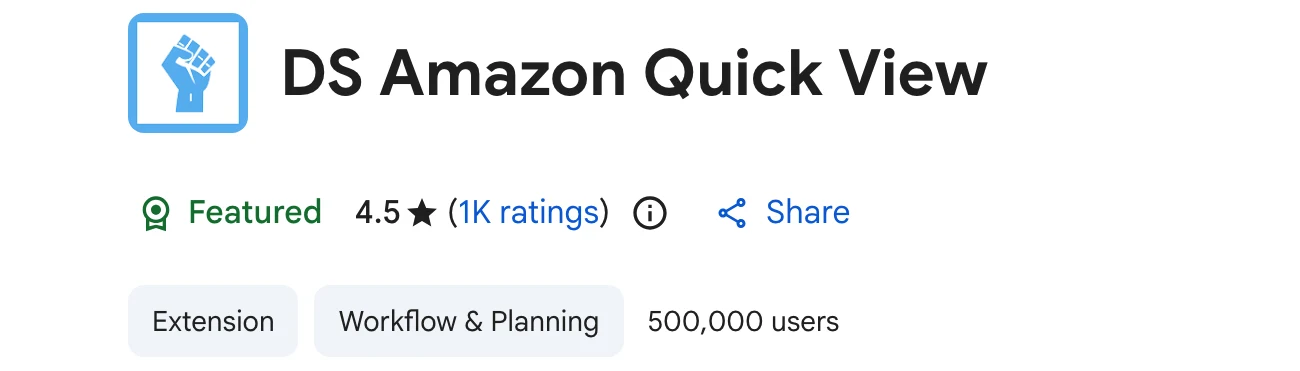
The free version has 500,000 users and Google’s Featured badge, according to the store page on November 11, 2026. The paid DS Amazon Quick View Extended listing shows 80,000 users.
DS Amazon Quick View at a glance
Both versions side by side, from their Chrome Web Store listings and the license checkout, as of November 11, 2026.
| Question | DS Amazon Quick View (free) | DS Amazon Quick View Extended |
|---|---|---|
| Price | Free | $25 one-time license |
| Amazon marketplaces | amazon.com only, per the listing | All Amazon domains |
| Rank, category, ASIN in search results | Yes | Yes |
| FBA seller count, “Sold by Amazon” | Yes | Yes |
| Lowest FBA price, no-Buy-Box flag | – | Yes |
| Filters, sorting, CSV export | – | Yes |
| Keepa graph | – | Yes (BSR data needs Keepa premium) |
| Browsers | Chrome | Chrome and Firefox |
| Latest version | 3.3.37, May 20, 2026 | 3.3.38, August 7, 2026 |
| Users | 500,000 | 80,000 |
What it shows on Amazon search pages
Under each search result, the extension adds a box with the product’s Best Sellers Rank in its main category and subcategories, the ASIN, and badges. “Sold by Amazon” means Amazon itself has an offer, and a red badge counts the FBA sellers.
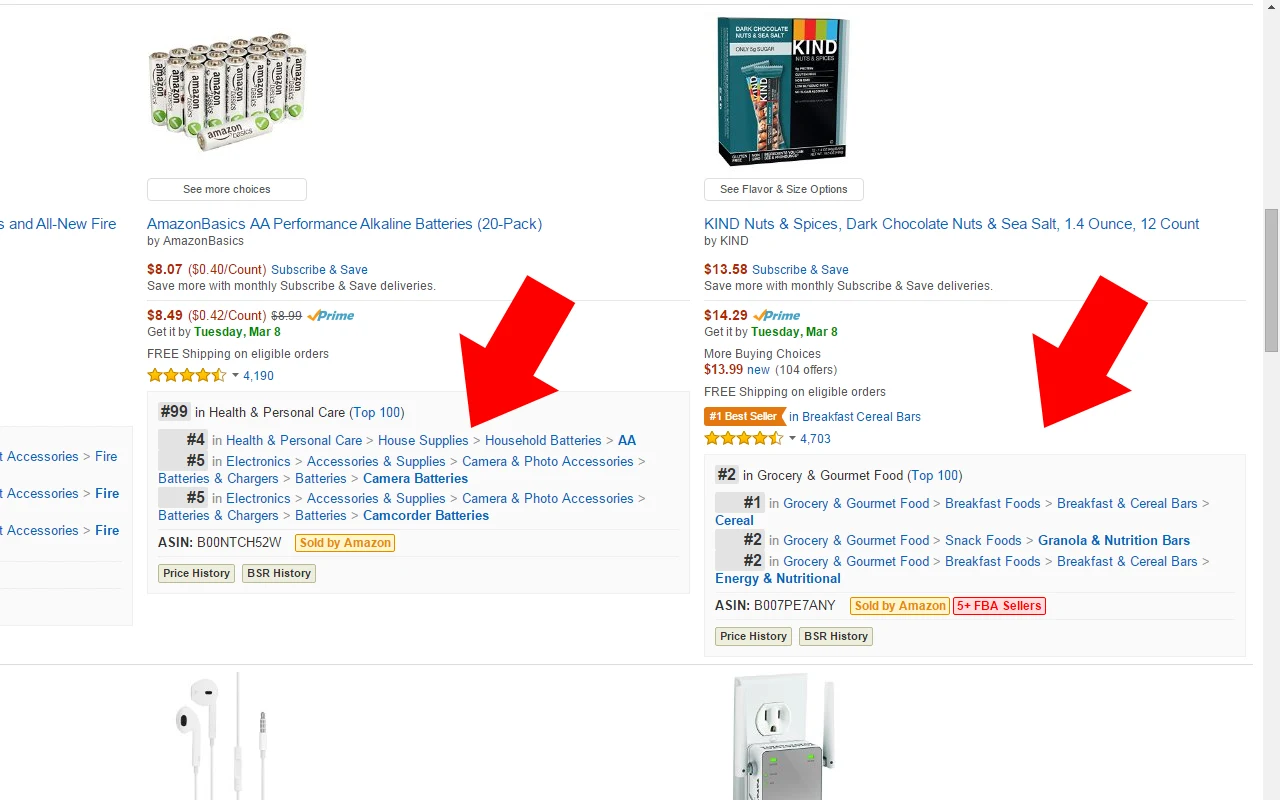
The two buttons, Price History and BSR History, open the product on camelcamelcamel in the free version, according to the code of version 3.3.37. Hover over a product image and a popup shows the product details block: dimensions, weight, ASIN, rating and rank.
How it gets the data matters. For each result, the extension loads the product page from Amazon in the background, using your browser’s own Amazon session, and reads the rank and offers from it. That is why it can be slow on a long page and why Amazon sometimes answers with a CAPTCHA.
Free vs Extended: what the paid license adds
The free listing says it plainly: “Works only on amazon.com. For other marketplaces please use the extended version.” It also points users who need tech support to the paid version, which “has all recent updates and bugfixes.”
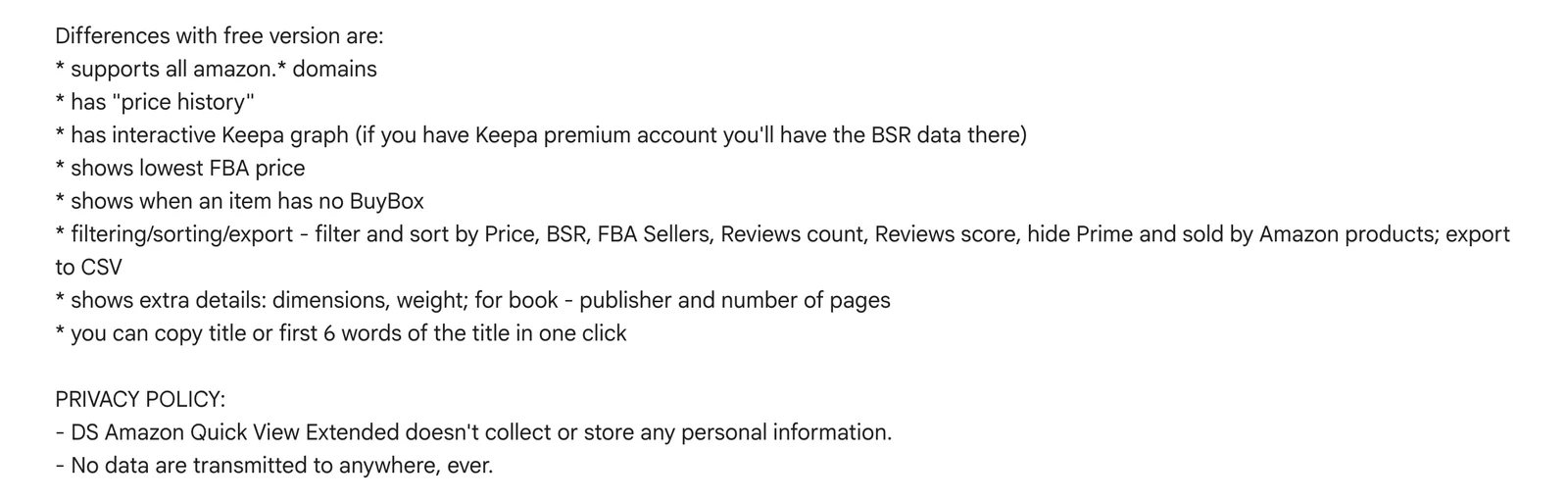
Per the Extended listing, the license adds all Amazon domains, price history, an interactive Keepa graph, the lowest FBA price, a flag when an item has no Buy Box, and filters for price, BSR, FBA sellers and reviews with CSV export. It also shows dimensions, weight, publisher and page count for books.
The developer confirmed one more difference in a reply on the store page dated July 23, 2026: the product creation date and “other additional data are available in the Extended version.”
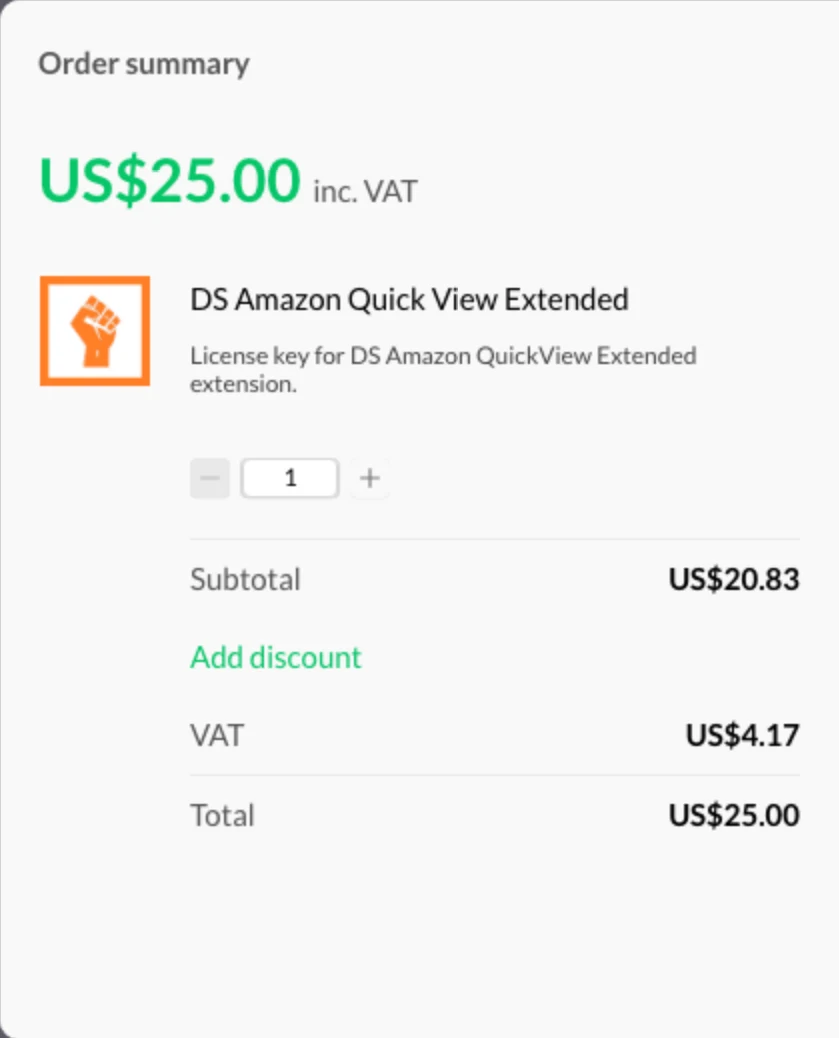
The buy page opens a Paddle checkout for a “License key for DS Amazon QuickView Extended extension” at US$25.00. Paddle’s public price endpoint returned $25.00 with no tax for a US buyer, and the listing says “It’s a one-time fee.” The key arrives by email.
Two practical notes. The Extended BSR history in the Keepa graph needs your own Keepa subscription, as the listing says. And the Extended listing rates 3.1 from 111 ratings against 4.5 for the free one, with recent reviews about license keys that did not arrive by email.
💡 Expert Tip: Before you pay $25 for other marketplaces (per Paddle’s checkout), check what you would do with the data there. If you only source for amazon.com, the free version covers the same scan, and the money goes further toward a tool that checks fees and eligibility.
Is DS Amazon Quick View safe?
For most sellers, yes. It asks for very little access, it does not need your Amazon or Seller Central password, and its code reads Amazon pages rather than sending them elsewhere. Three things are worth knowing before you install it.
Who makes it
One person. The store’s details section names developer Dmitry Artamoshkin, publisher “amidart,” with an address in Playa del Carmen, Mexico. His personal site describes him as a “Browser extensions developer.”

The listing marks him a “Non-trader,” which means EU consumer rights “do not apply to contracts between you and this developer.” Support is by email only: the listing warns that “Webstore doesn’t send notifications about new bug reports.”
What it can access
We downloaded both packages from Google’s public update server, without installing them, and read the manifests. Each asks for one permission, storage, plus access to Amazon sites: amazon.com and amazon.co.uk for the free version 3.3.37, and 22 Amazon domains for Extended 3.3.38.
Neither version asks for permission to read other websites, your tabs, cookies or downloads. The Firefox build of Extended on Mozilla’s add-ons site lists the same pattern: Amazon domains, storage, web requests and clipboard writes for the copy-title button.
What it does with your data
The store’s privacy section says the developer “will not collect or use your data.” The free listing also says it “uses Google Analytics to collect extension usage statistics”; in version 3.3.37 the analytics file is still in the package, but we found no page or script that loads it.
The Extended listing promises “No data are transmitted to anywhere, ever.” In the code, the license check is the exception: the key you enter goes to the developer’s server for verification. Charts you open load from camelcamelcamel or Keepa, which see that product’s ASIN.
The free version’s popup also promotes RevSeller with a coupon code and the developer’s other extension, Online Seller Addon.
🎯 Pro Insight: The real risk is not the extension, it is volume. Because it loads every product page through your own Amazon session, a long scan can trigger Amazon’s robot check. Do your scanning in a browser profile signed in to a shopper account, never the one you use for Seller Central.
How to install it, and the mobile, Safari and Firefox questions
Install it from the Chrome Web Store with Add to Chrome, then open an amazon.com search. The extension is on by default; its toolbar icon has an on/off switch.
There is no phone version. Chrome extensions run on desktop Chrome: per Chrome Web Store Help, on a phone you can only tap “Add to Desktop,” which installs it on your computer the next time you open Chrome there.
We found no Safari version. On Firefox, only Extended is listed, at version 3.3.30, last updated August 19, 2025, per Mozilla’s add-on data, so it trails the Chrome build. It needs the same paid key.
Common problems
- “Rank not found.” The extension shows this when it cannot read a rank from the product page, for example on items Amazon shows without a Best Sellers Rank.
- Amazon CAPTCHA prompts. When Amazon asks for a robot check, the extension pauses and asks you to solve it, according to its code. Slow down or scan fewer pages at once.
- Nothing on amazon.co.uk, .de or .ca. The free version is for amazon.com. Other stores need Extended.
- No license key after paying. Check spam, then email the developer: he answered both such reviews on the store page in September 2026.
What DS Amazon Quick View does well
- Speed of a first pass. Rank, FBA seller count and Amazon’s presence sit under every result, so you can skip products in seconds.
- Free for amazon.com. No account, no trial clock and no monthly fee.
- Small footprint. One permission and Amazon-only access, per both manifests.
- Cheap upgrade. A one-time $25 for every marketplace, per Paddle’s checkout, is less than one month of most sourcing suites.
Where it falls short for sellers
- No profit or fee math. It shows rank, not whether a buy makes money after fees.
- No eligibility check. It cannot tell you if your account is ungated for a brand or category.
- A snapshot, not a history. The badges show who sells today; history means a click out to camelcamelcamel or Keepa.
- One developer. Support and updates depend on one person, and the store’s own screenshots predate Amazon’s current layout.
- Nothing after you buy. It cannot tell you when a new seller joins your listing or you lose the Buy Box.
Is DS Amazon Quick View worth it? By user type
| You are | Verdict | Why |
|---|---|---|
| New arbitrage seller on amazon.com | Worth installing (free) | A fast filter before you open SellerAmp or Keepa |
| Arbitrage seller on several marketplaces | Extended is worth $25 | Same scan everywhere, plus Buy Box holder and CSV |
| Full-time sourcer | Useful, not enough | You still need profit, eligibility and history |
| Wholesale or private label seller | Low value | Search-page rank does not answer supplier or launch questions |
| Seller protecting live listings | Not the right tool | It shows search pages, not changes on your ASINs |
Pros & cons
| Pros | Cons |
|---|---|
| Free on amazon.com | Free version is amazon.com only |
| Rank, FBA sellers and Amazon flag on every result | No fees, profit or eligibility |
| Minimal permissions | Can trigger Amazon CAPTCHAs on long scans |
| One-time $25 for Extended | One-person support by email |
| Filters and CSV export in Extended | No phone or Safari version |
DS Amazon Quick View alternatives
The closest alternatives answer the next question after “does it sell?” Prices and user counts from each vendor’s own pages, November 11, 2026, unless dated.
| Tool | What it adds | Price | Chrome users |
|---|---|---|---|
| Keepa | Price, rank and offer history on each product page | Free chart; Keepa Pro €29/month | 5,000,000 |
| SellerAmp SAS | Profit, ROI, eligibility, offers | From $19.95/month, 14-day free trial | 100,000 |
| Amazon Quick View by AMZScout | Margin, FBA fees, sellers on search pages | Part of AMZScout | 20,000 |
Keepa is the history layer DS Amazon Quick View links to. Its free chart covers price history; sales rank, offer counts and Buy Box statistics need Keepa Pro at €29 a month, per Keepa’s support FAQ read November 4, 2026. See our Keepa pricing breakdown.
SellerAmp SAS is the buy-or-skip tool: profit, ROI, eligibility and offers in one panel. According to SellerAmp’s pricing page, plans cost $19.95, $29.95 and $49.95 a month with a 14-day free trial; our SellerAmp review covers it in depth.
Amazon Quick View by AMZScout is a different extension with a similar name. Its store listing lists FBA and FBM seller counts, FBA fees, profit margin and price history on search pages, and says “This works on all major marketplaces.”
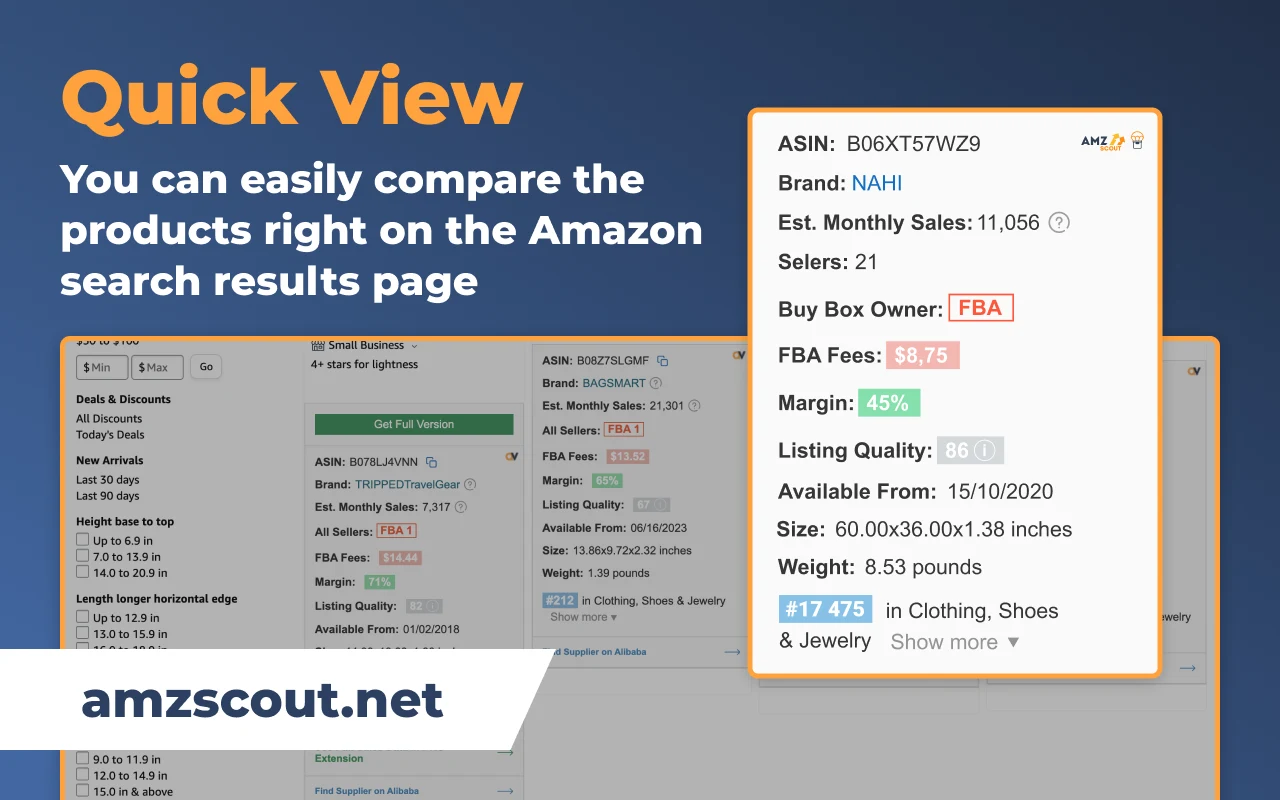
It also discloses that it “uses affiliate links to support its development.” If you want margin on the search page and already pay for AMZScout, it is the closer match; see our AMZScout review.
When a monitoring tool makes more sense
DS Amazon Quick View helps you decide what to buy. Once that inventory is live, the questions change: did a new seller join, did Amazon start selling, did you lose the Buy Box? A sourcing extension only answers that if you open the page again.
SellerSonar watches the ASINs you already sell, with no Seller Central connection. Its Buy Box and pricing alerts report Seller appeared, Seller removed, Seller’s price changed and Buy Box Won or Lost, by seller.
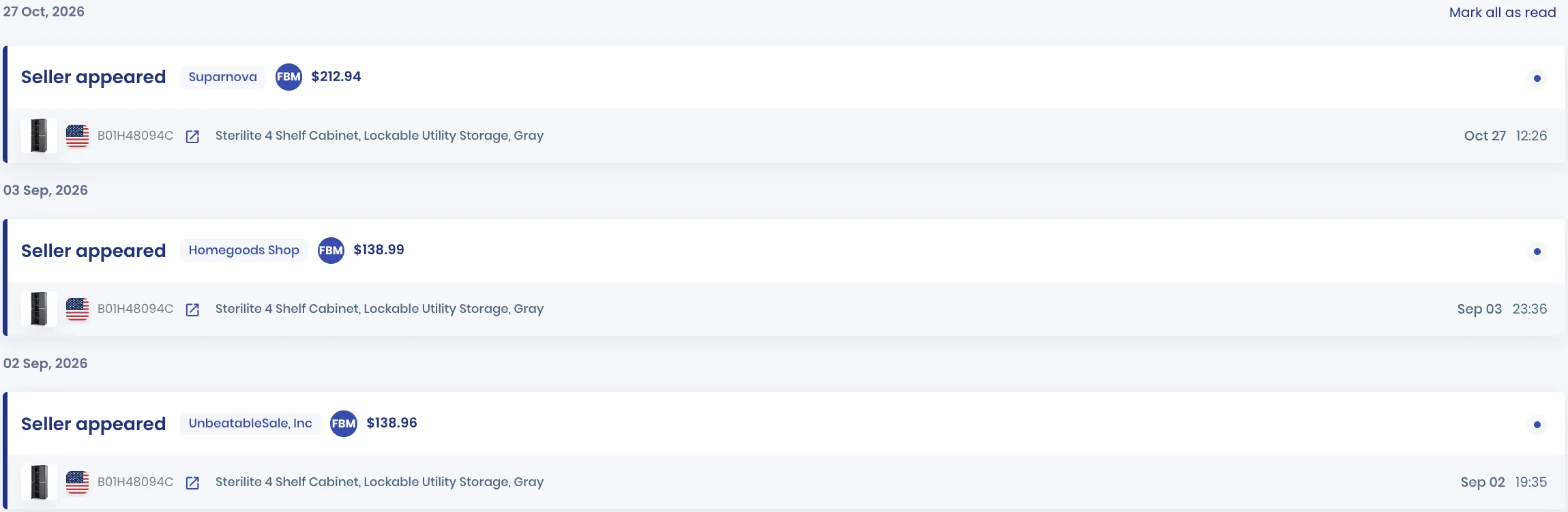
In this SellerSonar data, a merchant-fulfilled seller joined a Sterilite cabinet listing at $212.94 on October 27, 2026, and the alert named the seller. The Buy Box Tracker then shows who held the Buy Box each day.
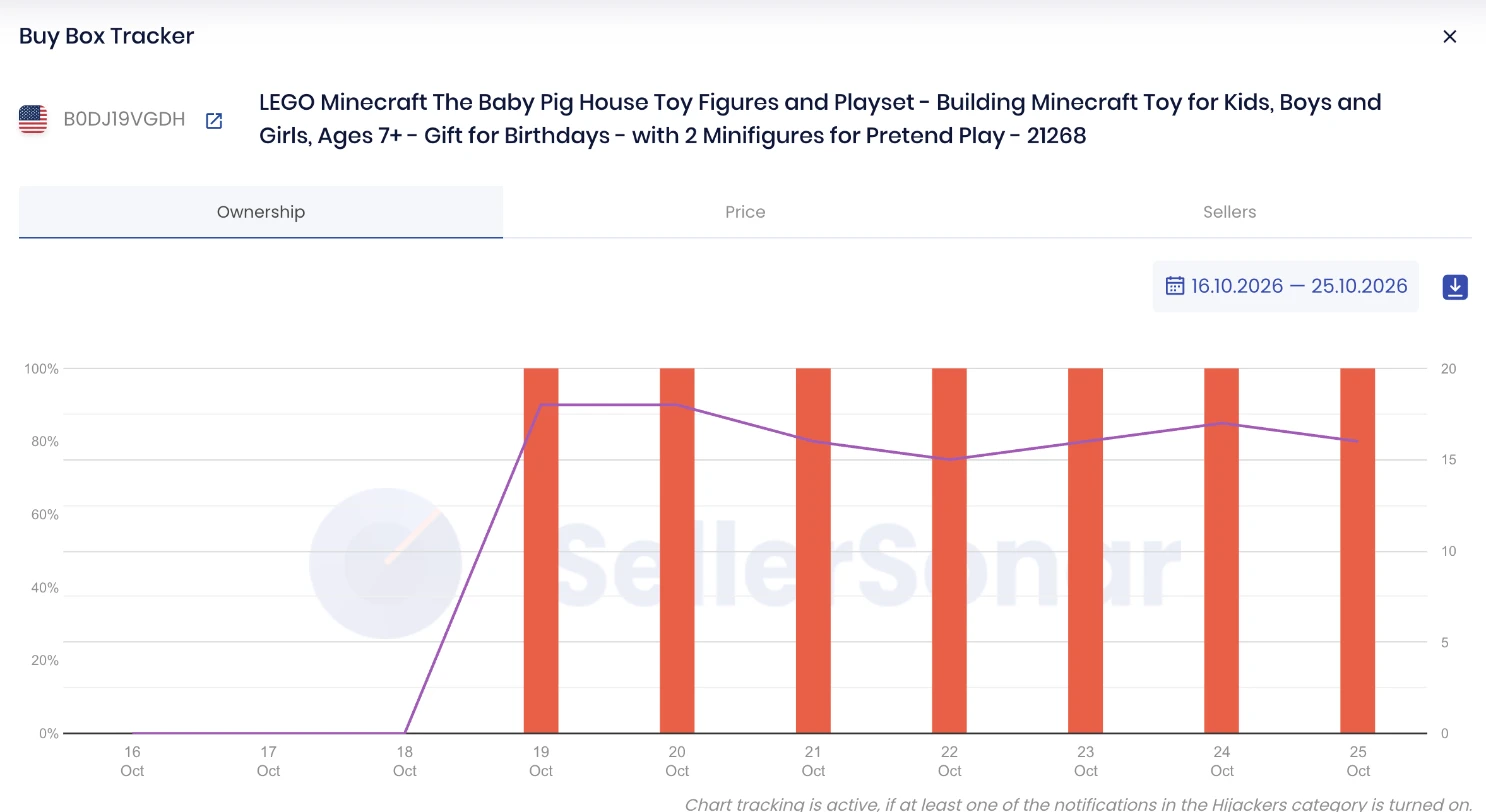
Here SellerSonar data shows Amazon holding 100% of the Buy Box every day from October 19 to 25, 2026, with 15 to 18 sellers on the listing. That is the “Sold by Amazon” badge from a search page, tracked over time for your own ASIN.
According to SellerSonar’s plans, Pro costs $19.98 a month billed yearly for 150 ASINs checked every four hours, and Premium at $39.98 checks 300 ASINs every two hours and adds Buy Box Won and Lost alerts. SellerSonar covers 23 Amazon marketplaces but does not do product research, sourcing scans or repricing.
📌 From Our Experience: Arbitrage sellers rarely lose money on the products they skipped. They lose it on the ones they bought, when five more resellers arrive or Amazon restocks. Keep the scanner for buying and add a monitor for what you already hold.
Final Expert Recommendations:
Install the free DS Amazon Quick View if you source on amazon.com: it is safe, light and fast. Pay the one-time $25 for Extended only if you scan other marketplaces or want the Buy Box flag and CSV export. Pair it with Keepa or SellerAmp for the buy decision, and use SellerSonar’s listing monitoring for the ASINs you already sell.
Start your free 14-day SellerSonar trial and see what’s happening on your listings today.
Related: Best Amazon Chrome extensions for sellers · Keepa alternatives · Tactical Arbitrage review · AMZScout alternatives

