




Quick Answer
Amazon does not publish keyword search volume, so every number a third-party tool shows you is an estimate. That is why two tools quote two different figures for the same phrase.
- Brand registered? Use Brand Analytics. Its Top Search Terms report is the only free keyword data measured from Amazon’s own search logs, and it covers the whole marketplace, not just your listings. It costs nothing beyond the $39.99 a month Professional plan.
- Not registered? Use Amazon autocomplete plus one of the free tools that reads it, and accept that you will not get volume figures.
- Free tiers give you the keyword ideas. The estimate is the part you pay for.
- Paid tiers earn their money on scale, not accuracy: hundreds of terms at once, reverse-ASIN lookups, and history.
About the Author: Alex Harrison writes for the SellerSonar editorial team on Amazon search, monitoring and seller tooling. He has a low tolerance for keyword numbers presented as measurements when nobody outside Amazon can measure them.
That distinction is the whole game, and almost every roundup skips it.
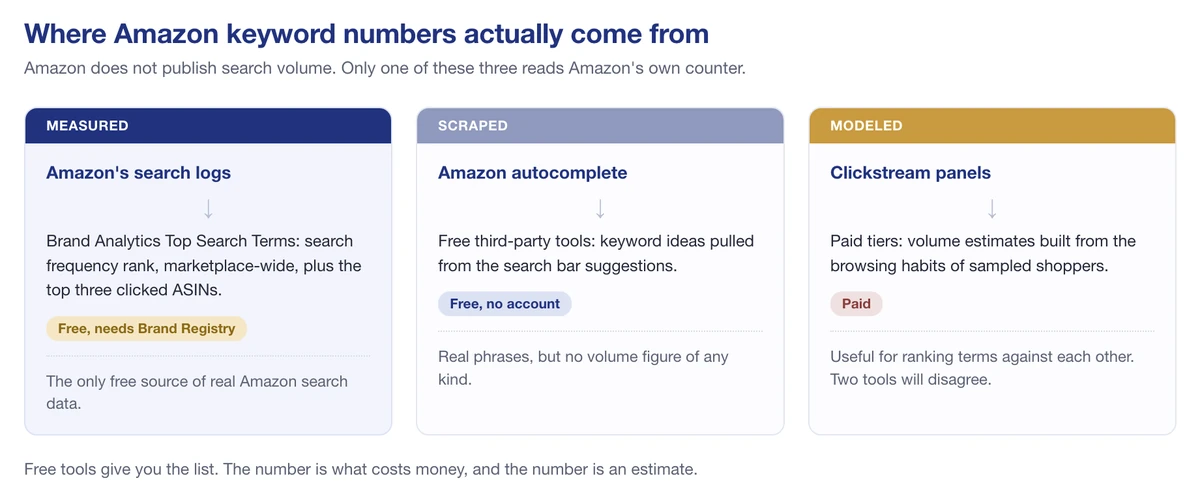
Only Amazon’s own logs measure search volume. Everything else is scraped or modeled.
What a seller usually wants is simple: the terms shoppers actually type, with a number beside each one saying which is bigger. Getting the list is easy and costs nothing. Getting a number you can trust is the whole difficulty, and it is what every paid tier is really selling.
Here is what each option gives you, what it costs, and where the free ones stop.
Amazon’s Own Keyword Tools Are Free and Most Sellers Skip Them
Amazon publishes its own guidance on keyword research, and the tools it points sellers to are all included with an account you may already pay for. In its own words, Amazon recommends the search bar, Product Opportunity Explorer, and three Brand Registry dashboards.
Amazon autocomplete
Start typing a product term into Amazon’s search bar and the suggestions that drop down are real queries, ordered by how Amazon weighs them. Amazon describes it plainly: “Start typing a keyword related to your product, and Amazon will show you auto-complete suggestions.”
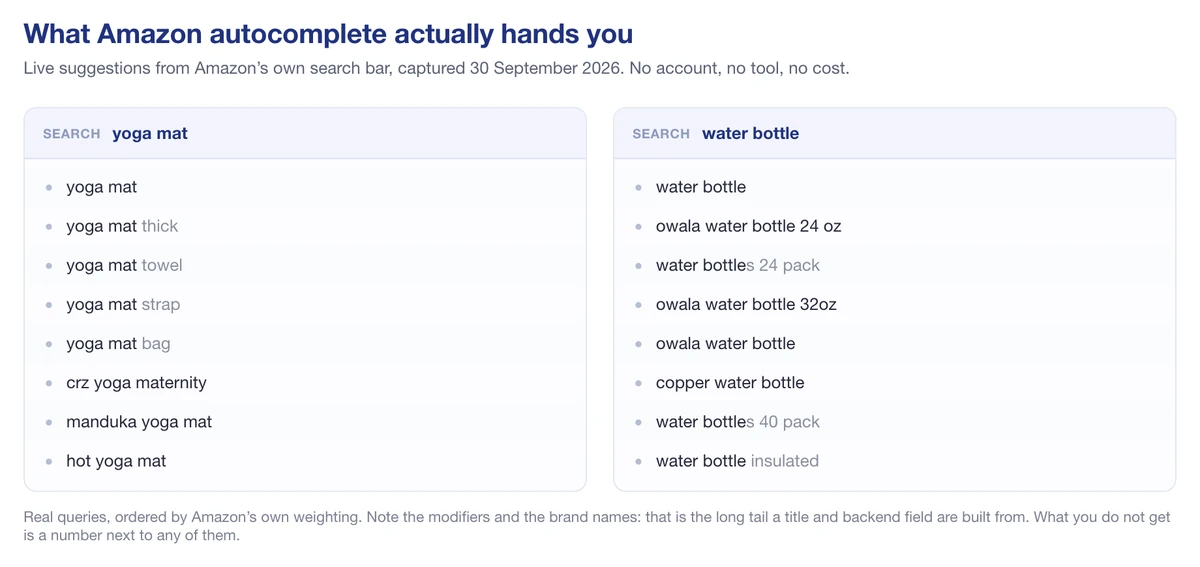
Live Amazon autocomplete for two seed terms. Modifiers and brand names, but no numbers.
It costs nothing, needs no account, and it’s the raw material behind most of the free third-party tools further down this page. Those tools scrape autocomplete at scale and present it more neatly. That’s a genuine convenience, but it’s worth knowing you’re looking at the same underlying source.
Product Opportunity Explorer
Product Opportunity Explorer sits in Seller Central under Growth and is included with a Professional selling account. Amazon calls it “an ecommerce research tool that provides up-to-date data on trends in customer searches for product categories.”
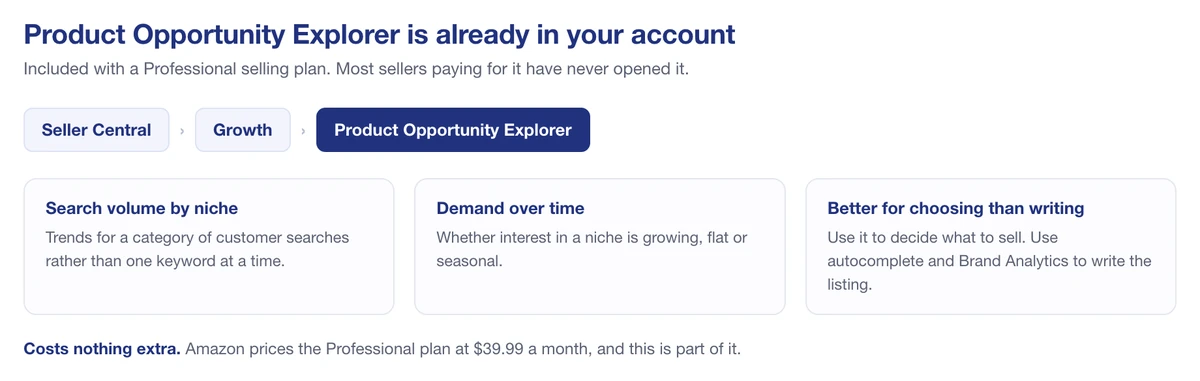
Product Opportunity Explorer sits under Growth in Seller Central.
It shows search volume trends by niche rather than by individual keyword, which makes it better for deciding what to sell than for writing a title. If you’re already paying for a Professional account, which Amazon prices at $39.99 a month, you own it.
The Brand Analytics dashboards
This is the part worth enrolling for. Registering your brand in Amazon Brand Registry opens three dashboards, at no cost beyond the Professional plan you already hold:
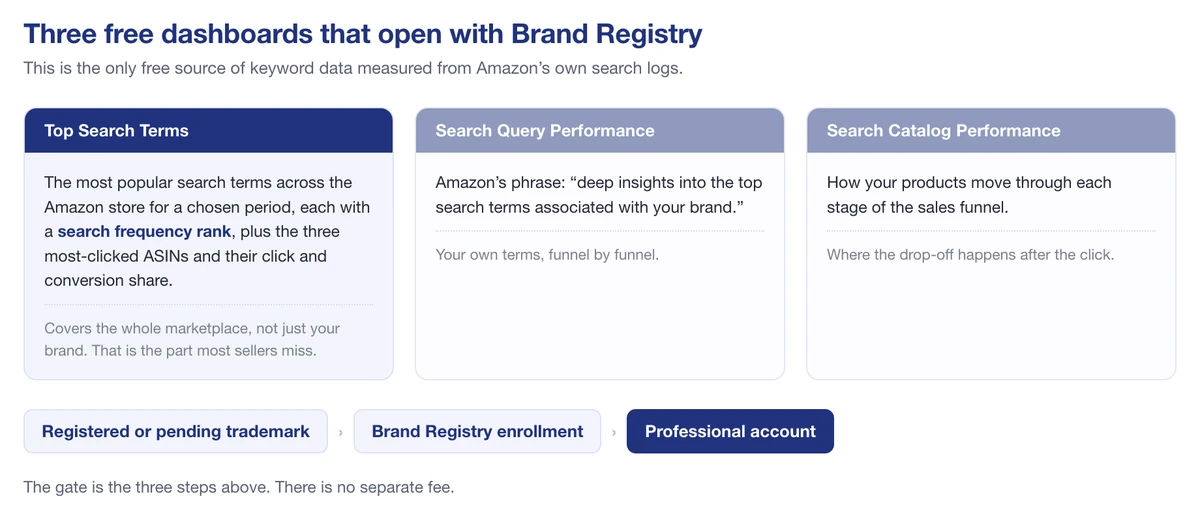
The three dashboards Brand Registry opens, and the gate you pass to reach them.
- Top Search Terms shows the most popular search terms across the Amazon store for a given period, with a search frequency rank for each, plus the three most-clicked ASINs and their click and conversion share. The rank comes from Amazon’s own search logs, not from a model.
- Search Query Performance gives what Amazon describes as “deep insights into the top search terms associated with your brand.”
- Search Catalog Performance tracks how your products move through each stage of the funnel.
Top Search Terms covers the entire marketplace, not just your own brand, which is the detail most sellers miss. It’s the closest thing to ground truth that exists for Amazon keyword data, and it’s free. The catch is the gate: you’ll need a registered or pending trademark, Brand Registry enrollment, and a Professional account.
If you sell under your own brand and have not enrolled, this is the highest-value free keyword data available to anyone. Everything else on this page is an estimate of it.
What “Free” Means on Third-Party Keyword Tools
Several well-known tools advertise a free Amazon keyword tool. They’re real, and they’re useful. They’re also free in a specific and limited sense that their landing pages don’t always spell out.
Keyword Tool (keywordtool.io)
The free version generates keyword ideas from Amazon autocomplete across every marketplace Amazon operates in. It does not show search volume. The vendor is direct about it: “Keyword Tool Pro (our paid subscription) provides Amazon keywords search volume estimates based on the clickstream data.”
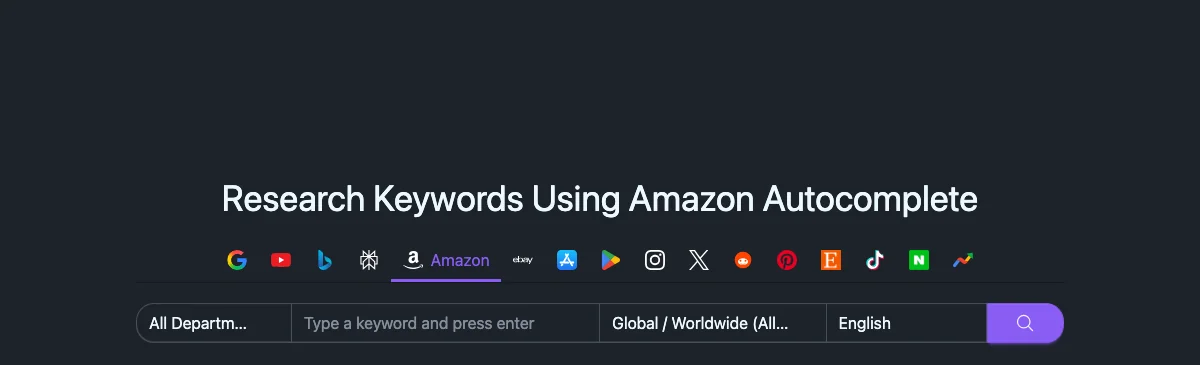
keywordtool.io says what it is: Amazon autocomplete, across every marketplace.
So free gets you the list, paid gets you the numbers. For building out a backend search-terms field, the free list might be all you need.
Keyword Tool Dominator
Two free searches per day per keyword source, no signup and no credit card. Rather than inventing a volume figure, it returns a Popularity Score from 0 to 100 that ranks phrases against each other inside your result set.
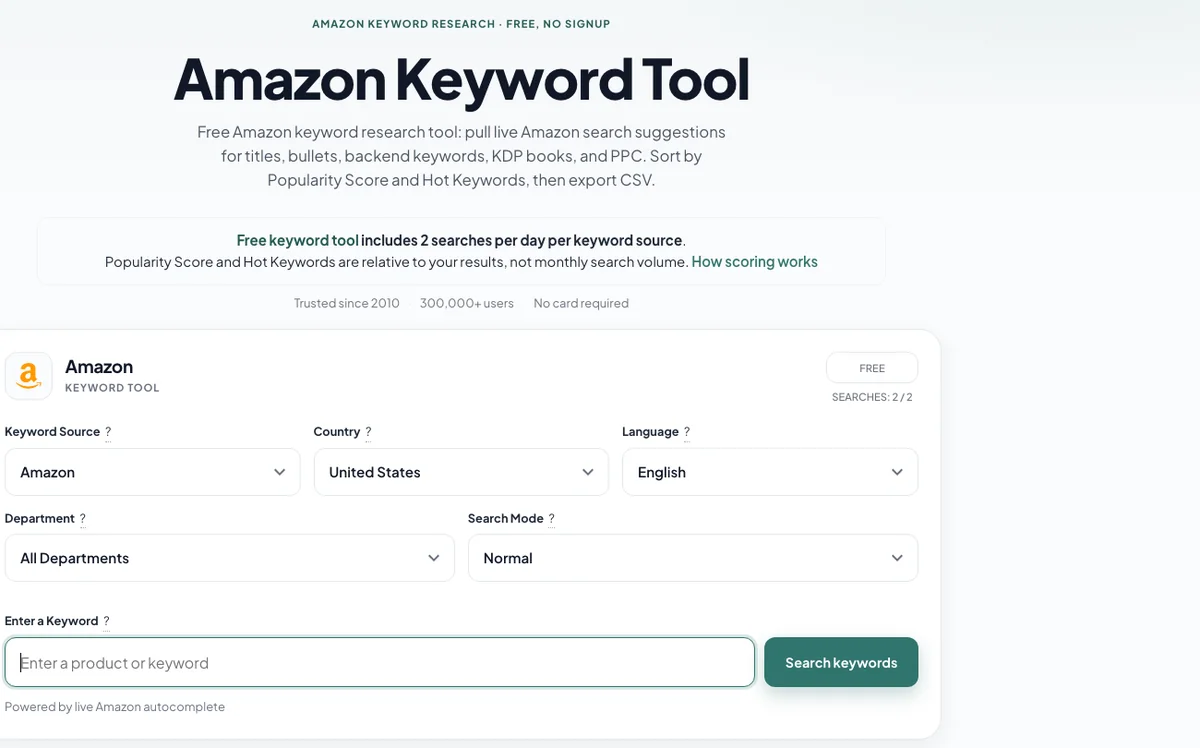
The limits stated on the tool itself: two free searches a day, and a score rather than a volume.
Their own explanation of why is the most honest sentence on this subject anywhere: “Amazon does not publish keyword search volume, and autocomplete does not expose monthly counts. We do not invent them.”
Helium 10 Magnet
Helium 10’s free Amazon keyword tool page runs what it labels a “Limited Demo of Magnet” and prompts you to “sign up for free” for a fuller test. The page does not publish the demo’s limits, and the figures quoted around the web disagree with each other, so check them at signup rather than trusting a roundup.
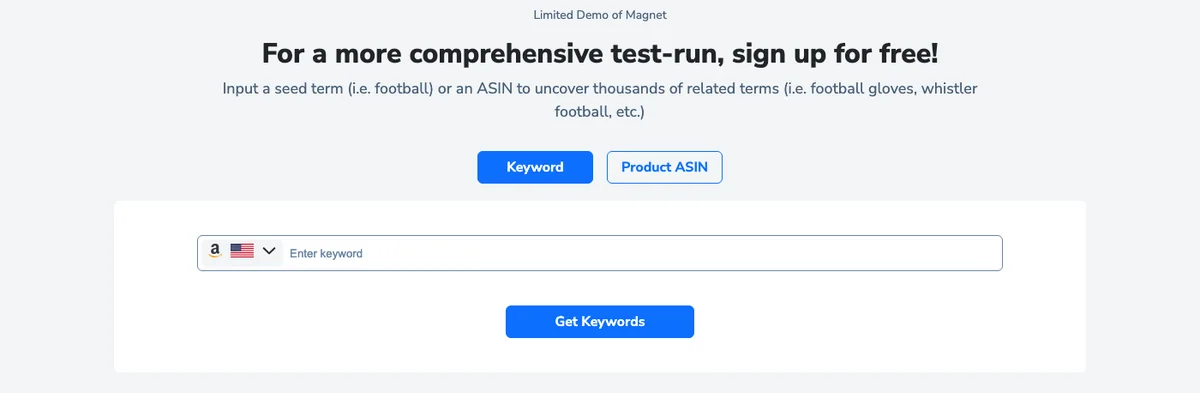
Helium 10 labels it a limited demo and asks you to sign up for the fuller test.
The free account itself is not time-limited. Helium 10’s own pricing FAQ puts it plainly: “The Free Account is free-to-use forever. But there are limitations on the uses for each tool.” So the constraint is how much you can run, not how long you have.
Worth knowing before you plan around the paid tiers. On Helium 10’s pricing page, checked 30 September 2026, the $39 a month Starter plan is gone, removed in April 2026, and the cheapest paid tier is Platinum at $99 a month on annual billing.
Ahrefs
This one draws on clickstream data from real Amazon users rather than autocomplete alone. As of this writing the Amazon-specific tool is marked under maintenance and redirects to their general Keyword Generator, so treat it as temporarily unavailable.
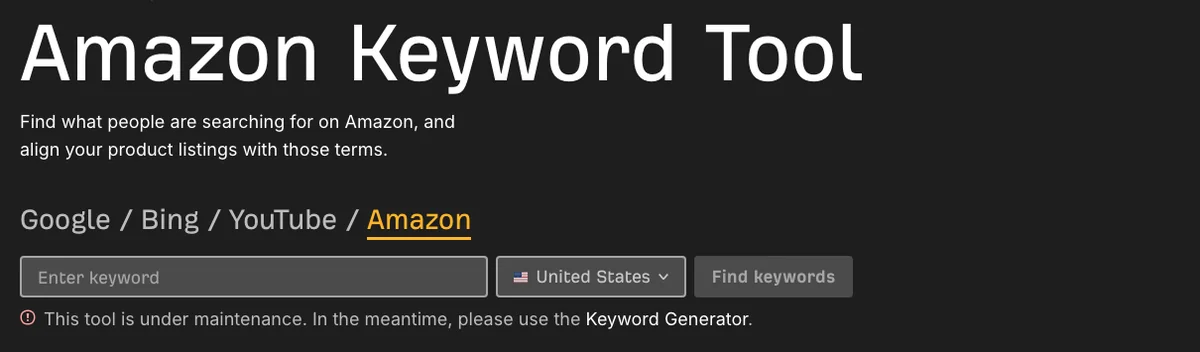
Ahrefs’ own notice on the Amazon tool at the time of writing.
The Keyword Generator it points to is built for Google rather than Amazon, so the volumes it returns describe a different marketplace. Worth a look if it comes back; not worth planning around while the notice is up.
Free Amazon Keyword Tools Compared
| Tool | Free tier gives you | Search volume on free? | Account needed |
|---|---|---|---|
| Amazon autocomplete | Live suggestions from the search bar | No figures at all | No |
| Product Opportunity Explorer | Search trends by niche | Yes, by category | Professional account |
| Brand Analytics Top Search Terms | Marketplace-wide terms with search frequency rank | Yes, from Amazon’s logs | Brand Registry |
| Keyword Tool (keywordtool.io) | Autocomplete ideas, all marketplaces | No, Pro only | Not stated |
| Keyword Tool Dominator | 2 searches per day per source | No, Popularity Score instead | No |
| Helium 10 Magnet | Free account, permanent, per-tool usage limits | Sign up to see | Yes, beyond the demo |
Read the third column first. Two of the six give you real Amazon numbers, and both of those are Amazon’s own.
If You Came Looking for Sonar, It Is Gone
Sonar was the free Amazon keyword tool most sellers reached for. It was built by Sellics, it required no account, and it indexed Amazon search terms across marketplaces. People still search for it by name years later.
It no longer exists. Sellics was absorbed into Perpetua in 2022 and is not sold as a standalone product any more; sellics.com now resolves to perpetua.io. The Sonar domain itself no longer responds at all. Perpetua is an advertising platform priced against ad spend, so it is not a replacement for what Sonar did.
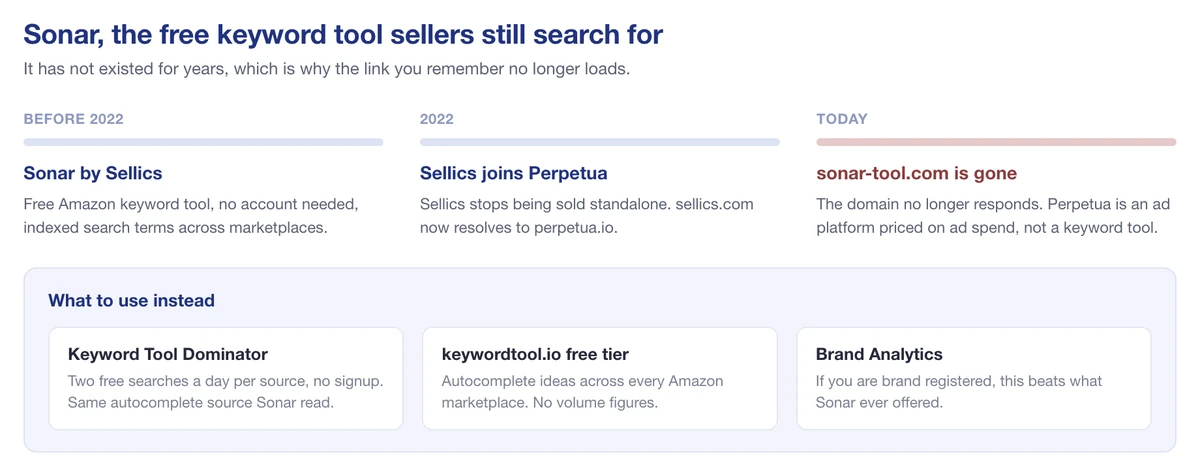
Sonar was folded into Perpetua and its domain no longer resolves.
If Sonar is what you are looking for, the nearest free equivalents are Keyword Tool Dominator and the free tier of keywordtool.io, both of which read the same autocomplete source Sonar did. For actual search data rather than suggestions, Brand Analytics is the upgrade.
Four Ways to Find Keywords Without Buying Anything
Four methods cost nothing and surface terms no estimate-based tool can, because they come out of your own account and your own category.
| Method | What it gives you | Where to find it |
|---|---|---|
| Automatic PPC campaigns | Terms that actually converted, so proven rather than predicted | Seller Central, Reports then Advertising |
| Reverse ASIN on a competitor | The terms a rival ranks for, and where they are taking your clicks | Brand Analytics free; dedicated tools are paid |
| The listings that outrank you | Phrasings you would not have written, and regional word choices | Their titles and bullets, read properly |
| Questions and Frequently bought together | Shoppers’ own words, and terms from adjacent categories | Any competing product page |
The first row is the one to act on. An automatic campaign is Amazon telling you which searches it thinks match your product, and the search-term report turns that into a list you did not have to guess at. Running a small automatic campaign purely to harvest terms is cheap research, and most sellers already own this data and never open it.
Where Paid Tools Earn Their Money
None of that is an argument that paid keyword tools are a waste. It’s an argument for knowing what you’re buying.
Paid tiers earn their keep when you need three things a free tier won’t give you:
- Volume estimates at scale, across hundreds of terms at once rather than two searches a day.
- Reverse-ASIN lookups against specific competitors, which is the fastest route to a keyword list that already works in your category.
- Historical trend data, so you can tell a seasonal spike from a term that’s genuinely growing.
Doing that by hand through autocomplete isn’t realistic. If you’re managing a large catalog or running serious advertising, the subscription pays for itself in time alone.
What paid tiers can’t do is turn an estimate into a measurement. Two tools will quote different volumes for the same keyword because they model it differently, and neither one is reading Amazon’s actual counter. Treat the numbers as a way to rank keywords against each other, not as a fact about demand.
Putting the Keywords Into Your Listing
Research is only useful once the terms are in the listing. Three things are worth getting right.
Backend search terms are capped in bytes, not characters. Amazon limits the Search Terms field to under 250 bytes. Accented characters and emoji consume more than one byte each, and going over can cost you the whole field rather than just the overflow. Put your highest-value terms first.
Do not repeat yourself. A term already in your title does not need to be in the backend field too. Use the space for synonyms, spelling variants, and the phrasings shoppers use that you would not write on the page.
Relevance beats coverage. Stuffing terms that do not match the product brings in traffic that does not convert, which is worse than no traffic, because conversion rate feeds back into ranking.
One thing to ignore as you read around this subject: there is no “A10 algorithm.” A9 was the official name, after the Amazon subsidiary that built the search technology. “A10” is seller-community shorthand coined around 2020 that Amazon has never used, so anyone selling optimization for it is selling you a name Amazon did not give.
Knowing What You Rank For Afterward
Keyword research tells you what to target. It does not tell you whether it worked, and that gap is where most of the value leaks away.
SellerSonar is not an alternative to the research tools above: it will not hand you a market-wide keyword cluster or a volume estimate. What it does is suggest terms for a specific ASIN, then track whatever you decide to keep, so you can see what a listing edit actually changed.
Start from the keywords it suggests for your ASIN
Add a product and SellerSonar proposes keywords for it, which you can accept one at a time or add in a single click. It is a shortcut to a first list rather than a replacement for the research above, and it is a reasonable place to begin before you go hunting through autocomplete.

Adding an ASIN produces a suggested keyword list you can take whole or pick through.
Be clear about what that list is. The suggestions come from the product itself, not from marketplace search data, so treat them as a starting set to prune rather than a finished answer.
Read the whole set at once, then drill into one term
The Heatmap lays every tracked keyword against every day in the period, so a change reads as a shift in the grid rather than a number you have to go hunting for. The view splits by organic and sponsored placement.
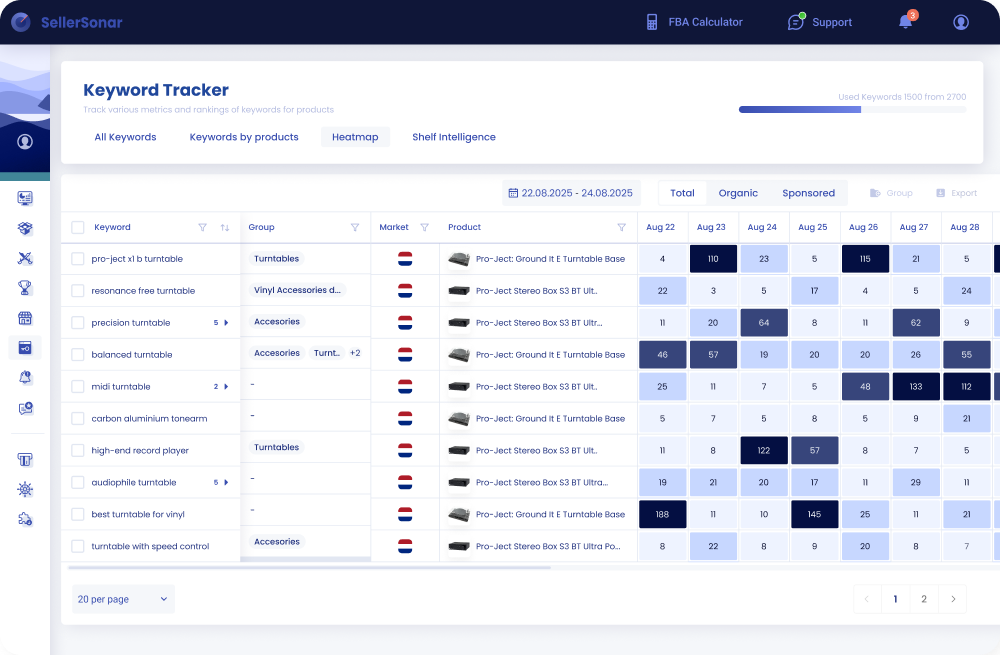
The Heatmap puts every tracked keyword against every day, so movement reads as a shift in the grid.
When one term matters enough to look at properly, the keyword view charts its position over time and puts named competitor ASINs on the same axes. That is the difference between knowing you slipped and knowing who took the place.

One keyword, charted over a year, with three competing ASINs on the same axes.
You choose which competitor ASINs sit on the chart, so it can show the three products actually taking your traffic rather than a category average.
A ranking is a position. Shelf Intelligence asks a bigger question. Share of Voice shows how visible your brand is across organic and sponsored results for a whole keyword group, not one term at a time, so you can tell whether you are gaining ground on a category or only on a phrase.
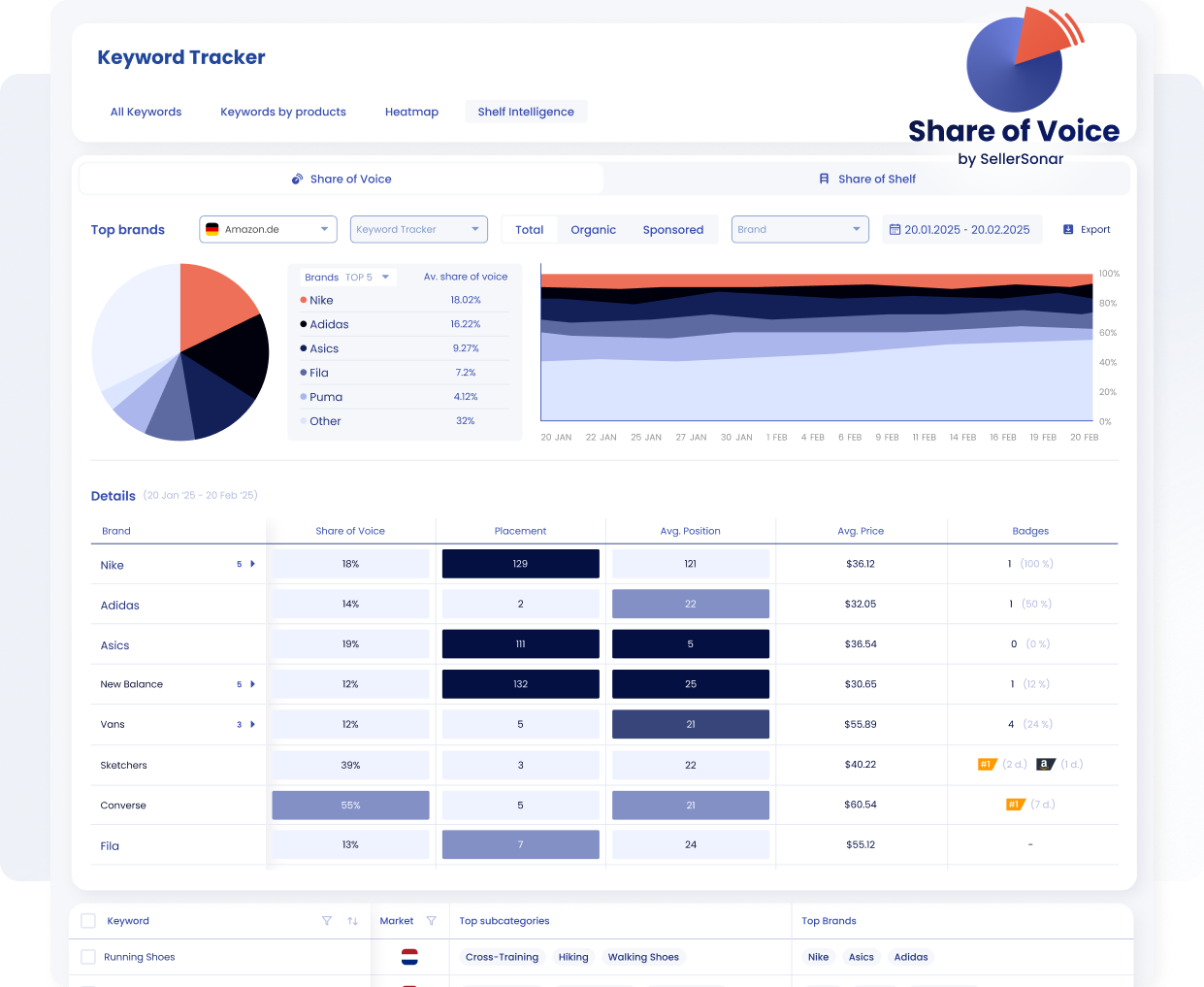
Share of Voice shows how much of a keyword group’s visible results each brand holds.
The same picture works on rivals. In the Competitors section you can put their price, BSR, review count and keyword positions alongside your own, which is what our competitor monitoring is built around.
Share of Shelf answers what a ranking cannot: out of everything on the page for this search, how much is yours and how much belongs to other brands? It breaks the shelf down by subcategory and by brand, and shows which neighboring segments are taking the space.
This is the view that explains a listing whose keyword positions look stable while sales do not. The rank held; the shelf around it filled up with somebody else.
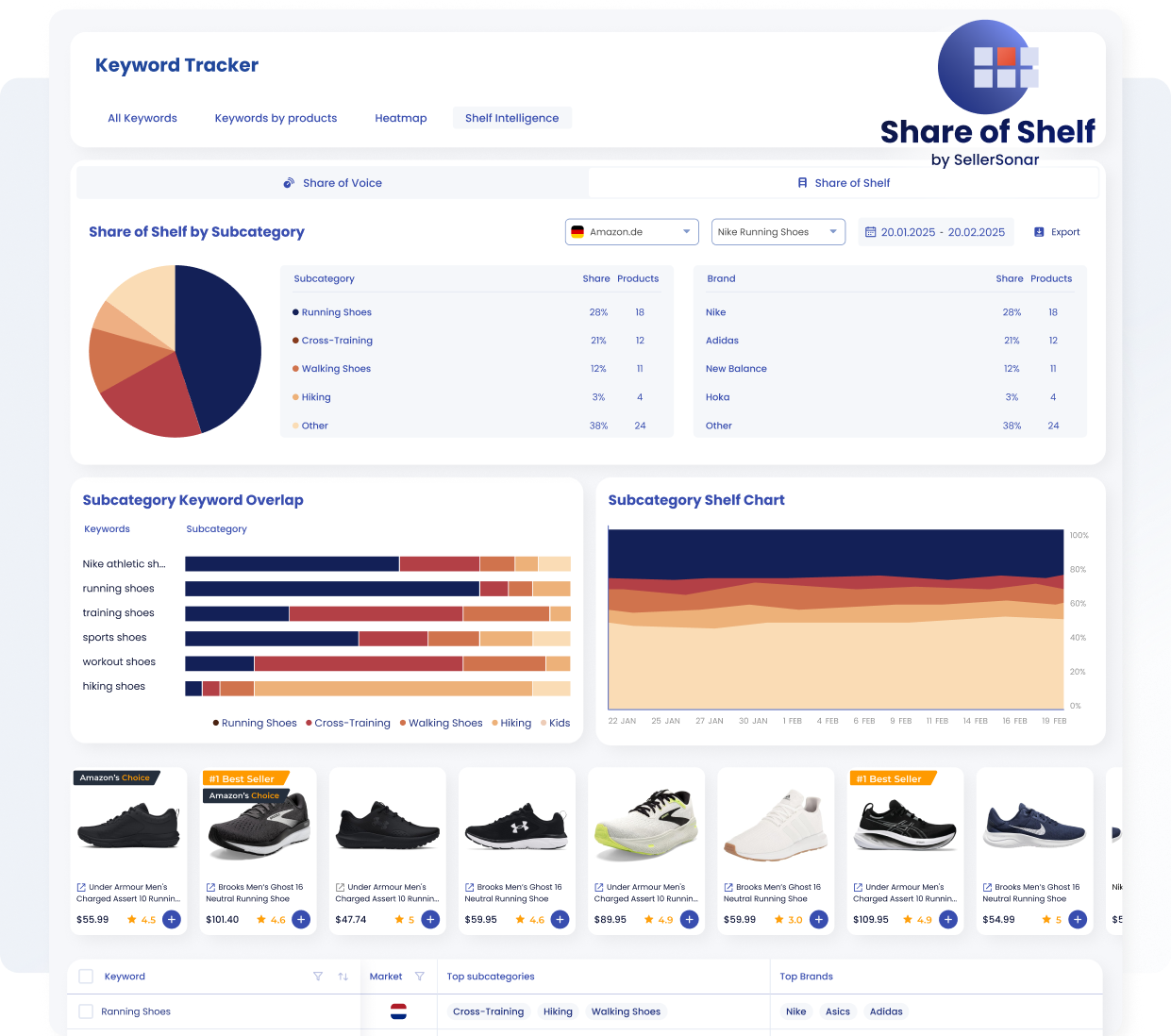
Share of Shelf breaks a keyword group down by subcategory and brand, down to the products on the page.
Asking for the numbers instead of opening the dashboard
Everything above is a screen you have to go and look at, which is fine for ten keywords and tiring for three hundred.
If you already work in an AI assistant, the SellerSonar Amazon MCP server lets it read the tracked data directly, so “which of my keywords moved this week, and who took the positions” becomes a question rather than a report you go and build. Access is read-only and authorized over OAuth, and it reads public Amazon pages rather than connecting to Seller Central. It works in Claude, ChatGPT, Copilot, Cursor and Gemini.
One limit worth knowing before you plan around it: an MCP server answers when something asks it, so a scheduled Monday summary needs either your AI client’s own scheduler or a monitoring engine running server-side. Our guide to Amazon MCP covers the setup.
If rank tracking is specifically what you are shopping for, we compared the options in our roundup of Amazon keyword rank trackers. To see any of this against live data rather than a screenshot, there is a shared demo account.
Start with a free 14-day SellerSonar trial covering 5 ASINs and 10 keywords, no credit card required.
Where to Start
If you sell under a registered brand, open Brand Analytics before you buy anything. It’s free, the data is Amazon’s own, and it covers the whole marketplace.
If you aren’t brand registered, start with autocomplete and one of the free tools above to build your list, accept that you won’t get volume figures, and rank your terms by judgment for now. Buy a paid tier when the size of your catalog makes manual work impossible, not before.
Either way, put the terms in the listing, then watch what happens to your positions. That feedback loop matters more than the precision of any estimate you started with.

